What should you check before buying?
For online games on a physical board, check the move mechanism, service compatibility and connection route against the way you expect to play.
| Concern |
What to check when buying |
Who this matters to |
| Physical move execution |
Confirm that the exact model moves an opponent’s pieces in live online games; ask how it handles captures, castling and promotion. |
If a remote move only lights up a square, I still have to move the piece myself. Around 29% of consumers prioritise having the opponent’s move carried out physically. |
| Service compatibility |
Check the supported chess service, exact model, UK account type and any app or connector needed to link them. |
I want to keep playing on the service I already use, rather than switch to a different one for the board. Around 29% of consumers put compatibility with their chosen service first. |
| Home connection |
Find out whether the board needs Wi-Fi or connects through a phone, and check the app, device and account steps. |
I need a connection routine I can manage for home games, including what to do if the connection drops. Around 24% of consumers prioritise a workable setup. |
| Ongoing access |
Ask whether online play depends on an app or connector, and check the stated update period and support arrangements. |
I want to know what software access and support I can rely on after setup. Around 18% of consumers make continuing access their primary concern. |
Joybuy products
These choices relate to app-connected robotic-arm chess for online play and portable use.
 No image available
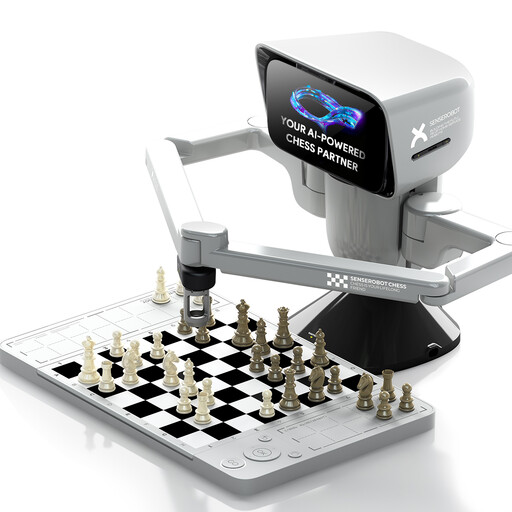
SenseRobot Mini AI Chess Robot with Robotic Arm
Suited to shoppers looking for an app-connected robotic-arm chess set for online play. SenseRobot describes Mini as supporting Lichess and Chess.com through ChessConnect; confirm the current UK account and app route you need.
The product name identifies AI chess, a robotic arm, app connection and portable travel use.
View on Joybuy
Frequently asked questions
Does a chess robot advertised for Lichess also work with Chess.com?
Not necessarily; support depends on the exact model and connection route. SenseRobot describes Lichess for Chess and Chess.com through ChessConnect for Mini, while Chessnut advertises both services for Move through its app and Phantom advertises both through its app. Check the model and UK account you plan to use.
Does an online chess robot need to connect directly to home Wi-Fi?
No; connection methods vary by model. SenseRobot lists Wi-Fi for Chess, whereas Phantom says its board pairs to a phone over Bluetooth and uses the phone’s internet connection. Check the setup for the specific model rather than relying on a general “wireless” description.
Does a free online chess service mean the robot’s connected features stay free?
No; a service’s own terms do not establish the terms for a board maker’s app or integration. Lichess describes its chess service as free, but you should check the manufacturer’s current app, connector and support terms for the exact model.
What should I check about power and product information for UK use?
Identify whether the product is being supplied for Great Britain or Northern Ireland, then request the applicable product information and power-supply details for that exact version. GOV.UK guidance dated 31 March 2026 sets out product-marking approaches for both markets; an international listing alone does not establish the details for an individual unit.
What if online play or piece movement fails after delivery?
Record the model, app and firmware versions, connection method and move that failed, then contact the seller or manufacturer. For a qualifying UK distance sale, GOV.UK describes a 14-day period after receipt for notifying the seller of cancellation, subject to applicable conditions and exceptions; rights for faulty or misdescribed goods are separate, so check the circumstances against the official guidance.


