What to consider before buying
For consumers in the UK choosing a connected device for a child, the percentages below correspond to each household’s main purchasing concern.
Smartphone
Consider it when: contact away from home is the priority and the family is ready to arrange suitable connectivity and an eligible child account.
Trade-off: apps and online services need their own age and control checks; supervision also depends on the phone’s operating system.
Tablet
Consider it when: video, learning apps or calls at home matter more than having a mobile phone.
Trade-off: check the exact apps and child-profile controls, as these vary by device and platform.
Games console
Consider it when: particular compatible games are the main use.
Trade-off: a console does not replace a phone for contact away from home, and online play may require a membership.
| Concern |
What to check when buying |
Who this matters to |
| Contact away from home |
Check the required calling or messaging method, connectivity, child-account eligibility and controls on the exact operating system. |
If I need to contact my child when they are out, I want the chosen setup to support that method. Around 25% of consumers put contact away from home first. |
| Video and learning |
Confirm the required apps, child-profile access, storage variant and whether a suitable case is included or compatible. |
If video or learning at home is the main use, I want a screen and child profile that work with the services we intend to use. Around 20% of consumers prioritise this shared-screen use. |
| Account and control compatibility |
Check the child’s age and intended accounts, then identify which controls apply to the device, platform account and individual service. |
If managing a child’s account is my main concern, I want the controls to work on the device they will actually use. Around 20% of consumers prioritise account and control compatibility. |
| Games and online play |
Confirm game availability, UK age rating, communication settings and whether the intended online mode requires a membership. |
If my child wants particular games or multiplayer, I want to check those games and their online features before choosing a platform. Around 20% of consumers put gaming needs first. |
| Ongoing requirements |
Check the exact bundle contents, subscription renewal terms, game-purchase route and any compatible accessories needed for the intended activities. |
If I need predictable ongoing commitments, I want to understand what the chosen setup requires beyond the device itself. Around 15% of consumers prioritise these continuing requirements. |
Related products on Joybuy
The products below cover child-oriented tablets and games consoles for video, learning or gaming. Check app access, account eligibility and online-play requirements for the specific device and service.
 No image available
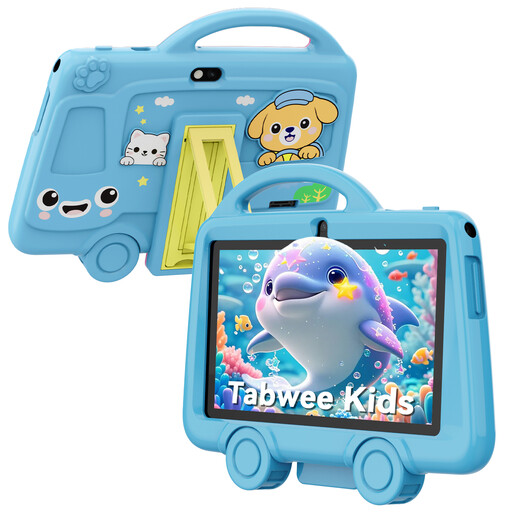
TABWEE K8 Kids’ Tablet, 7-inch, 3 GB RAM, 32 GB storage
For a child’s video and learning activities, the listing describes use with educational apps, games and videos over Wi-Fi.
7-inch display; 3 GB RAM; 32 GB storage; 3000 mAh battery; 2.4 GHz Wi-Fi; Bluetooth 4.2; 2 MP front camera and 5 MP rear camera; 3.5 mm headphone jack; 285 g.
The listing warns of a choking hazard from small parts and says the tablet is not suitable for children under 3.
Joybuy
 No image available
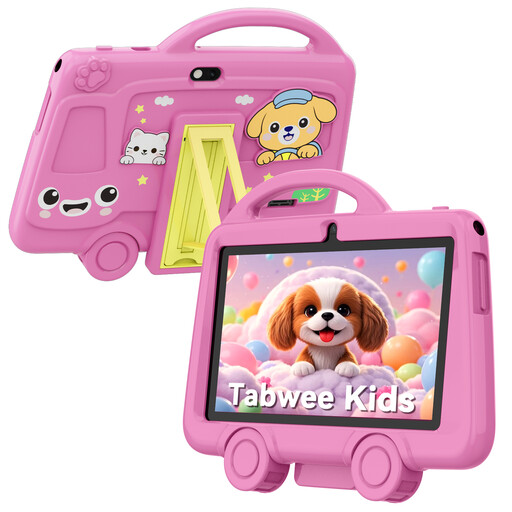
TABWEE K8 Kids’ Tablet, 7-inch, 2 GB RAM, 32 GB storage
For a child’s video and learning activities, the listing describes use with educational apps, games and videos over Wi-Fi.
7-inch display; 2 GB RAM; 32 GB storage; 3000 mAh battery; 2.4 GHz Wi-Fi; Bluetooth 4.2; 2 MP front camera and 5 MP rear camera; 3.5 mm headphone jack; 285 g.
The listing warns of a choking hazard from small parts and says the tablet is not suitable for children under 3.
Joybuy
 No image available
PlayStation 5 Console, PlayStation Plus Premium 24-month subscription bundle
For a gaming-focused household, this listing identifies a PlayStation 5 console bundle with online multiplayer described as a use.
The product name specifies a 24-month PlayStation Plus Premium subscription bundle. Check whether the games your child wants use the included membership benefits.
Joybuy
 No image available
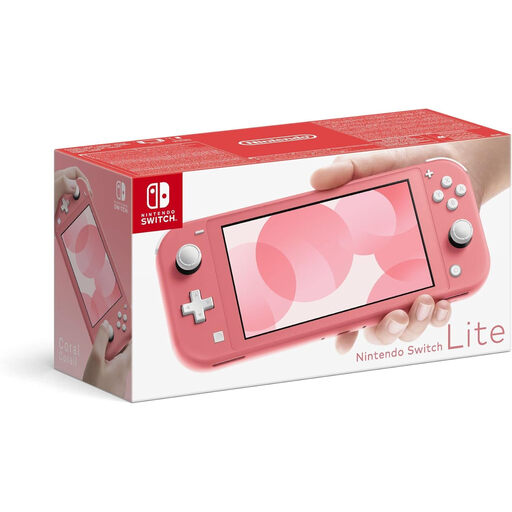
Nintendo Switch Lite, Coral
For portable gaming, this is a handheld-only console; it does not replace a phone when contact away from home is needed.
The listing states that it has no TV output or kickstand and is designed for one player. Online play requires a Nintendo Switch Online subscription.
Joybuy
 No image available
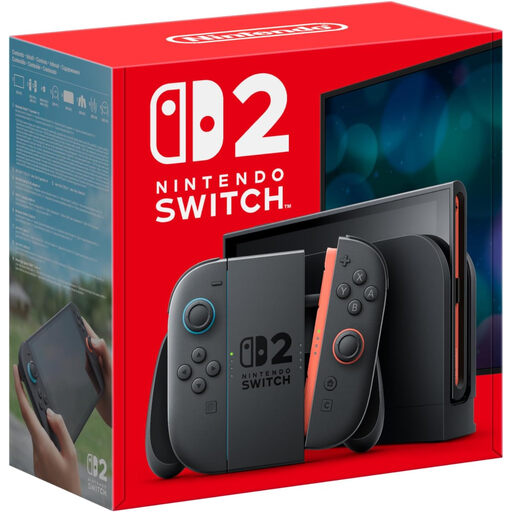
Nintendo Switch 2 Console, UK Version
For families considering gaming at home or on the go, the listing describes handheld and TV-docked play.
The listing states that online services require a Nintendo Account, internet access and a paid membership. GameChat requires a mobile number and parent or guardian approval for children. It also warns of a choking hazard from small parts and says the console is not suitable for children under 3.
Joybuy
Frequently asked questions
Can a child use a parent’s account instead of having their own?
Use the child-account route required by the intended platform. Apple describes creating a Child Account for Family Sharing; Nintendo says a parent or guardian can create a child account for a child under 16, who cannot create their own Nintendo Account. Check the age and account terms for each third-party service separately.
Will Google Family Link supervise my child’s iPad if I install the app on my phone?
No, not for most Family Link device-supervision tools on the child’s iPad. Google distinguishes the parent’s device for managing Family Link from the child’s supported device; its supported child-device list includes qualifying Android devices and Chromebooks, but not iPhones or iPads.
Where should I set Nintendo Switch play-time and shop restrictions?
Use the console settings and parental-controls app for console restrictions, and Nintendo Account settings for eShop restrictions. Nintendo says console parental controls apply to all users; for a child under 16 to use GameChat, the app must be linked and a parent must configure the additional controls.
What continuing requirements should I check for a tablet or games console?
Check the exact bundle and the online requirements of the games and services your child intends to use. Nintendo Switch Online is a paid service for online play in compatible games; PlayStation lists online multiplayer among PlayStation Plus membership benefits. Amazon’s referenced Fire HD 10 Kids Pro listing includes one year of Kids+ and says the subscription renews afterwards unless cancelled.
Should I check a UK game’s age rating if the console has parental controls?
Yes; check the game’s UK rating and content information separately from the console settings. UK Government material says PEGI 12, 16 and 18 classifications have legal backing for sales to underage children; this concerns restricted game sales, not a blanket ban on buying a games console.


