Buying priorities
Start with the child’s main activity, then choose the account and control system that the household can maintain. Device type and family settings work together; neither replaces checks inside individual games, video services and messaging apps.
Tablet with a child account
Choose it when: Video, app games and a larger portable screen are the main uses at home or while travelling.
Check first: Apple and Google controls depend on the operating system, child account and app; Google Family Link cannot supervise iPhones or iPads.
Games console with a family account
Choose it when: Controller-based gaming is the priority and the household wants platform settings for games, purchases and player interaction.
Check first: Communication controls can sit separately from general console restrictions, especially for individual games and chat features.
Smartphone with a child account
Choose it when: The child needs portable communication as well as games and video services.
Check first: A phone combines messaging, apps and mobile access, so contacts, downloads, account recovery and privacy settings need active management.
| Priority |
What to check |
Your needs and relevant use |
| Match the device to the main activity |
Compare screen size and portability for video and apps against controller-based gaming. Decide whether portable access is necessary or whether a home-focused device is enough. |
I want the device to fit how it will actually be used, rather than trying to cover every activity equally. Ofcom reported in May 2026 that, among UK children aged 8–17 who go online, 77% used a mobile phone, 59% used a tablet and 55% used a games console. |
| Content, approvals and time limits |
Check age-rated content restrictions, app or game approval requests, purchase approvals and daily or scheduled time settings. Confirm which settings apply to the specific platform and account. |
I need entertainment access that can fit household routines and be reviewed as needs change. Ofcom reported that 89% of UK children aged 8–17 watched video content online and 72% played games online in May 2026. |
| Communication and contacts |
Review messaging, voice chat, friend requests, privacy and game-specific chat settings separately. Check whether a headset has an accessible mute control and works with the intended device. |
I want to know who the child can contact before multiplayer or voice chat is enabled. Ofcom reported that 55% of UK children aged 8–17 who played online games interacted with people they had only met online at least sometimes, while 20% said this happened frequently. |
| Separate child account |
Confirm that the platform supports a child account or child family member profile, an adult organiser role and the necessary management app or compatible adult device. Review third-party services separately. |
I want settings to apply to the child without sharing an adult’s purchases, information or permissions. A separate account also makes it easier to review content, purchase and communication controls as new services are added. |
Joybuy product options
Joybuy tablet options for children using videos and app games, where the household should confirm the intended account, parental-control and communication setup before purchase.
 No image available
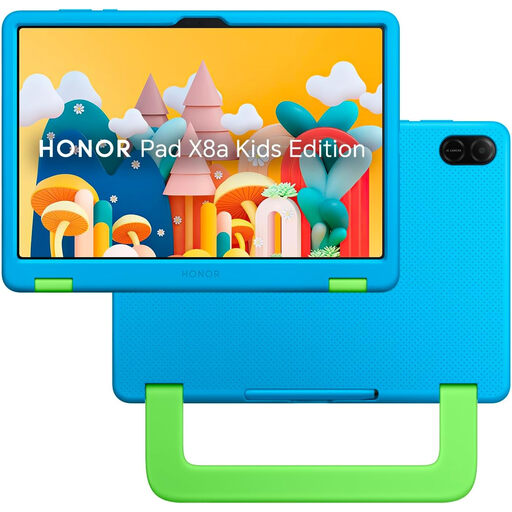
HONOR X8A Kids 11-Inch WiFi 128GB – Space Grey
A tablet option for video, app games and learning where a larger portable screen is useful. The listing states an 11-inch Full HD display, 4GB RAM, 128GB storage, Wi-Fi, Bluetooth, parent and child accounts, time limits, content filtering and parent-approved app access. Check compatibility with the household’s adult device, account type and intended apps before relying on these controls.
Joybuy
 No image available
Alldocube Kido 8-Inch Android 15 Tablet with Blue Case
A compact tablet route for videos and app games, with an 8-inch screen, Android 15, 3GB RAM, 32GB storage, Wi-Fi, dual speakers and a 3.5 mm socket. The listing describes Child Lock, content control, screen-time management and filtering; verify child-account, contact, purchase and chat controls for the services the child will use. No adapter is included.
Joybuy
 No image available
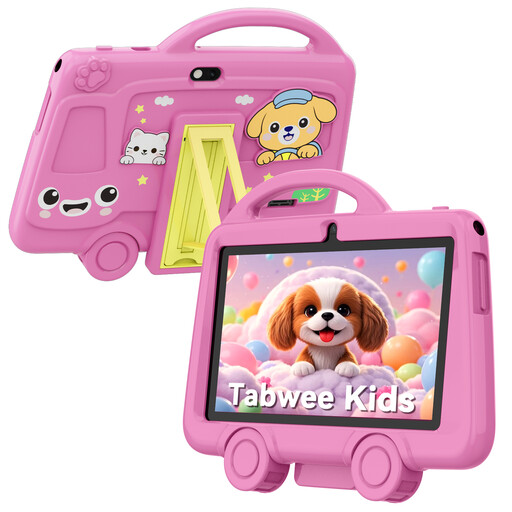
TABWEE K8 Kids’ Tablet, 7-Inch, 2GB RAM, 32GB
A small tablet for supervised videos and app games, with a 7-inch IPS display, 32GB storage, 2.4 GHz Wi-Fi, Bluetooth, cameras and a 3.5 mm headphone jack. The listing also states a drop-resistant case, 3000 mAh battery and 285 g weight. Confirm the operating system, child-account method and available content, time, purchase, contact and chat controls before buying; the listing says it is not suitable for children under 3 because of small parts.
Joybuy
Frequently asked questions
Should I give my child my existing adult account?
No. Create a separate child account or child family member account where the platform provides one. Apple UK advises creating an Apple Account for the child rather than sharing an adult account, and PlayStation’s UK terms require a separate Child Family Member Account for each child; this allows age, purchase, privacy and communication settings to apply to the child.
Do parental controls make online games, videos and messaging safe by themselves?
No. Controls can restrict some content, purchases, interaction and time, but settings differ by device, platform, game and service. The Information Commissioner’s Office says the Children’s code includes protections such as high privacy by default for covered services, but families should still review new apps, contacts and features with the child.
What should I check before allowing voice chat through a headset?
First confirm that voice chat is needed for the specific game. Then review the child account’s communication permissions, friend or contact approvals, game-specific chat settings and whether the headset has an accessible mute control. Nintendo says some Switch communication restrictions do not apply to GameChat, which needs separate adjustment.
Are platform age rules a guarantee that a service is suitable?
No. Platform account ages and consent conditions are service terms and setup requirements, not a universal suitability guarantee. Apple requires a Child Account for under-13s, Google supports parental creation and supervision for children under 13 or the applicable local age, and PlayStation’s UK terms set separate conditions for younger users; check the current terms for every service the child will use.
What UK privacy protection should I expect from child-facing apps and games?
The Information Commissioner’s Office says the Children’s code applies to online services likely to be accessed by children and covers matters including privacy settings, data minimisation and location settings. Individual apps and services can still have different controls, so review the settings whenever the child starts using a new service.


