For mainly home-based games, video and creative apps, start by considering a shared tablet or one set up with a child profile. If the child needs contact away from home, compare a supervised smartphone’s broader app access with a communication watch’s narrower functions, checking the watch’s network requirements. Whichever device you choose, set up a separate child account and relevant controls before handover, then agree how the family will handle contacts, apps and concerns that controls cannot resolve on their own.
Who is each route for?
Families starting with home use
If the child mainly uses video, games or creative apps at home and does not need an independent mobile number, assess a shared tablet or one with a child profile before choosing a phone. Check how the child’s apps and account will be managed.
Families needing contact after school
For travel, clubs or moves between households, decide which calls and messages the child needs to make away from Wi-Fi. A supervised smartphone allows broader access; a cellular watch may suit a narrower contact requirement if its service and controls fit.
Families setting up a first child account
A separate child account lets the responsible adult review the available app, purchase and time settings. Check the controls for the exact device and account combination rather than assuming one family-management tool covers every service.
What should you check before choosing?
Shared or child-profile tablet
Consider it when: Use is mainly at home and the child does not need independent calls or messages.
Trade-off: A tablet still needs an appropriate account and app controls; it does not serve the same away-from-home contact need as a cellular device.
Supervised smartphone
Consider it when: The child needs portable calls, messages or broader app access, and an adult can manage the account and mobile service.
Trade-off: Broader access brings more services and contacts to manage; Google says Family Link cannot remotely show a child’s screen or listen to calls.
Communication watch
Consider it when: Calls, messages and location awareness matter more than broad app or web access.
Trade-off: Functions vary by model, and cellular use depends on a compatible device and service plan.
| Priority | What to check | Your needs |
|---|
| Activities and independence |
List the apps and activities the child will use. Decide whether contact is needed away from home Wi-Fi and whether the proposed device provides it. |
For home-based video and games, I may not need a mobile number. For travel or clubs, I need to know how my child can contact us. |
| Child account and supervision |
Check child-account support for the exact device, plus app and purchase approvals and time or content settings. Google says Family Link cannot supervise an iPhone or iPad as a device. |
I want an account I can help manage without giving my child access to my personal account. I also need to understand what its controls cannot show me. |
| Known contacts |
Check calling and messaging functions, approved-contact settings where offered, and any parent-app requirements. Confirm that schedules or school mode fit the school’s rules. |
Being reachable by known people matters more to us than immediate access to open social apps. |
| Mobile service and filtering |
Confirm network compatibility and plan requirements for a cellular phone or watch. For a UK mobile line, ask whether the provider’s adult-content control is active; Ofcom says it may not be switched on automatically. |
If the device uses mobile data, I want to check its network settings as well as its device and app controls. |
What can go wrong during setup?
-
Passing on an adult’s account
The child could gain access to the adult’s personal information, purchases or settings. Apple advises creating an Apple Account for the child instead of sharing an adult account.
Create the child’s account, connect the responsible adult’s family group and test approval and account-recovery arrangements before independent use.
-
Buying a watch before checking its mobile service
Apple says Apple Watch For Your Kids requires a GPS + Cellular model and a supporting cellular service. A watch and an existing phone plan are not, by themselves, confirmation that the setup will work.
Check the exact watch model, provider, adult-account requirements and child service arrangement before purchase.
A separate compatible mobile plan may be needed.
-
Expecting controls to cover every interaction
Controls have defined limits: Google says Family Link cannot remotely listen to a child’s calls or display their screen.
Agree contact rules and a way for the child to raise concerns, then revisit the apps and settings they actually use.
-
Overlooking the mobile network setting
Ofcom says UK mobile providers offer free parental controls for adult content, but the setting may not be active automatically.
Ask the provider whether it is active on the child’s line and how it applies to mobile data.
Which ecosystems are relevant?
These brand features help frame setup questions; a brand reference does not mean every device in its range has the same controls.
Apple
Consider Apple’s family setup if the responsible adult already uses an iPhone or is choosing a child’s iPhone, iPad or cellular Apple Watch.
- Apple says a Child Account is required for children under 13 and is available up to age 18.
- Apple Watch For Your Kids requires a GPS + Cellular watch, a parent’s iPhone and a supporting mobile service plan.
Samsung
Samsung’s family features are relevant when considering a Galaxy phone or tablet alongside Google account supervision.
- Samsung describes child-account setup through Galaxy for Families and app, content, camera and contact limits in Samsung Kids.
- Check the Google account and Family Link setup separately for the Google services the child will use.
Xplora
Xplora’s child watches are worth assessing when the requirement is focused on contact and location awareness rather than an open smartphone.
- Xplora describes calls, messages and GPS on the X6Play, and states that it has no internet access or unknown contacts.
- Confirm the exact model’s SIM service, parent-app controls, coverage and fit with school policy.
Joybuy device options
These options cover tablets for mainly home-based use and one communication watch for contact away from home. Choose the device category first, then check the account, controls and connectivity needed for that particular model.
 No image available
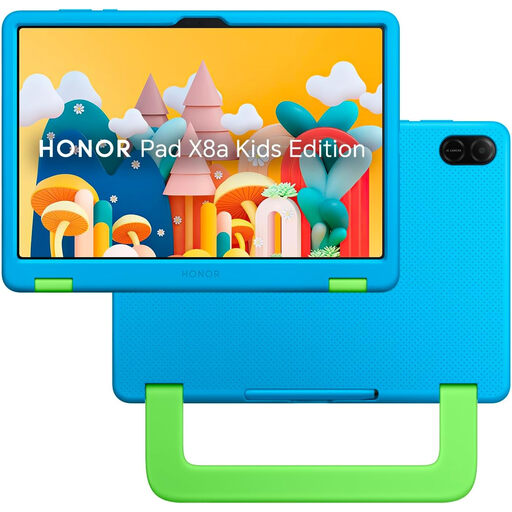
HONOR X8A Kids 11-inch Wi-Fi tablet, 128GB, Space Grey
A Wi-Fi tablet to consider for mainly home-based apps, games and video rather than independent mobile calls. The title specifies an 11-inch screen and 128GB storage; check the exact child-account and parental-control setup before handover.
View on Joybuy
 No image available
Alldocube Kido 8-inch tablet with blue case
For home-based tablet use where an included protective case matters. The title specifies Android 15, 3GB RAM, 32GB storage and a 5000mAh battery; check the child-lock settings and account setup. It also says no power adapter is included, so check which compatible adapter is needed.
View on Joybuy
 No image available
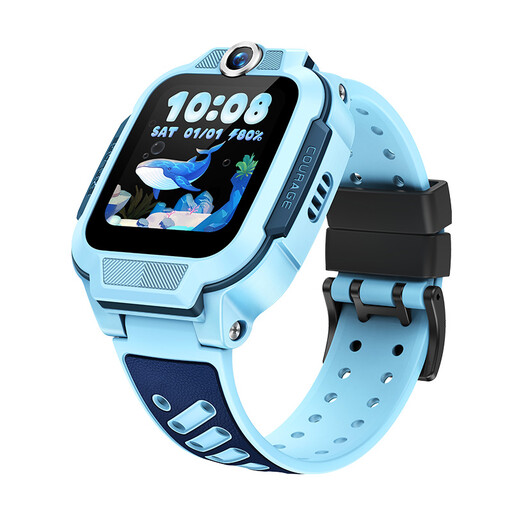
imoo Z3 4G kids’ smartwatch, blue
A watch to assess when calls away from home matter more than a tablet routine. Its title lists VoLTE calling, GPS, GLONASS and QZSS positioning, a 1.5-inch display and 8GB storage. Before relying on it for contact, confirm UK network and plan compatibility, plus any approved-contact and parent-app controls you need.
View on Joybuy
 No image available
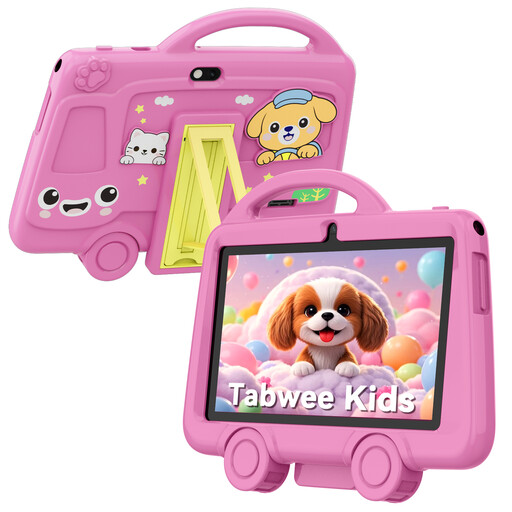
TABWEE K8 7-inch kids’ tablet, 2GB + 32GB
A compact Wi-Fi tablet to assess for supervised home use. The title specifies 2GB RAM, 32GB storage, a 3000mAh battery and 2.4GHz Wi-Fi. Check child-account support, app approvals and parental controls before independent use; the listing calls for adult supervision and says it is unsuitable for children under 3.
View on Joybuy
Common questions
Should a child start with a tablet rather than a phone?
Consider a tablet when use is mostly at home and independent calls or messages are not needed. If the child needs contact while travelling or attending activities, compare a supervised phone with a cellular communication watch instead. Set up a child profile or account rather than passing over an unrestricted adult account.
What should be set up before an iPhone, iPad or Android device is handed over?
Create the child’s own account, connect the responsible adult’s family or supervision group, and review app approvals, purchases, content settings and time rules. Apple says Child Accounts are required for children under 13; Google says parents can create and supervise a Google Account for a child under 13. Check that the chosen controls work with the exact device.
Can parental controls show every call or activity?
No. Google says Family Link cannot remotely listen to a child’s calls or show what is on their screen. Check each control’s stated scope and agree how the child can raise concerns with you.
Does a child’s UK mobile line need a separate content-control check?
Yes: ask whether the mobile provider’s adult-content control is active on that line. Ofcom says UK mobile providers offer these controls free, but they may not be switched on automatically. The network setting is separate from device and app-account controls.
What should be checked before choosing a communication watch?
Confirm the exact watch’s cellular requirements, compatible provider and plan, parent-app setup, contact settings, charging routine and school policy. Apple says Apple Watch For Your Kids requires a GPS + Cellular watch and supporting service; requirements for other watches must be checked against their own model and service.


