Families prioritising independent contact
If a child needs to call or message a carer when travel plans or activities change, start with the required contact method rather than assuming they need unrestricted online access.


Choose a device around what the child needs to do independently: calls and texts may be enough, while apps and wider online access point towards a managed smartphone. A GPS communication watch is another option when contact and journey coordination matter more than apps, but its service and contact settings need checking. For a smartphone, set up the child’s own managed account and check network controls; for any device, check the school’s current policy before buying.
If a child needs to call or message a carer when travel plans or activities change, start with the required contact method rather than assuming they need unrestricted online access.
When apps and online services are part of the plan, the child needs a suitable individual account and a household willing to set up and review the available controls.
A simpler phone or child-focused communication watch may suit a household that wants contact and travel coordination without making broad app access the starting point. Check the exact model’s functions and the school’s rules.
Decide whether the child’s primary need is contact, managed online access, location coordination or a less distracting everyday device. Then check the account, connectivity and school arrangements for the route you choose.
| Concern | What to check | Who this matters to |
|---|---|---|
| Reliable contact | Confirm the exact device and intended SIM arrangement support the calls and messages the family expects. Check contact approval if it matters to you. | If plans change while a child is travelling or at an activity, I want them to reach a carer without needing a full set of apps. About 29% of consumers put dependable contact first. |
| Managed online access | Check the child-account requirements, compatible software and available app, content and purchase controls. Check mobile-network filtering separately. | When a child needs apps or online services, I want an account I can help manage rather than lending them an adult account. Managed access is the primary need for about 29% of consumers. |
| Location coordination | Check the exact location feature, who can view it and the account or connectivity service it requires. | For pickups and journeys, knowing how location sharing works matters more to me than giving a child wider app access. Around 24% of consumers prioritise location coordination. |
| Fewer distractions and everyday carrying | Check the model’s web and app access, the school’s device policy and the fit of any case or charging accessory. | If the device will travel between home, school and activities, I want basic contact without unnecessary distractions and a setup the child can carry sensibly. For about 18% of consumers, that is the main concern. |
Apple, Google and Samsung describe controls within their account and device setups. Ofcom says mobile-network parental controls may not be switched on automatically, so configuring the handset alone does not settle that separate setting.
Set up the child’s own managed account where the chosen system requires one, then check the network account’s content-control setting and the age requirements of the apps the child will use.
School-day arrangements may cover smartwatches as well as phones. England’s Department for Education guidance, in force from 29 June 2026, addresses similarly functional smart technology; Scotland and Northern Ireland have separate guidance.
Read the child’s school policy and ask how it handles storage, travel to school, smartwatches and any agreed exceptions.
HMD describes its 2660 Flip as having no social-media apps, while Xplora describes no internet access and managed contacts for its X6Play. Those manufacturer descriptions apply to the named models, not every feature phone or children’s watch.
Check the exact model’s web and app access, contact settings and SIM requirements before relying on a category label.
A GPS communication watch may need its own connectivity arrangement before calling and location features can be used.
Check the exact watch’s SIM service, term, roaming conditions and included charging equipment. Xplora lists a 12-month SIM-plan term for its X6Play and says a charger adapter is not included.
An iPhone account-and-controls route for households considering a managed smartphone.
A supervised Google Account and Family Link route for compatible devices.
A Galaxy child-account route for families considering Samsung’s device-specific tools.
A feature-phone reference for households considering calls and texts without a general-purpose smartphone.
A child-focused watch route for contact and location coordination without broad smartphone app access.
These devices cover simpler calls-and-texts phones, a child-focused GPS communication watch and a smartphone for households considering broader online access. Check each model’s connectivity and controls against the child’s intended use.
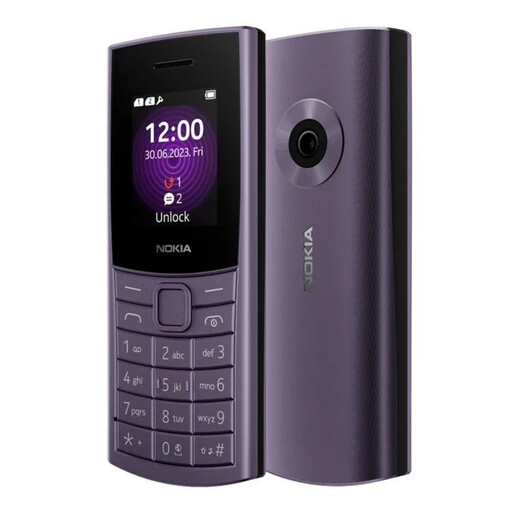 Image unavailable
Consider this keypad phone when independent calls and texts are the main requirement. Its listing describes 4G calling and texting, adjustable text size, a removable 1450 mAh battery and IP52 protection, which does not mean it is waterproof. Confirm the intended provider and SIM arrangement, and check separately if child-specific controls or location sharing are needed.
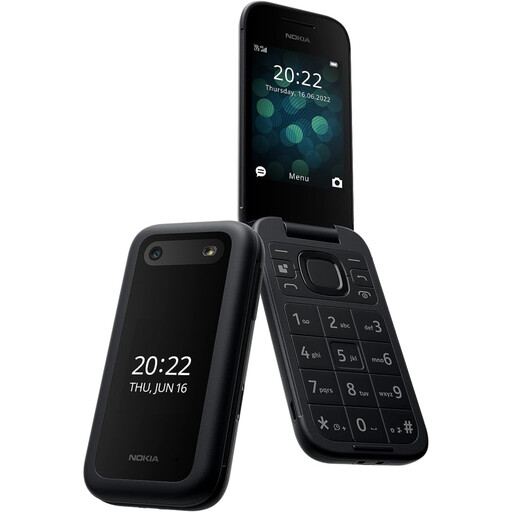 Image unavailable
This flip phone is another calls-and-texts option where a tactile keypad matters. The listing describes 4G calling, SMS, large buttons and an emergency button for up to five preset contacts; set those contacts up and check how calling works with the intended SIM. Confirm provider compatibility and the exact handset’s web access if limiting online use is part of the decision.
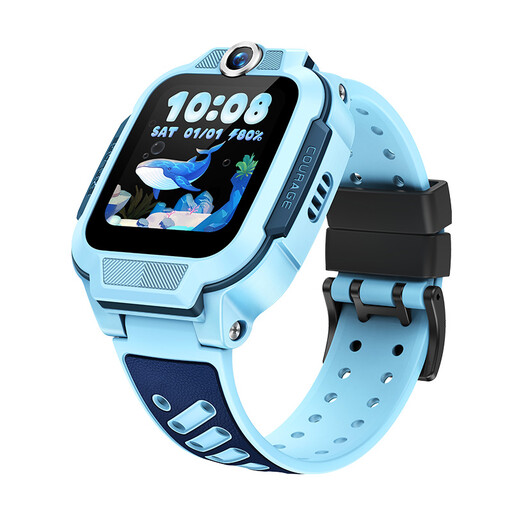 Image unavailable
This watch is relevant when wearable calling and journey coordination matter more than a full smartphone interface. The listing specifies VoLTE calls, GPS, GLONASS and QZSS positioning, a 1.5-inch TFT display, 8GB storage and a 740mAh battery. Before relying on calling or location features, confirm the UK provider bands, SIM service, parent-management and contact settings for this exact model.
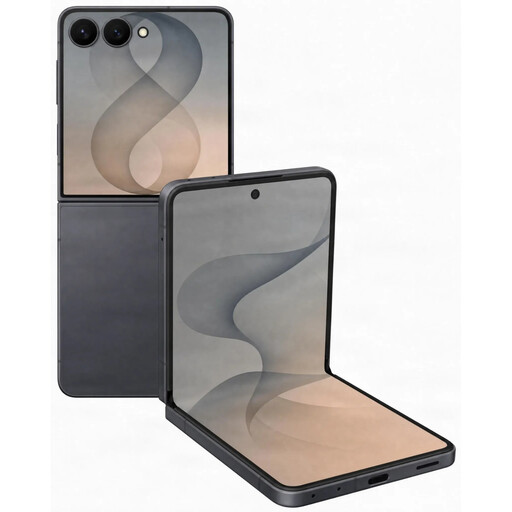 Image unavailable
Consider a smartphone only if the child needs wider app and online access and the household is prepared to manage it. This listing specifies 5G, Wi-Fi, GPS and a foldable display. Samsung says Galaxy for Families child-account controls require a supported Galaxy device with One UI 6.1 or higher, so confirm this handset’s software before choosing it for those controls. The listing also warns that the foldable display is sensitive to pressure and foreign objects.
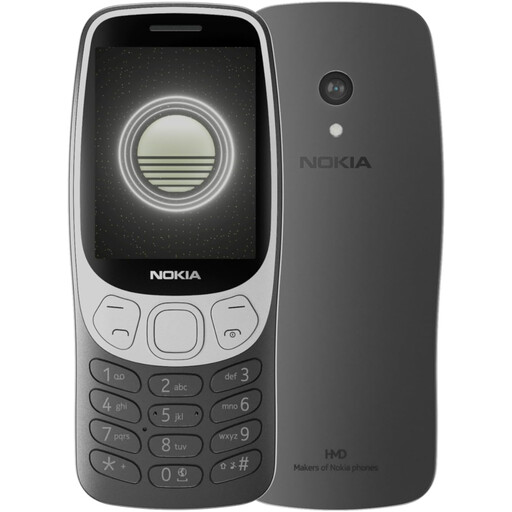 Image unavailable
This keypad phone is worth considering when calls and SMS take priority over a smartphone interface. Its listing describes 4G, a tactile keypad, dual Nano SIM support and a removable battery, but contains conflicting specification details. Confirm the exact model’s connectivity with the intended provider, and check its web and app access if those functions affect your choice.
Use the child’s own account for the family-control setup. Apple says children under 13 need a Child Account for its setup, while Google describes supervision through the child’s Google Account. Check the account requirements for the devices your household will use.
Do not assume device controls also configure the mobile network. Ofcom says mobile providers offer parental-control services for under-18 content, but those controls may not be switched on automatically. Check the provider account separately.
Check the child’s school policy before buying either device. In England, Department for Education statutory guidance in force from 29 June 2026 says schools should be mobile-phone-free by default and addresses smart technology with similar functions. Scotland and Northern Ireland have separate guidance; the individual school’s arrangements and any agreed exceptions still need checking.
Check the terms of the particular provider or retailer. Carphone Warehouse states that its pay-monthly and SIM-only customers must be at least 18 and says an adult can hold the contract instead. That is its stated requirement, not a rule established here for every provider.
Confirm the exact watch’s SIM service, contract term, supported network, contact-management settings and included charging equipment. Xplora lists a 12-month SIM-plan term for its X6Play and says a charger adapter is not included; those details should not be assumed for other watches.