Who is choosing a first phone?

Parents setting up a first independent phone

Calls, messages, trusted contacts and an agreed handover matter when a child moves from shared devices to a phone of their own. Ofcom reported in May 2026 that 78% of UK children aged 8–17 had their own mobile phone; ownership rose from 56% at age 10 to 83% at age 11. Those figures do not establish a right age for any individual child.

Families wanting apps with household controls

A smartphone can give a child access to needed services while adults set up app approvals, content restrictions or screen-time routines. The available controls depend on the phone, account and software; location sharing is an additional choice.

Families putting simple contact first

If calls and texts cover the child’s immediate needs, a feature phone may be a more suitable starting point than app access. For a new UK purchase, check for 4G capability and calling compatibility with the intended provider: Ofcom says UK 3G networks have closed and 2G networks are being retired.

What matters when choosing?

Supervised smartphone

Choose when: The child needs app-based communication, maps or other online services, and the household wants to manage access through an appropriate child account.

Allow for: Account setup and device-specific controls. Google Family Link does not supervise iPhones or iPads, and location sharing requires its own settings.

4G feature phone

Choose when: Calls and texts meet the child’s immediate needs and fewer online-app functions are preferable.

Allow for: The possibility that the exact handset will not provide required messaging apps, navigation or smartphone-style family controls.

Concern What to check Who this matters to
Reliable contact and emergencies Confirm calls work with the chosen provider, add trusted contacts and check the handset’s emergency-information options. If I need my child to reach a trusted adult without relying on an app, working calls and an agreed emergency plan come first. Around 31% of consumers put contact and emergency readiness first.
Supervised online access Check child-account eligibility, device compatibility and the intended services’ age terms; agree whether location sharing is wanted. When my child needs messaging or other apps, I want to know which access I can manage without assuming I must track their location. Roughly 31% of consumers make supervised online access their primary concern.
A simpler starting point Check required messaging and navigation functions, plus 4G calling compatibility with the chosen provider. If calls and texts are enough for now, I would rather not add online services the child does not yet need. About 19% of consumers prioritise that simpler start.
Protection and charging Match any case to the exact handset variant and check its charging connector and supplied accessories. A phone carried between home and activities needs a charging routine and accessories that fit, so it remains available for contact. Around 19% of consumers put everyday continuity first.

What should you avoid assuming?

  • That any first phone will cover the same ways of keeping in touch

    A basic feature phone may not provide a required group-messaging or navigation app; a smartphone introduces online services the family may not yet want to manage.

    List the child’s immediate needs—such as calls, texts, group messages and maps—before choosing a phone type.

  • That family controls work automatically

    Controls depend on the account, handset and software. Google Family Link cannot supervise an iPhone or iPad, and locating an eligible child device requires location sharing to be turned on.

    Check the adults’ devices and the child’s exact phone against the controls you intend to use, then set them up together before independent use.

  • That emergency features work alike on every phone

    Emergency-information and SOS options vary by handset and setup. A contact cannot appear in emergency information unless it has been entered and kept current.

    Make sure the child knows when to contact a trusted adult and when to use the UK emergency numbers 999 or 112. Check the chosen handset’s emergency options without placing a test emergency call.

  • That a 2G-only phone is a lasting UK choice

    Ofcom says UK 3G networks are switched off and 2G networks are being retired; 2G-only devices will need upgrading as those networks close.

    For a new feature phone, confirm at least 4G capability and check calling compatibility with the intended mobile provider.

Brands to consider for a first phone

Apple

Relevant when the family is considering an iPhone and Apple’s child-account and Family Sharing setup.

  • Apple Support says a child under 13 in the UK needs a parent or guardian’s help and consent to create an Apple Account and must be in a Family Sharing group. Screen Time offers household management options.
  • Account and safety settings still need attention; they do not establish whether a particular iPhone suits the child’s carrying, charging or communication needs.

Samsung

Relevant to families considering a Galaxy phone and Samsung child-account controls.

  • Samsung UK describes controls for apps, content, purchases and screen time through Galaxy for Families.
  • Samsung says these child-account controls require Galaxy devices with One UI 6.1 or later. Check the exact device and account configuration before relying on them.

HMD / Nokia

Relevant when straightforward calling and messaging matter more than smartphone apps.

  • HMD describes feature-phone models with physical keypads and simple calling and messaging; available functions differ by model.
  • Check the exact phone for 4G calling compatibility and any required apps or navigation rather than assuming these are shared across the range.

Joybuy phone choices

These phones cover both routes in the first-phone decision: four feature-phone options for a calls-and-texts-first setup and one Android smartphone to consider when apps are needed. Check provider compatibility for every handset and the required family controls on the exact smartphone.
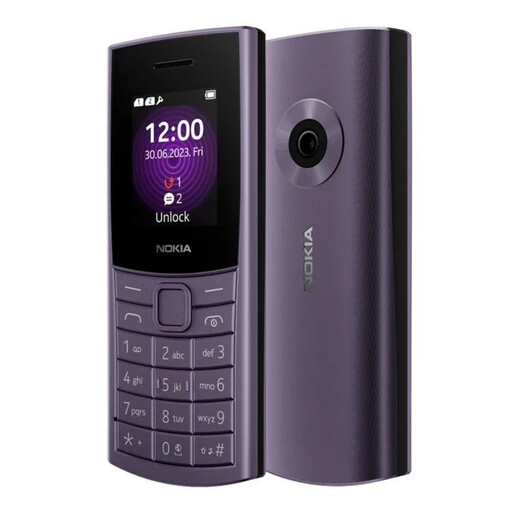
Nokia 110 4G TA-1543 DS Purple

Nokia 110 4G TA-1543 DS Purple

A feature-phone option when calls and texts take priority over smartphone services.

The named variant is 4G. Confirm calling compatibility with your intended UK provider and check any other messaging functions you need.

View on Joybuy
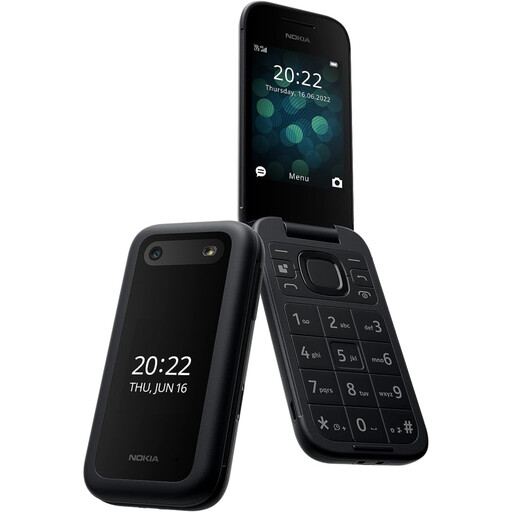
Nokia 2660 TA-1469

Nokia 2660 TA-1469

Consider this handset for a straightforward calls-and-texts setup rather than assuming it will meet app-based communication needs.

Confirm 4G calling with the intended UK provider and check the exact model for any required messaging or navigation functions.

View on Joybuy
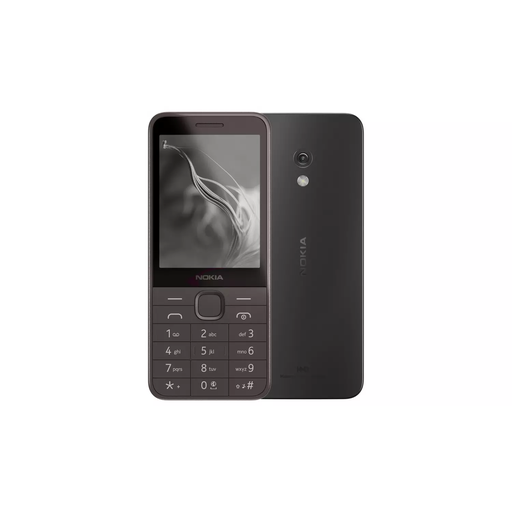
Nokia 235 4G TA-1614

Nokia 235 4G (TA-1614)

A 4G feature-phone choice for a child whose immediate need is calling and texting.

Check calling compatibility with your provider. If family controls matter, confirm exactly what the controls on this model manage before relying on them.

View on Joybuy
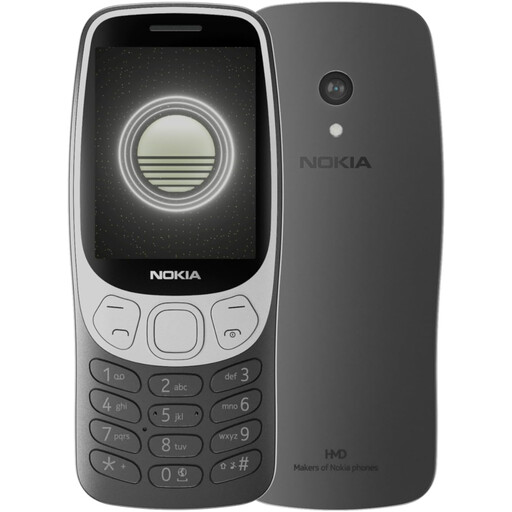
Nokia 3210 4G TA-1618 DS Grunge Black

Nokia 3210 4G TA-1618 DS Grunge Black

This feature-phone variant fits a calls-and-texts-first plan if the child does not need smartphone apps.

The product name identifies it as 4G; confirm calling compatibility with your provider and check any other communication functions the family requires.

View on Joybuy
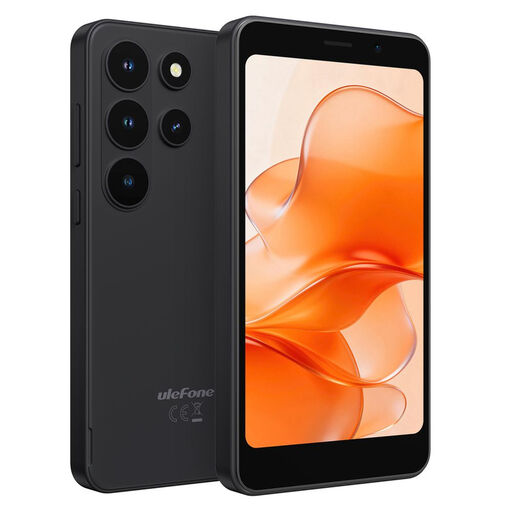
Ulefone Note 22 (3+32) Black Android 16 Go 4G Dual SIM smartphone

Ulefone Note 22 (3+32) Black Android 16 Go 4G Dual SIM

Consider this smartphone if the child needs app-enabled communication or other online services rather than calls and texts alone.

The product name specifies Android 16 Go, 4G and Dual SIM. It also says no charger is included. Check provider calling compatibility, the required charging adapter and whether this exact handset supports your intended child-account controls.

View on Joybuy

First-phone questions

Does a child’s first phone need to be a smartphone?

No: a 4G feature phone may suit a child who mainly needs calls and texts. Choose a smartphone when required messaging, maps or other services need apps, and check the exact feature phone’s functions and provider compatibility before deciding.

Do parents need to turn on location sharing?

No, routine location sharing is a household choice. Google says Family Link can locate an eligible child device once location sharing is turned on; agree who can see that information and when the arrangement will be reviewed.

What should be ready before handing over the phone?

Set up trusted contacts, a screen lock and a clear plan for calls, messages and charging, then configure any child account the family intends to use. Check the exact handset’s emergency-information options: Apple says iPhone Medical ID can show selected information from the Lock Screen, while Android options vary by device.

Which account-age rules should parents check?

Check the rules for each account and service the child will use. Apple Support says a child under 13 in the UK needs a parent or guardian’s help and consent to create an Apple Account and must join a Family Sharing group; that does not establish the age terms of third-party apps.

Is a 2G-only feature phone suitable for a new UK purchase?

Choose a phone with at least 4G capability instead. Ofcom says UK 3G networks have closed and 2G networks are being retired, so 2G-only devices will need upgrading; also confirm calling compatibility with the intended provider.