What should you check before choosing?
Start with how your child will contact you, then check the controls on the exact device and account. Treat the SIM or plan as a separate choice, even if it comes with the handset.
Managed smartphone
Choose when: Your child needs apps, messaging or web access and you can manage a separate child account.
Trade-off: Apple Screen Time and Google Family Link offer account-based controls, but their settings have device, browser and payment-route limits that need checking.
Basic phone
Choose when: Calls and texts meet your child’s current communication needs.
Trade-off: Internet functions vary by model, so confirm its browser, Wi-Fi and app capabilities before relying on it as a lower-complexity option.
| Priority |
What to check |
Your needs |
| Family management |
Check how to create the child’s own account and which adult device manages it. Apple’s remote Screen Time management uses Family Sharing; Google Family Link screen-time limits require a supported Android device. |
I want to set app permissions and use-time routines before my child uses the phone independently. |
| Content access |
Test the browsers and apps your child will use. Google says Family Link’s Chrome settings may not apply in other browsers; Vodafone says its content bar works on its mobile network, not Wi-Fi. |
Restrictions need to make sense on both mobile data and Wi-Fi, not just in one browser. |
| Contact and communication |
Decide whether calls and texts suffice or whether app messaging is needed. On a smartphone, check the account’s available communication settings and how your child can contact family. |
My child needs a workable way to reach us, while I consider who can contact them. In Parentkind’s March 2024 poll of 2,496 parents in England, 89% said they were concerned about online bullying; that figure describes concern, not how well a phone control prevents it. |
| Mobile charges |
Read the chosen provider’s spend-cap terms, including covered out-of-bundle usage and exclusions. Check app-store approval and carrier billing separately; Google says Play purchase approval applies to purchases through Google Play billing. |
I want to know which extra uses or purchases the account settings will actually stop. |
| Software support |
For a new, refurbished or passed-down smartphone, check security-update eligibility for the exact model. Inspect a pre-owned phone’s battery, screen and charging port, then install available updates before transfer. |
If we reuse a household phone, it needs to remain suitable for the time we expect our child to use it. |
| Handset and network fit |
For a basic phone, confirm its actual browser, Wi-Fi and app features. For any handset, check SIM fit and calling compatibility with the intended UK provider. |
Calls and texts may be enough for now, but the phone still has to work with the service we choose. |
Relevant brands and services
These are references for comparing controls and support on particular devices or services, not an indication that every brand or plan offers the same settings.
Apple
Relevant if your family is considering an iPhone and can set up a separate Child Account through Family Sharing.
- Apple says Screen Time can manage app and content access, communications and device use.
- Remote family management depends on the account setup and compatible, up-to-date devices. Check current iOS support for an exact used iPhone.
Google
Relevant to Android family management through Family Link and to model-specific Pixel update commitments.
- Google describes Family Link time limits for Android 7 and later devices. Google also states that the Pixel 10a has seven years of security and OS updates.
- Chrome settings may not apply in other browsers, and the Pixel 10a update statement must not be assumed for other Android or Pixel models.
Samsung
Relevant when considering an Android handset and checking the support commitment for its particular Galaxy series.
- Samsung states that the Galaxy S24 series receives seven generations of OS upgrades and seven years of security updates.
- That commitment is specific to the S24 series; check the exact model and remaining support when buying another or a refurbished Galaxy phone.
EE
Relevant when an account holder wants mobile-network content settings and controls for specified extra charges on an eligible service.
- EE says Set Up Safe can combine adult-content blocking with spending controls.
- Check plan eligibility and the controls that apply. EE documents a Content Lock limitation in Safari on iOS 15 or later when iCloud Private Relay is enabled.
O2
Relevant when comparing Pay Monthly spend-cap settings with mobile-network age-restricted-content controls.
- O2 says a £0 spend cap bars further covered out-of-bundle usage.
- Check which charges the cap covers. O2 says its network age restrictions do not work over Wi-Fi or when using a VPN or handset encryption.
Joybuy phone options
These phones illustrate two handset routes: a smartphone to consider with child-account controls, and basic-phone options to assess for calls and texts. Choose the mobile service and its controls separately, and check each handset against your child’s needs.
 No image available
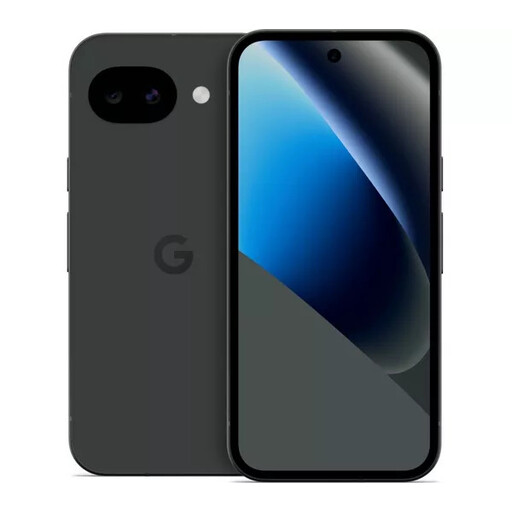
Google Pixel 10a 128GB Obsidian
Consider this smartphone when your child needs apps and you can set up a supervised Google Account. Google states that the Pixel 10a has seven years of security and OS updates; confirm the Family Link settings you intend to use and arrange mobile-service content and spending controls separately.
View on Joybuy
 No image available
Nokia 3210 4G TA-1618 DS Grunge Black
Consider this basic-phone option if calls and texts are your child’s main needs. Before choosing it, confirm the exact model’s browser, Wi-Fi and app functions, and ask the intended provider about calling compatibility.
View on Joybuy
 No image available
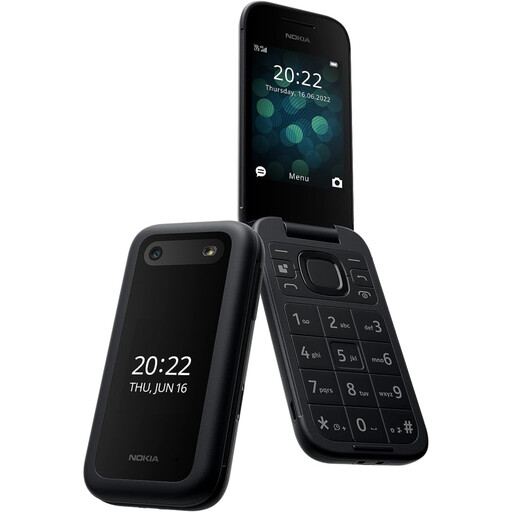
Nokia 2660 TA-1469
Consider this model for a calls-and-texts first-phone plan. Check its exact internet and contact features, how comfortably your child can use it, and whether it supports calling on the mobile service you intend to use.
View on Joybuy
First-phone questions
Are iPhone or Android parental controls enough on their own?
No single setting covers every way a child uses a phone. Set up the child’s device and account controls first, then consider mobile-provider content and billing settings for the service you choose. UK Government online-safety guidance says parental controls are helpful but cannot fix everything.
Will a mobile-network content filter work on Wi-Fi?
Do not assume it will. Vodafone says its content bar works on the Vodafone mobile network only, and O2 says its network protections do not work over Wi-Fi. Check device controls and the settings for the Wi-Fi connections your child uses.
Can privacy settings affect a network content filter?
Yes, for some provider settings. O2 says its age restrictions will not work when using a VPN or handset encryption; EE documents a Safari limitation on iOS 15 or later when iCloud Private Relay is enabled. Check the chosen provider’s conditions and test the child’s usual browser and connection.
Does a £0 spend cap stop every possible charge?
No. O2 says its £0 cap bars further covered out-of-bundle usage, but a cap’s scope must be checked against the intended service. Review carrier billing and app-store approvals separately: Google says Play purchase approval applies to purchases through Google Play billing.
What should I check before passing down a smartphone?
Confirm that the exact model still receives security updates, install available updates and reset it for your child’s own managed account. Inspect the battery, charging port and screen, then test calling. The National Cyber Security Centre advises keeping device software up to date.


