Parents managing online contact
Prioritise who can contact or join the child in a game, including through its own account. Ofcom identifies stranger contact and bullying among parental concerns about online gaming.


Choose the device around the child’s intended games and the people they will play with, then assess child-account, communication and spending settings rather than judging the hardware alone. Consoles, tablets and PCs suit different play needs, but controls and online-play membership requirements vary by game and account; Ofcom reports on children gaming across several device types, while Nintendo, PlayStation, Microsoft, Apple and Steam document controls within their own account ecosystems.
Prioritise who can contact or join the child in a game, including through its own account. Ofcom identifies stranger contact and bullying among parental concerns about online gaming.
Compare store approvals with in-game billing and prepaid balances: Xbox Support and Google Play Help describe controls that depend on how a purchase is paid for.
Ofcom reports that children access online services on consoles, tablets and phones. Check that the intended games and way of playing fit the device you choose.
Consider it when: the child’s intended games are available on the console and household play suits its supported modes.
Trade-off: account settings and online-play membership requirements vary by platform and game.
Consider it when: the specific games have suitable tablet versions and portable, multipurpose use matters.
Trade-off: app-store approvals may not cover purchases or communication inside a game’s own account.
Consider it when: PC-specific games or an existing household PC are important to the decision.
Trade-off: Windows, game-store and individual game-account settings may each need attention; Steam Families controls Steam games, not every PC service.
For a child’s online-gaming setup, the percentages below are indicative rather than measured UK household shares. Decide which concern takes priority, then check the specific game, account and payment route.
| Concern | What to check when buying | Who this matters to |
|---|---|---|
| Online contact | Check device communication and multiplayer permissions, then review chat settings in the intended game’s own account. | I want to know who can contact or play with my child, including inside a game’s own account. Around 31% of consumers put communication and multiplayer permissions first. |
| Purchases and ongoing costs | Check store approvals, in-game billing and prepaid balances separately; confirm whether the intended game needs an online-play membership. | Before enabling purchases, I want to know which approvals cover store payments, game billing and prepaid balances. Around 25% of consumers prioritise spending controls and recurring costs. |
| Game and device fit | Confirm each intended game’s platform and version; check whether the household needs handheld, shared-screen or TV play. | I need the games my child wants to play to work on a device that suits where and how we play. Around 25% of consumers put game and device fit first. |
| Child account and age settings | Use the child’s correct age where required, and review the platform’s supervised-account and game-account setup. | I want my child’s account to use their correct age and have suitable access permissions from setup. Around 19% of consumers prioritise age and account access. |
Some games have their own accounts and communication controls, so a console permission may not cover every interaction.
Review the intended game’s child-account chat settings as well as the console or device permissions.
Google Play purchase approvals apply to purchases using Google Play billing. Xbox Support says approval is not required when a child uses existing account currency or Xbox gift cards.
Check the payment method, account balance and game’s billing route before enabling purchases.
A prepaid balance or in-game spending can still use funds without the approval you expect.
Online-play membership requirements differ between platforms and games. PlayStation documents PlayStation Plus for PS5 online multiplayer, while Nintendo and Xbox describe exceptions for some games.
Check the intended game’s current requirements and any accessories needed for the household’s setup.
Some console games require a recurring online-play membership.
The cited PS5 Digital Edition has no disc drive, and Xbox Series S does not use disc-based games.
List the physical games the household intends to use and check the exact console model before buying.
Existing discs cannot be used on these digital-only consoles, so the household may need a compatible digital copy instead.
Relevant when Nintendo games and portable or shared-screen play suit the household.
Relevant when the intended games are available on PlayStation and the family wants its child-account settings.
Relevant for Xbox gaming or a connected Windows gaming device managed through Microsoft family settings.
Relevant when compatible games and other portable household uses make an iPad a suitable option.
Relevant for compatible Galaxy tablets using child-device and Google Play family settings.
Relevant as an account system when a child will use Steam games on a gaming PC, rather than as a choice of PC hardware.
These Joybuy choices cover console, tablet and desktop-PC setups; match each model to the child’s intended games, play style and account controls.
 No image available
Consider it if the child’s games suit Nintendo and the household wants handheld or TV play. The listing describes GameChat, an included game and a three-month Nintendo Switch Online membership. Nintendo says GameChat settings are separate from other parental controls; the listing says child use requires parental approval and a mobile number.
 No image available
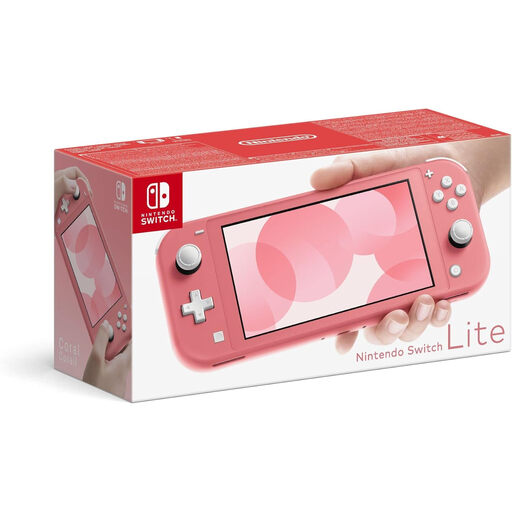
A handheld option for Nintendo games that support handheld mode. The listing identifies Wi-Fi and online features; it has no TV output, detachable controllers or kickstand.
 No image available
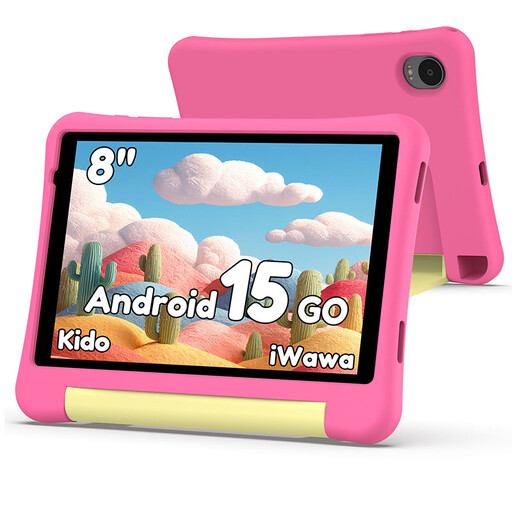
Consider it for portable gaming when the intended titles are available for this tablet. The listing specifies an 8-inch Android 15 tablet, Child Lock, 3GB+32GB storage and a pink protective case; it states that no adapter is included.
 No image available
Consider a desktop if the child’s intended games suit PC and an adult can manage Windows and relevant game accounts. The listing specifies Windows 11 Home, an NVIDIA GeForce RTX 5070 12GB graphics card, 32GB DDR5 memory and a 1TB NVMe SSD. A monitor, keyboard and mouse are not included; Microsoft documents app and game limits across connected Windows devices.
 No image available
Consider it if the child’s games suit Xbox and Microsoft family settings fit the household. This 512GB console is all-digital and has no disc drive. Microsoft documents communication and multiplayer settings; purchase approval is not required when a child uses existing account currency or Xbox gift cards.
No single device setting establishes control over every game account. Set up the device or console controls, then check the specific game’s communication and purchase settings; Epic Games documents its own controls separately from platform controls.
Set up or supervise the child’s correctly aged accounts and review communication and spending permissions as part of the initial setup. Nintendo eShop restrictions use a parent or guardian’s Nintendo Account, and Epic Games has an age-dependent parental-consent process.
No; membership requirements depend on the platform and game. Nintendo says many Switch online games need Nintendo Switch Online but identifies exceptions, and Xbox identifies exceptions for free-to-play multiplayer. PlayStation documents PlayStation Plus for PS5 online multiplayer, so check the intended game before committing.
No; check how each purchase is billed. Google Play approvals apply to purchases through Google Play billing, while Xbox Support says approval is not required for a child using existing account currency or Xbox gift cards.
Check the game’s own communication and spending settings, linked accounts and the relevant device restrictions. The controls available can differ between the game account, platform account and payment route.