What to check before buying
Start with the child’s intended game and play group, then compare console ecosystems on their account controls and online requirements. Treat the headset as a later choice tied to the selected console and chat method.
PlayStation
Consider when: The intended games and play group use PlayStation, and the household wants child settings through the PlayStation Family app.
Allow for: PlayStation says most PS4 and PS5 games require PlayStation Plus for online multiplayer; check the particular game for exceptions.
Xbox
Consider when: The intended games and play group use Xbox, and an adult will manage the child account through Xbox Family Settings.
Allow for: Xbox says Ask to Buy does not prevent spending gift-card credit or money already in the child’s Microsoft account.
Nintendo Switch or Switch 2
Consider when: The intended games and play group use Nintendo’s ecosystem and the child wants to play both at home and portably.
Allow for: Nintendo manages Switch 2 GameChat separately from general communication restrictions; supervised users under 16 need parental-controls app approval, and GameChat requires persistent internet and Nintendo Switch Online.
| Concern |
Buying checks |
Who this matters to |
| Joining the intended group |
Confirm the exact game, edition, platforms, cross-play rules and account requirements. Check the game’s online-service requirement; PlayStation says most PS4 and PS5 online multiplayer games need PlayStation Plus. |
I want the child to join friends or family in the game they already play, rather than discover that their versions cannot connect. Around 31% of consumers put shared-play compatibility first. |
| Communication boundaries |
Set up the child account and review friend, multiplayer and communication permissions on both the platform and the game. Check Switch 2 GameChat separately if relevant. |
If the child will use voice chat, I want contact to follow our agreed arrangement, not simply whoever the game connects them with. Communication boundaries come first for around 25% of consumers. |
| Game access and purchases |
Review the game’s PEGI content rating and configure the child account’s content and purchase settings. On Xbox, check available account funds as well as Ask to Buy. |
I need to decide which games the child can access and how purchases are approved before play begins. Around 25% of consumers make account controls their primary concern. |
| Headset and physical setup |
Check the exact console and controller connection, microphone support, required adapter and intended chat method. Follow the console maker’s placement guidance. |
I want the headset to connect to our chosen setup and the console to have a suitable place to sit without adding avoidable setup work. For around 19% of consumers, setup reliability is the main priority. |
Wired headsets for a chosen setup
These Joybuy choices are wired gaming headsets to consider after settling on the child’s game, console and chat arrangement. Check the exact connection, microphone operation and fit for the child before choosing one; a headset does not replace child-account communication settings.
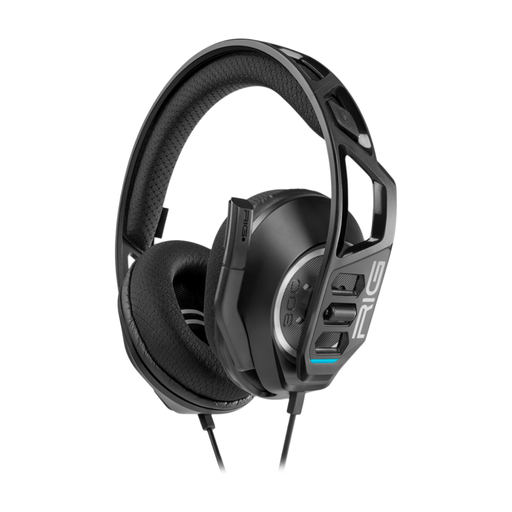 Image unavailable
Nacon RIG 300 PRO HN Wired Headset — Black
Consider this wired headset when the planned voice-chat setup has a compatible headset connection. Confirm microphone operation with the exact console or controller and chat service, and check the fit for the child.
View on Joybuy
 Image unavailable
LOGITECH ASTRO A10 Gen 2 Wired Headset — White
A wired option to assess once the child’s console and intended chat method are known. Check the connection and microphone requirements for that setup, along with the headset’s fit for the child.
View on Joybuy
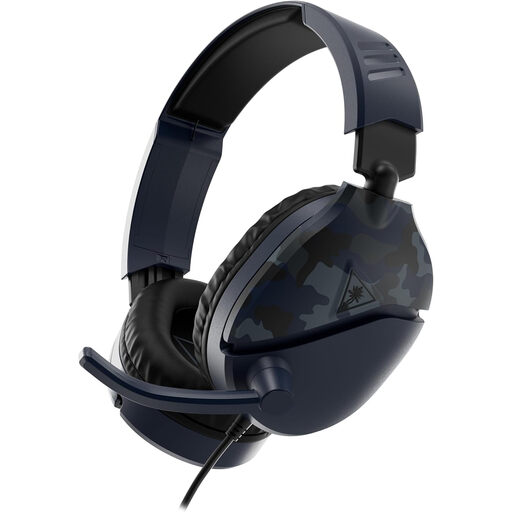 Image unavailable
Turtle Beach Recon 70 Headset — Blue Camo
Its product title names Xbox Series X|S, Xbox One, PS5, PS4, Nintendo Switch and PC, making it a model to check against the household’s chosen platform. Confirm the exact controller connection, voice-chat method and fit for the child.
View on Joybuy
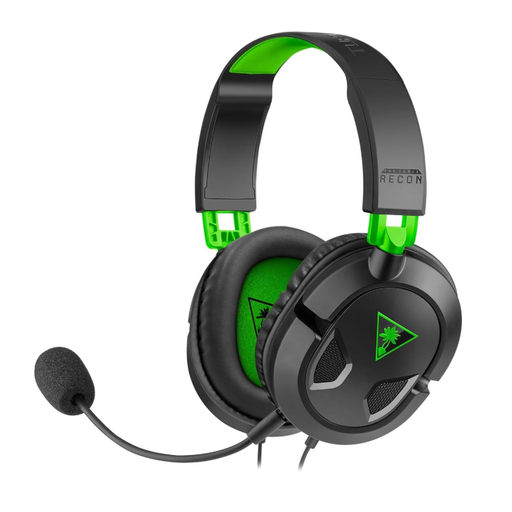 Image unavailable
Turtle Beach Recon 50X Wired Headset — Xbox Series X|S and Xbox One
Consider this Xbox-named wired model for a compatible Xbox setup. Check the intended controller revision, game or party-chat method and fit for the child before purchase.
View on Joybuy
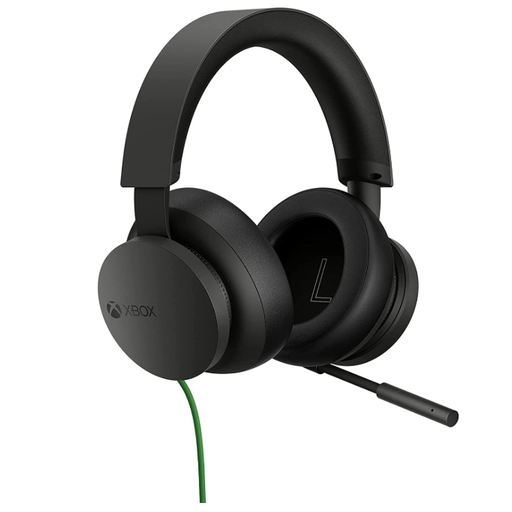 Image unavailable
Official Xbox Stereo Wired Gaming Headset — Black
An Xbox-focused wired choice when the child’s intended game and play group use a compatible Xbox setup. Check the precise controller and voice-chat requirements, as well as fit for the child.
View on Joybuy
Questions about shared play
Does a console or headset make online play safe for a child?
No device or setting removes the need to check the game’s online features and agree how the child will interact with other players. Family controls can help manage access and communication, while UK government online-gaming guidance identifies risks including unwanted contact, bullying, unsuitable content, purchases and scams.
Can a PlayStation child account control communication and spending?
Yes. PlayStation lists child-specific communication controls and monthly spending-limit settings in its UK PlayStation Family app, alongside game, privacy and playtime settings. Review the options available on the child’s account during setup.
Will Xbox Ask to Buy stop every purchase?
No. Xbox says purchases can still be made with gift cards or money already in the child’s Microsoft account. Check available credit as well as approval settings.
What does an under-16 child need for Switch 2 GameChat?
Nintendo says parental controls must be set in the Nintendo Switch Parental Controls smart-device app for a supervised user under 16. GameChat also requires persistent internet and Nintendo Switch Online; review its separate friend and camera permissions before use.
Will any Bluetooth headset connect directly to an Xbox console?
No. Xbox Support says Xbox One does not support Bluetooth headset connection to the console. Check the headset’s stated support for the exact Xbox model and controller, and how the intended voice chat connects.


