Parents setting up a first connected device
A child’s first tablet brings account setup into the buying decision. Check how the intended device handles app access, purchases, content, communication and time limits before handing it over.


Choose a dedicated child tablet when separate child use and a parent-managed profile are the priority; a shared tablet suits planned sessions if an adult can manage the handover. If typing and browser-based schoolwork matter more, consider a Chromebook or Windows laptop. Before buying, check that the exact device, software version and child account support the controls your household intends to use.
A child’s first tablet brings account setup into the buying decision. Check how the intended device handles app access, purchases, content, communication and time limits before handing it over.
When adults and children use the same tablet, a separate child environment and a reliable handover routine matter. Samsung UK describes Samsung Kids as an option for a shared or adult Samsung device.
If assignments involve sustained typing and browser use, consider a laptop as well as a tablet. Google’s supervision guidance distinguishes Chromebooks from other computers, so account controls need checking alongside school software.
Start with how the child will use the device, then check the account arrangement and controls on the exact model. Screen size alone cannot settle those choices.
Consider it when: A child will regularly use their own device for reading, entertainment or simple apps under a parent-managed child profile.
Trade-off: The parent still has to maintain the profile and credentials; Amazon says a forgotten Fire parental-controls password can require a factory reset.
Consider it when: A child uses an adult household tablet in planned sessions. Samsung UK describes Samsung Kids for this arrangement.
Trade-off: An adult needs to manage the move between adult use and the child environment rather than treating child mode as a separate device.
Consider it when: Typing, browser-based coursework or school communication drives the purchase.
Trade-off: Supervision differs by system: Google says most Family Link tools do not work on computers other than Chromebooks, while Microsoft warns that a child administrator can change Family Safety settings.
| Priority | What to check | Your needs |
|---|---|---|
| Account controls | Check the child account or profile, the parent’s managing account and the exact app, purchase, website, communication and time controls you intend to use. Confirm device and software compatibility. | I want controls that apply to my child’s account, rather than assuming an adult login or a general parental-controls label covers it. |
| Shared or separate use | Decide who owns the account and who hands over the device. Apple UK advises a child’s own Apple Account for its child setup; Samsung UK describes Samsung Kids on a shared or adult Samsung device. | Will a child use this independently, or will an adult set up and supervise each session on a household tablet? |
| Schoolwork format | Check the required school apps, browser and keyboard use. For Google-based supervision, confirm Chromebook compatibility rather than assuming Family Link works the same way on another computer. | If assignments involve longer typing sessions, I would rather check a laptop against the school’s requirements than choose by screen size alone. |
| Everyday handling | Check the exact model’s case compatibility, charging equipment and storage location. Keep parent credentials securely recorded; Amazon says Fire parental-controls password recovery can require a factory reset. | Our device needs a practical place to charge and be put away, with protection suited to how it will be carried and used. |
Controls attach to particular accounts, devices and software. Apple UK advises a separate Apple Account for a child, while Google distinguishes Chromebooks from other computers for Family Link supervision.
List the controls you need, then check the child account, parent account and supported device version before choosing a model.
A child environment on an adult tablet still needs someone to manage the handover. Samsung UK describes Samsung Kids for shared devices; Apple’s child-account guidance instead advises against sharing an Apple Account.
For planned shared sessions, configure the child environment and its access PIN. If the child needs their own ongoing account for communication or school access, check a separate child-account setup.
Google says most Family Link supervision tools do not work on computers other than Chromebooks. Microsoft warns that a child with administrator permissions can change or break Family Safety settings.
Check the Chromebook’s supported software version, or set up a Windows child account without administrator permissions and connect the device to the Microsoft family group.
An included case applies to its particular tablet bundle, not every child-focused device. Amazon also says restoring access after a forgotten Fire parental-controls password can require a factory reset.
Match any replacement case to the exact model, choose a regular charging and storage spot, and keep parent recovery details securely recorded.
These platform examples help you check account arrangements; a brand’s controls or accessories do not necessarily apply to every model it makes.
Fire Kids tablets pair a child-focused device with Amazon Kids profiles and parent-managed settings.
An iPad child setup centres on a separate Apple Account managed through Family Sharing and Screen Time.
Samsung distinguishes a Kids environment on a shared Galaxy device from controls for a child’s own Galaxy account.
Lenovo’s Chromebook range includes laptop-style options for typing and browser-based work; model features vary.
These options include child-focused tablets, a tablet to consider for planned family sharing, and Chromebooks for keyboard-based schoolwork. Check the exact child-account controls on any device before relying on them.
 No image available
A child-focused tablet to consider for supervised sessions. The product name specifies Android 15, 3GB RAM, 32GB storage and a blue protective case; it says no adapter is included. Check how its Child Lock works with the child account you plan to use and what charging equipment you need.
 No image available
An 11-inch child-focused tablet for households considering a separate child device. Check the software version and the parent and child account functions available for your UK setup, as well as whether you need a separate protective case.
 No image available
A keyboard-based option to check for browser work and school assignments. Its product name specifies a WUXGA (1920 x 1200) display and Intel Core i3-1315U processor. Google identifies Chromebooks as devices that can be supervised with Family Link; confirm this model’s ChromeOS version and the tools you intend to use.
 No image available
A tablet to consider for planned household sharing. Samsung UK describes Samsung Kids for shared or adult Samsung devices, but check its availability and the relevant software version on this exact model before choosing it for that setup. Check charging accessories for the configuration you select.
 No image available
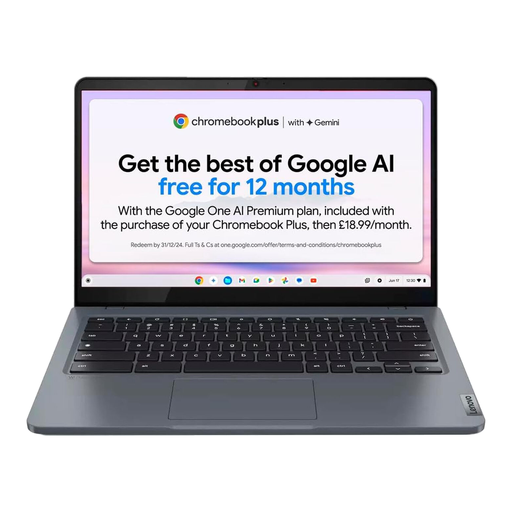
A Chromebook to check for typing and browser-based school tasks. Its product name specifies a 14-inch display, Intel Core i3 N305 processor, 8GB RAM and 256GB eMMC storage. Confirm the exact ChromeOS version and intended Family Link setup before relying on supervision features.
Not for Apple’s child-account setup. Apple UK advises giving the child their own Apple Account rather than sharing another family member’s, then using Family Sharing so a parent or guardian can manage the child’s settings and approvals.
No. Google lists Chromebooks among devices that can be supervised and says most Family Link supervision tools do not work on other computers. Check the Chromebook’s software compatibility and the specific controls you need.
Yes, Samsung UK describes Samsung Kids for a shared or adult Samsung device, with limits for apps, content, camera and contacts. Check that the exact tablet supports the intended setup, and plan how an adult will manage each handover.
Use a child account without administrator permissions. Microsoft warns that a child administrator can change or break Family Safety settings; connect the child’s device to the family group when setting up activity reporting.
Amazon says a forgotten parental-controls password can require a factory reset to restore full access. Record the parent credentials securely when setting up the child profile.