Console choices on Joybuy
These consoles suit families considering an Xbox or PlayStation child-account set-up. Compare the required account controls and the games your child intends to use; tablet controls serve a different, broader device-use need.
 No image available
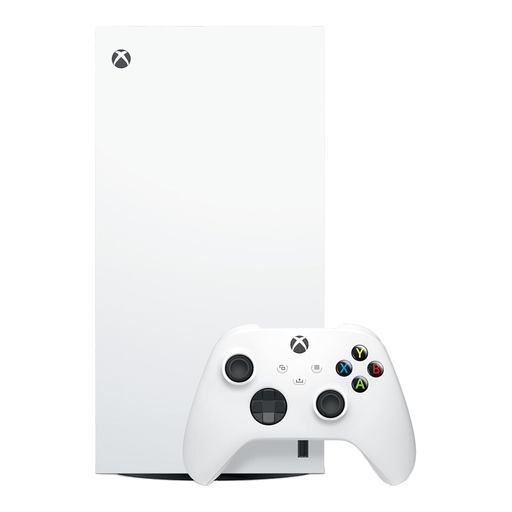
Xbox Series X 1TB Digital Edition, White
Consider this Xbox console if you plan to set up a child in a Microsoft family group and want to check content, social, multiplayer and screen-time settings through Xbox family controls.
The 1TB Digital Edition is a digital-only choice; check that your intended games and access method suit it. Microsoft says purchase approval does not prevent spending from gift cards or existing child-account funds.
View on Joybuy
 No image available
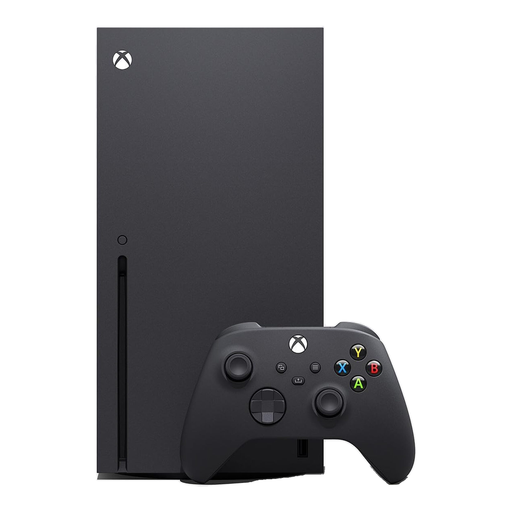
Xbox Series X 1TB Console, Black
Consider this Xbox console if Microsoft family-group controls match the content, communication and play-time rules you want for a child account.
The named configuration has 1TB storage. If physical games matter to your household, confirm the exact console configuration before buying. Check the intended games’ online requirements separately.
View on Joybuy
 No image available
Sony PlayStation 5 Slim Digital Edition
Consider this PlayStation console if you want to manage a child family member’s age restrictions, play time, spending and messaging through PlayStation family settings.
Set up a parent account and child family member, and check that the PlayStation Family app works with the parent’s device. This Digital Edition calls for a check that your intended game-access method suits the household.
View on Joybuy
Frequently asked questions
Are family controls ready when I unbox the device?
Set up the appropriate child account before relying on them. Sony requires a PlayStation family with a child member; Apple’s full child-device set-up uses Family Sharing and the child’s Apple Account; Google’s remote controls require a supervised Google Account. Nintendo offers some console settings, with further options in its smart-device app.
Do I need a membership for online multiplayer?
That depends on the game and platform, rather than the family-control setting alone. Nintendo says certain games require Nintendo Switch Online; Sony says most PS4 and PS5 online multiplayer games require PlayStation Plus, with exceptions; Xbox says multiplayer for free-to-play games is open to every Xbox player. Check the intended game’s listing.
Does a PEGI rating tell me whether a game has chat or purchases?
A PEGI age rating does not replace checking a game’s interactive features. PEGI also provides descriptors, and its criteria for games newly submitted from June 2026 include communication features and types of in-game purchase. Read the current listing, then set purchase and communication permissions separately.
Will purchase approval stop every payment a child could make?
No single approval setting should be treated as covering every payment route. Microsoft says Xbox child accounts can use gift cards or existing account funds, while Google Play approvals cover only Google Play billing. Check balances, payment methods and the game’s own purchasing options.
Are family controls the same on every console generation?
No: check the exact console and the child-account requirements. Ofcom notes that devices offer different controls, and Nintendo describes Switch 2 GameChat requirements that need particular attention for children under 16 and supervised users.


