What matters when choosing?
Start with the equipment already in the room, then check the way adults will start playback. Treat children’s account settings as a separate decision.
| Concern |
What to check |
Who this matters to |
| Existing audio equipment |
Match a streamer’s output to an input on powered speakers or an amplifier; otherwise consider a speaker with playback built in. |
If I already have speakers, I want to know whether a streamer will work with them before adding another component. Around 33% of consumers put this connection question first. |
| Phones and music services |
Check the exact model’s playback methods against the phones and music service used at home. |
When different adults start the children’s songs, I want each person’s usual phone and app to work without changing the routine. Around 25% of consumers make playback compatibility their primary concern. |
| Children’s account controls |
Confirm the service plan and account settings needed for the child-focused playback route you intend to use. |
I want to manage what children can access, rather than assume the speaker filters a general music account. For around 25% of consumers, account control is the main priority. |
| Room setup |
Check the intended position, Wi-Fi coverage and the number of components and cables the setup needs. |
During meals, I would rather start a song without managing several boxes in the kitchen diner. Keeping the setup straightforward comes first for around 17% of consumers. |
Tabletop speaker options on Joybuy
These tabletop wireless speakers are options if you want sound from one unit rather than adding a separate streamer to an existing stereo. Check each model’s route from your household’s music service before choosing.
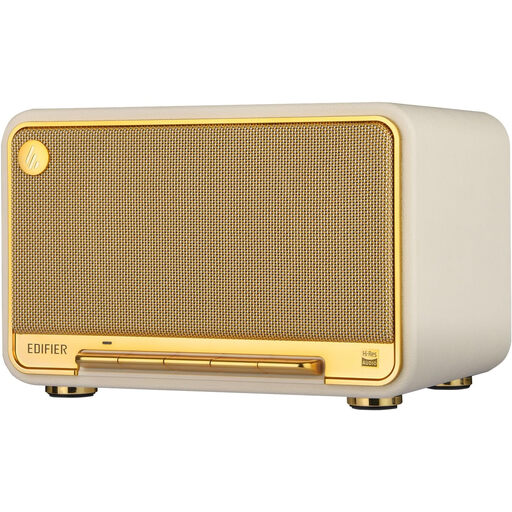 Image unavailable
Edifier D32 Tabletop Wireless Speaker
Consider this self-contained speaker if the kitchen diner has no separate amplifier or speakers.
The product title lists AirPlay 2, Bluetooth 5.3, USB-C and AUX inputs, 60W (RMS) and 11h playtime. Check how your music account will use those playback options, and confirm the power and plug details for the item offered.
View on Joybuy
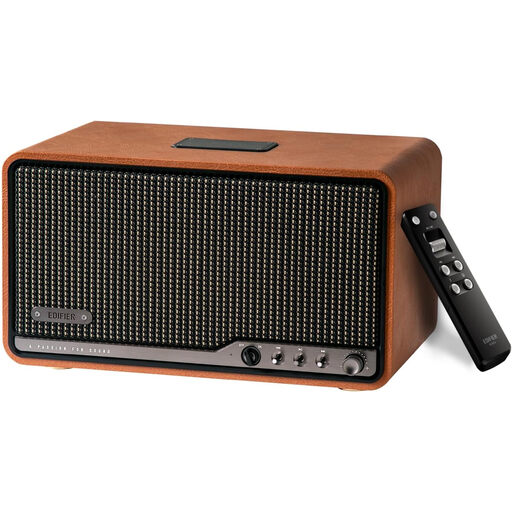 Image unavailable
Edifier S300 Wireless Multi-Room Tabletop Speaker, Brown
Consider this tabletop speaker if you want a self-contained unit rather than a streamer connected to other speakers.
The product title identifies a wireless multi-room model in brown. Check the playback method for your music service, the intended position and the exact power arrangement before choosing it.
View on Joybuy
Questions about setup and use
Will a separate network streamer play songs on its own?
No: a separate streamer such as the WiiM Pro or Bluesound NODE NANO needs a compatible path through powered speakers or an amplifier and speakers. If the kitchen diner has no audio system, an all-in-one speaker avoids adding that separate playback chain.
Can the player itself block explicit songs for children?
Not automatically: manage children’s listening through the music-service account you select. Spotify says Spotify Kids is available with Premium Family plans and describes parental controls for its managed accounts; check which option fits your household and playback setup.
What should I check on mains-powered equipment for Great Britain?
Check the exact item’s plug, voltage and applicable conformity information before ordering. GOV.UK says CE marking continues to be recognised for relevant products placed on the Great Britain market alongside or in place of UKCA marking; Business Companion’s electrical-equipment guidance also addresses correctly fitted standard plugs with BS 1362 fuses. Requirements depend on the product and its intended connection.
Can an all-in-one speaker work when kitchen Wi-Fi is unreliable?
A model with Bluetooth may offer another playback route, but its Wi-Fi features still depend on a working connection and setup. Sonos says the Era 100 supports Bluetooth after initial Wi-Fi setup; check the exact model’s setup requirements and test coverage at its intended position.


