
24/7 Customer Support

Free returns

Same-day & Next-day Delivery

Quality Guaranteed

Unlock Your Welcome Offers: FREE Delivery | Up to 80% OFF | Free 30-day JoyPlus trial
Download the APP
Finding the right children's tablet can feel like a challenge. You want a device that entertains and educates, but safety, durability and your budget are just as important. With so many options available, it's easy to get lost in technical specifications that don't really matter for a child's first device.
As the Joybuy Product Recommendation Officer, my role is to help you find practical options that balance fun, learning and safety. This guide cuts through the clutter, focusing on the features that truly count for parents and guardians in the UK. We will look at what makes a good kids' tablet and highlight a few models that are worth your consideration.
Before diving into specific products, let's outline a few key considerations. Focusing on these will help you make a more informed choice that suits your child's needs.
Let's be realistic: a tablet in the hands of a young child will likely face a few bumps and drops. A durable kids tablet is not just a preference; it's a necessity. Look for models that either come with a robust, child-friendly protective case or are built to withstand rougher handling. Screen size is also a factor. While larger screens are great for watching films, a compact 8 inch tablet for children is often lighter and easier for small hands to hold and manage.
Peace of mind is paramount. A modern tablet with parental controls is essential for managing your child's digital experience. The latest versions of Android, often found on a kids android tablet, include built-in tools like Google Family Link. These allow you to set daily screen time limits, approve or block app downloads, filter online content and even locate the device, giving you control over how and when the tablet is used.
Beyond games and videos, a tablet can be a powerful learning tool. A good educational tablet provides access to a wide range of applications designed to develop skills in reading, maths, problem-solving and creativity. The Google Play Store offers thousands of high-quality educational apps, turning screen time into a productive and engaging activity.
Based on the features that matter most to parents, here are a few recommendations that offer a strong balance of function, safety and value.

Why It Stands Out: The Alldocube Kido is designed from the ground up with young users in mind. It directly addresses the core needs of parents by bundling key safety and durability features into one accessible package.
The standout feature is its pre-packaged, sturdy blue protective case, which provides immediate protection against accidental drops. Its 8-inch screen is a practical size for children, offering a clear display without being too heavy or cumbersome. Crucially, it includes a dedicated Child Lock feature, simplifying the process of setting up a safe digital environment.
Pros:
Who is it for? This tablet is an excellent choice for parents of younger children (approximately 3-8 years old) who are looking for a first device that is secure, durable and ready to use straight out of the box.
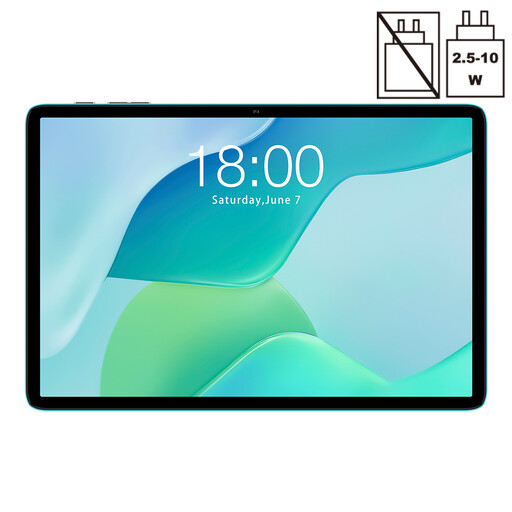
Why It Stands Out: The TECLAST P33 offers a larger screen experience, making it a versatile option for both entertainment and learning. Its 10.1-inch IPS display provides ample space for watching videos, playing games, or engaging with educational apps.
Running on Android 15, it gives you access to the full suite of Google's parental control tools. The 6000mAh battery ensures it can handle extended use, whether on a long car journey or during an afternoon of homework. While it doesn't come with a kid-specific case, its standard design means a wide variety of third-party protective cases are available.
Pros:
Who is it for? This tablet is well-suited for families looking for a versatile device that can be shared among different users or for older children who would benefit from a larger screen for watching films and playing more visually detailed games.
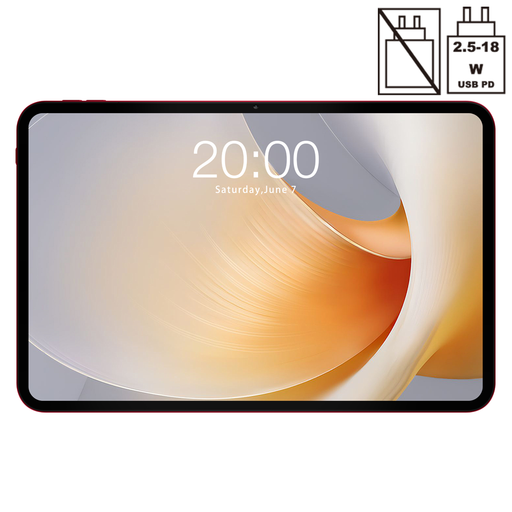
Why It Stands Out: The TECLAST T65 Plus is a high-performance tablet that goes beyond typical children's device specifications. Its most noticeable feature is the huge 13.4-inch display with a smooth 120Hz refresh rate, which delivers an impressive viewing experience.
With a powerful MTK G99 Octa-Core processor and a very generous 20GB of RAM, this device can handle demanding applications and multitasking with ease. While its size and power may be more than what a young child needs, it represents a long-term investment for a family. It can serve as a primary media and productivity device for parents, while still being available for a child's educational apps and games under supervision.
Pros:
Who is it for? This tablet is best for families seeking a single, powerful device for everyone to use. It's particularly suitable for older children or teenagers who need a capable tablet for schoolwork and advanced entertainment, or for parents who want a high-spec tablet that can also be used by their children.
If the models above don't quite match what you're looking for, or if you'd like to compare a wider range of screen sizes and features, we have more to explore. Different families have different needs, and the right tablet is waiting for you.
Browse our full collection of touch screen tablet models to find the perfect fit for your family.
There is no single correct answer, as it depends on the individual child and family rules. Many parents begin introducing shared tablet use for educational purposes around the age of 3 or 4, with clear time limits. The key is to focus on high-quality, age-appropriate content and to ensure screen time is balanced with other activities.
Most modern Android tablets can be made very child-safe. The primary tool is Google's Family Link app, which is free to use. It allows you to create a child's Google account that you manage from your own phone. You can set content filters, approve app downloads, enforce screen time schedules and more, effectively creating a secure tablet with parental controls.
Yes, an 8 inch tablet for children is often considered an ideal size. It is large enough for a clear and engaging display but small and light enough for a child to hold comfortably for extended periods. This size also makes it highly portable for use on the go.