
24/7 Customer Support

Free returns

Same-day & Next-day Delivery

Quality Guaranteed

Unlock Your Welcome Offers: FREE Delivery | Up to 80% OFF | Free 30-day JoyPlus trial
Download the APP
Finding the right first tablet for your child can feel like a difficult task. You want something that is engaging and educational, but also safe, durable and within budget. With so many options on the market, it's easy to get lost in technical specifications and marketing claims.
As the Joybuy Product Recommendation Officer, my role is to help you navigate these choices. This guide offers practical advice and highlights a few noteworthy options to help you find a suitable children's tablet that fits your family's needs without the fuss.
Before diving into specific models, let's cover a few key features that matter most when choosing a device for a young user.
The most important feature of any device intended for a child is the ability to manage their experience. A tablet with parental controls is non-negotiable. Modern operating systems, like Android, have robust, built-in features that allow you to:
These tools give you peace of mind, ensuring your child's digital environment is safe and constructive.
Accidents happen, especially with little hands. A durable kids tablet is built to withstand the occasional bump or drop. Look for models that come with a sturdy, child-friendly case, often made from thick silicone or rubber. This not only protects the device but also makes it easier for small hands to grip. A pre-included case can also save you the time and extra cost of finding a compatible one separately.
While large screens are great for watching films, a more compact device is often better for children. An 8 inch tablet for kids typically offers a good balance, being large enough to see clearly but small and light enough to hold comfortably.
Performance is also key. A tablet that is slow or unresponsive will only lead to frustration. Look for a device with at least 3GB of RAM and a decent processor to ensure educational apps and games run smoothly.
Based on features that prioritise safety, durability and value, here are a few options to consider.

Special Offer: [Early Bird ?65 | First 10 Only]
Why It Stands Out: The Alldocube Kido is designed from the ground up for children. It comes with a robust blue protective case and features a dedicated child lock system, making it simple to manage content and usage straight out of the box. Its 8-inch screen is the ideal size for young users.
Pros:
Who is it for? Parents seeking an all-in-one, affordable first tablet for a young child (ages 3-8). The pre-installed safety features and included case make it ready for use immediately.
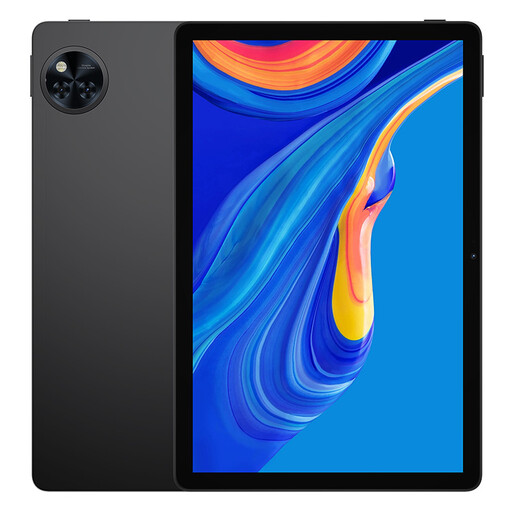
Why It Stands Out: The DOOGEE U11 is a versatile family device. Its large 11-inch HD display is excellent for watching educational videos or family films together. Running on the latest Android 15, it includes advanced parental control features that can be easily configured, allowing it to function as a kids android tablet when needed. The impressive 8580mAh battery ensures it lasts through long car journeys.
Pros:
Who is it for? Families looking for a single, powerful tablet that can be shared between parents for productivity and older children for schoolwork and entertainment.
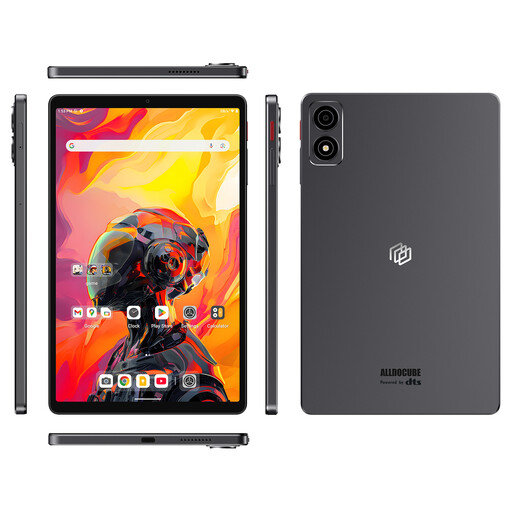
Why It Stands Out: This tablet packs a serious punch in a compact frame. The powerful Qualcomm Snapdragon 7+ Gen3 processor and a huge 256GB of storage make it exceptionally fast and capable of handling demanding games and apps. Its 8.8-inch screen keeps it portable and easy to handle.
Pros:
Who is it for? Tech-savvy families or older children and teenagers who need a powerful, portable device for gaming, media and creative projects. Its performance ensures it will not feel slow or outdated quickly.
If these specific models aren't quite what you're looking for, there are many other choices available.
? Explore our full range of tablet computer brands to find the perfect fit for your family's needs and budget.
1. What is a good age for a child's first tablet? There is no single right answer, as it depends on the child's development and the family's rules around screen time. Many parents introduce a shared family tablet around ages 3-4 for limited, supervised use of educational apps. A dedicated children's tablet is often considered around ages 5-7, once they can navigate it more independently within the boundaries set by parental controls.
2. How do I set up parental controls on a kids android tablet? Most modern Android tablets make this straightforward. You can use Google's built-in "Family Link" app. It allows you to create a Google account for your child, which you then manage from your own phone. From the Family Link app, you can set daily time limits, block or approve apps, filter content on YouTube and the Chrome browser and even locate the device.
3. Are cheap kids tablets worth it? A cheap kids tablet can be a very practical choice, especially for a first device. Models designed specifically for children often prioritise durability and safety features over high-end processing power, which is often unnecessary for the types of apps young kids use. The key is to ensure it has enough RAM (at least 3GB) to run smoothly and avoid frustration. An affordable tablet means less financial worry if it gets damaged.