Parents setting up a learning-and-play tablet
You want a device for activities such as reading, games and videos, with controls you can configure before the child starts using it.


For learning and play at home, start with a tablet or shared device that an adult can set up and supervise through a separate child account or profile. Consider a smartphone when supervised communication is a defined need, rather than an assumed next step. Apple’s Family Sharing, Google Family Link and Amazon Kids have different account, device and profile requirements, so check the intended setup before choosing.
You want a device for activities such as reading, games and videos, with controls you can configure before the child starts using it.
You want the child’s device to fit the accounts and supervision tools your household can maintain, whether the device is shared or belongs to the child.
You need to decide whether calling or messaging warrants a phone, and how you would supervise communication alongside apps, content and device-use time.
Decide what the child will use the device for, then check the child-account setup and controls on the exact device. If learning and play are the main activities, a supervised tablet or shared device may meet the need without adding phone communication.
| Concern | What to check | Who this matters to |
|---|---|---|
| Adult supervision | Check the exact device’s child account or profile, app controls and content and time settings. | I want to set boundaries before handing over the device and keep managing them as its use changes; around 36% of consumers put adult supervision first. |
| Accounts and sharing | Check whether the child needs a separate account and which adult device can manage it. | If our household already shares devices, I need to know whose account the child will use and how an adult will manage it; around 29% of consumers prioritise the account and sharing arrangement. |
| Learning and play | Check the available child profile, age filters and controls over the intended activities. | For reading, games and videos, I want a manageable starting selection rather than unrestricted access; roughly 21% of consumers place learning-and-play setup first. |
| Communication | Define the calling or messaging need, then check the phone’s account and communication settings. | I would consider a phone if the child needs supervised contact with family, not simply because a phone seems like the next device; around 14% of consumers put communication first. |
Apple says its child-control arrangement uses Family Sharing and a separate Apple Account for each family member. An adult’s signed-in account is not that child-account setup.
Before choosing an iPad or iPhone, confirm that an adult can organise Family Sharing and create the child’s account.
Google lists Android 5.0 and later and Chrome OS 71 and later as supported supervised-device categories. It says most Family Link supervision tools do not work on iPhones, iPads or non-Chromebook computers.
Check the exact device and software version, and plan for the child to use a supervised Google Account.
Amazon distinguishes controls for adult profiles from Amazon Kids child-profile settings for children under 13.
For an under-13 child, check that the Fire tablet supports the intended child profile and configure its content and time settings before use.
A phone makes supervision of communication part of the setup, alongside decisions about apps, content and device-use time.
Define who the child needs to contact and why. If the intended activities are learning and play, compare supervised tablet arrangements before choosing phone functionality.
An iPad or iPhone route for a household that can set up Family Sharing and a separate child Apple Account.
A supervision platform to consider when the child will use a compatible Android device or Chromebook.
A Fire tablet route for households considering an Amazon Kids child profile for learning and play.
These tablets relate to a child’s first learning-and-play device at home. Check the child-account and supervision functions on the exact model before deciding whether either fits your planned setup.
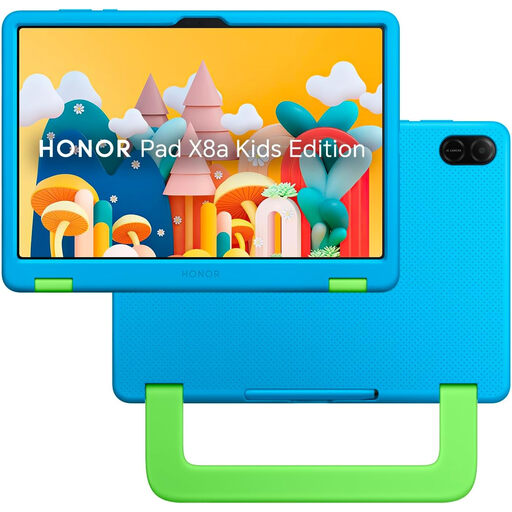 Image unavailable
Consider this for learning and play if its child-account and adult-control setup meets your needs on the exact model.
The listed variant has an 11-inch display, Wi-Fi and 128GB storage. Check the available app, content and time controls before buying.
 Image unavailable
Consider this smaller learning-and-play tablet if its listed Child Lock provides the particular controls you need; check its functions and account setup on this model.
The title specifies Android 15, 3GB+32GB and a blue protective case. No adapter is included, so check which compatible adapter you would need.
Set up Family Sharing and a separate Apple Account for the child. Apple Support says Screen Time can then manage apps, websites, communications and device-use timing; keep family devices updated if you need the latest settings to sync across them.
No. Google lists Android 5.0 and later and Chrome OS 71 and later as supported supervised-device categories, while most Family Link supervision tools do not work on iPhones or iPads. Check the exact device and software version before relying on those tools.
For a child under 13, Amazon directs families to a child profile rather than its adult-profile parental controls. Check that the tablet is set up in the intended Amazon Kids profile before handing it over.
No. The UK government’s Kids Online Safety guidance presents controls as part of supporting a child’s first device use, alongside talking with the child about online safety and knowing where to seek support or report concerns.