Start with the games your child wants to play and the child account an adult is prepared to manage; no device type settles every online-safety question on its own. A console offers a dedicated gaming route, while a tablet or phone also needs oversight of other apps, and a PC needs controls across Windows, browsers and game services. Before choosing, check each game’s online-play requirements, communication features and purchase settings.
Who is this for?
Parents prioritising online-safety oversight
For households whose main concern is managing a child’s communication, spending, content access and playtime through a child account. Ofcom identifies gaming as a leading free-time activity for UK eight- to 17-year-olds; the controls available depend on the device and platform used.
Families choosing around particular games
For parents or carers who need to know whether the child’s chosen games and online modes work on a console, mobile device or computer, especially when playing with friends matters.
Households planning ongoing spending
For consumers who want to check online memberships, app-store purchases and in-game spending arrangements before committing to a device ecosystem.
What matters when choosing?
Choose the route that supports the intended games, then decide whether its account and control arrangements are manageable for your household.
Games console
Consider it when: The intended games run on one console ecosystem and the household wants a dedicated gaming device with a separate child account.
Trade-off: Game choice stays within that ecosystem, and online multiplayer for some titles requires a membership.
Tablet or phone
Consider it when: Portability and mobile games matter, and an adult can manage the device, store and child account.
Trade-off: Browsing, messaging and other apps make supervision broader than gaming alone.
Windows computer
Consider it when: The child wants PC games or the household also needs a computer, and an adult can maintain a standard child account.
Trade-off: Windows, browsers and individual game services can require separate controls; Steam Families, for example, applies within Steam.
| Concern |
What to check |
Who this matters to |
| Online interaction and oversight |
Check for a separate child account and controls covering communication, purchases and playtime on the services the child will use. |
When games include messaging or purchases, I want an adult to manage access without sharing an adult login. Around 31% of consumers would put oversight first. |
| Games and playing with friends |
Check each game’s device support, relevant multiplayer and cross-play options, and account age conditions. |
If playing particular titles with friends is the point, I need to know the chosen device can join that group. Around 25% of consumers would make game and ecosystem fit their primary concern. |
| Memberships and digital purchases |
Check each game’s online-service requirement and whether purchase approvals cover its store and billing route. |
I want to understand the continuing commitments before agreeing to online play or in-game spending. For around 25% of consumers, that planning would come first. |
| Shared use and setup |
Decide where and by whom the device will be used; for a PC, check the child’s account role and the browsers and game services involved. |
Our household may use the device for more than games, so I need a setup we can manage across those uses. Around 19% of consumers would prioritise that flexibility. |
What is easy to overlook?
-
Buying hardware before checking the game list
Game availability and online-play requirements depend on the title and platform. PlayStation says most PS4 and PS5 games require PlayStation Plus for online multiplayer; Nintendo says membership is required for online features in many Switch and Switch 2 games, with exceptions.
List the intended games and check their device support, PEGI information, multiplayer options and account conditions before choosing hardware.
A different game edition, additional controller, online membership or second device may be needed if the planned way of playing does not work on the chosen setup.
-
Using a shared adult account
Family controls described by PlayStation, Xbox, Nintendo, Apple and Microsoft rely on the relevant account arrangements. Playing through an adult account can undermine child-specific settings.
Set up separate adult and child accounts where the platform supports them, and keep adult account access and payment methods under adult control.
-
Treating a PEGI label as the whole safety check
A game’s content classification does not settle whether its online communication, purchases or player-created content suit your child.
Read the game’s PEGI label and descriptors, then check its social and purchase features alongside the controls available on the chosen device.
-
Assuming one setting covers every PC or mobile service
Microsoft says its web and search filtering depends on supported browsers and signed-in accounts. Steam Families controls apply to Steam, not every game service on a PC.
Identify the accounts, browsers, stores and chat services the child will actually use, and check which settings cover each one.
Relevant platforms and brands
PlayStation
A console ecosystem for households considering PS4 or PS5 games and PlayStation family management.
- PlayStation describes separate child accounts and controls for game access, communication, playtime and spending.
- PlayStation says most PS4 and PS5 games require PlayStation Plus for online multiplayer; check the intended title.
Xbox
A console ecosystem with Microsoft family-account arrangements relevant to supported Xbox and Windows devices.
- Xbox and Microsoft describe family settings for content, purchases and screen time.
- Microsoft’s web and search filters depend on supported browsers and signed-in accounts. Check the intended game’s online-access requirements separately.
Nintendo
A Switch and Switch 2 ecosystem for households considering Nintendo’s portable and home-console format.
- Nintendo describes controls for age-rated content, communication and playtime, with gameplay history available through its smart-device app.
- Nintendo says membership is required for online features in many Switch and Switch 2 games, although some titles are exceptions.
Apple
An iPhone or iPad route for households using Apple family accounts and device-level controls.
- Apple describes Screen Time and Game Center restrictions covering areas such as app use, friend requests and in-app purchases.
- Individual games, other apps and external accounts still need checking.
Steam
A PC game-store ecosystem relevant when the child’s intended games are played through Steam.
- Steam says Steam Families lets adults manage a child’s game access, Steam features and playtime.
- Those settings do not replace Windows account controls or cover other browsers and game services.
Joybuy product choices
These choices cover dedicated Xbox consoles, Windows gaming desktops and a portable Android tablet. Compare them against the games your child wants and the account controls your household can manage.
 No image available
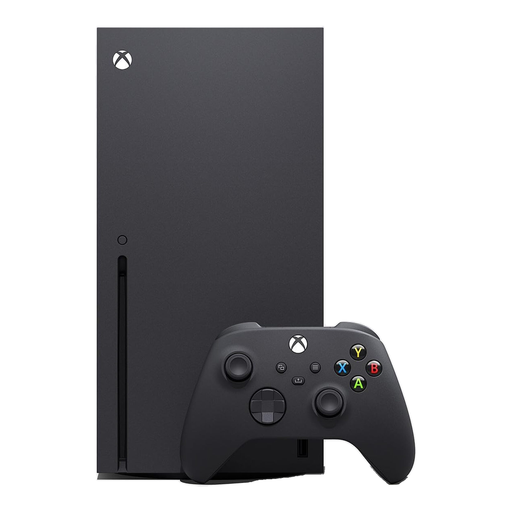
Xbox Series X 1TB Console, Black
Consider this dedicated console if the intended games are available on Xbox and an adult will manage a separate child account.
1TB model. Check each game’s online-play requirements and the family settings needed for the child’s account.
View on Joybuy
 No image available
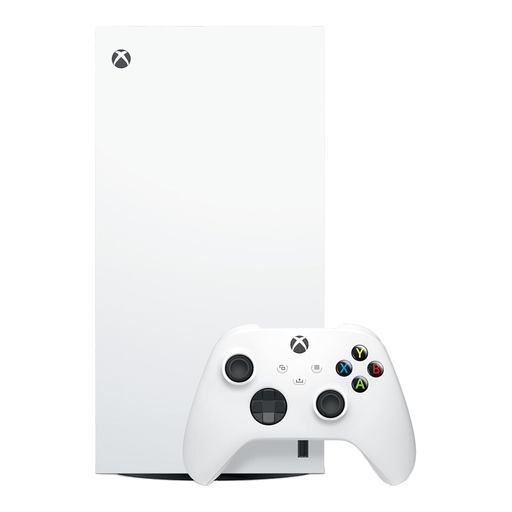
Xbox Series X 1TB Digital Edition, White
Consider this Xbox console if the household plans to obtain the child’s intended games digitally and manage play through a child account.
1TB Digital Edition. Confirm digital game availability and any online-play membership requirement for each title.
View on Joybuy
 No image available
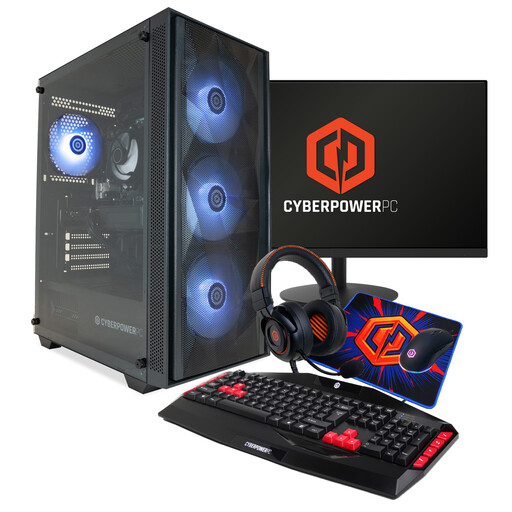
CyberPowerPC JOYB1004 Gaming PC Bundle, Ryzen 5 7500F, RTX 5060 8GB
Consider this Windows desktop bundle if the household wants a PC gaming setup with a monitor and peripherals, and can manage the child’s Windows and game-service accounts.
16GB DDR5, 1TB NVMe SSD and Windows 11 Home; the named bundle also includes a keyboard, mouse, headset and mousepad. Confirm the monitor configuration and the requirements of the intended games.
View on Joybuy
 No image available
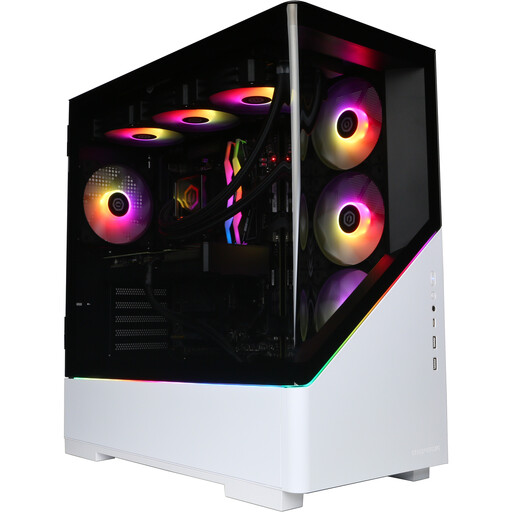
CyberPowerPC JOYB1013 Gaming Desktop, Ryzen 7 9800X3D, RTX 5080 16GB
Consider this Windows desktop if a PC suits the intended games and an adult can manage accounts across Windows, browsers and game services.
32GB DDR5, 2TB NVMe SSD and Windows 11 Home. Check which monitor and peripherals the household will need for the complete setup.
View on Joybuy
 No image available
Alldocube Kido 8-inch Android 15 Tablet, Blue Case, 3GB+32GB
Consider this portable tablet only after checking that the child’s intended games work on it and that its account and control options meet the household’s needs.
The named configuration has Android 15, a 5000mAh battery and a protective case; no adapter is included. Check what the advertised child lock controls before relying on it for communication, purchases or playtime.
View on Joybuy
Common questions
Is a console automatically safer for a child than a tablet or PC?
No device type is automatically safer: the relevant question is which child account and controls cover the games and services your child will use. Consoles have family-control systems, while tablets and PCs may need additional attention to apps, browsers and game services.
Will my child need a membership to play online?
That depends on the game and platform. PlayStation says most PS4 and PS5 games require PlayStation Plus for online multiplayer, while Nintendo says membership is required for online features in many Switch and Switch 2 games, with exceptions. Check the particular game before choosing a device or membership.
What does a PEGI rating tell me when choosing games?
A PEGI label helps you assess a game’s age-related content, but it does not replace checking online interaction or purchases. UK government guidance states that PEGI 12, 16 and 18 classifications have legal backing; consider each game’s descriptors and social features as well as its rating.
What should I keep after buying a gaming device?
Keep the order confirmation or receipt, device serial number and details of any bundled game or membership. GOV.UK distinguishes a limited change-of-mind cancellation right for qualifying distance purchases from remedies concerning faulty goods; the applicable route depends on the purchase circumstances and the issue with the item.


