Choose around what the child will mainly do online and the supervision your household can maintain: consider a tablet for a mainly home-based, multi-purpose screen, a phone when personal contact is the reason for buying, or a console when gaming comes first. Before comparing specifications, check how the child’s own account, the adult’s management account, and the controls for content, communication, purchases and time will work together.
Who is choosing?
The reason for buying a child’s first internet device changes which account settings and restrictions deserve attention before it is handed over.
Parents setting up a shared first screen
A mainly home-based tablet or shared console may cover video, approved apps or supervised games. These parents need to know whether restrictions follow the child’s account or apply to everyone using the device; Nintendo, for example, says its Switch parental controls apply to the whole console.
Parents choosing a personal contact device
When a child needs a portable phone for independent contact, the household also needs a child-specific account and deliberate settings for communication, apps and purchases. Apple and Google describe different family-account arrangements, so the intended phone and supervising adult’s device both matter.
Parents of gaming-first children
If online games are the main reason for buying, game content is only part of the decision. Xbox, PlayStation and Nintendo provide different ways to manage communication, playtime and purchases, making the planned family setup worth checking alongside the console.
What matters when buying?
Tablet
Consider it: When video, approved apps and occasional games are the main uses, particularly for a screen kept mostly at home.
Trade-off: Its range of uses means more app and account decisions; the intended child-account controls must work on the exact device.
Phone
Consider it: When the child needs their own portable means of contact.
Trade-off: Personal messaging and use away from home call for ongoing attention to contacts, apps and settings.
Games console
Consider it: When gaming, rather than general apps or personal communication, is the main purpose.
Trade-off: Game-rating restrictions alone do not settle multiplayer communication or purchases, and some controls affect every user of a shared console.
Whatever the device, decide how it will be used and supervised before comparing screen size or storage.
| Concern |
What to check |
Who this matters to |
| Main online activity |
Decide whether video and apps, personal contact or online gaming will be the primary use; check the device and account options for that use. |
If video and approved apps will occupy most of my child’s time, I need a different kind of screen from one bought mainly for calls or multiplayer games. Around 27% of consumers put activity fit first. |
| Child account and supervision |
Check the child-account setup, who manages the family group and whether the adult’s device supports the intended controls. |
Before my child goes online, I want to know who can manage their settings without sharing an adult account. For around 27% of consumers, that supervision setup is the primary concern. |
| Gaming and interaction |
Review content, multiplayer communication and privacy settings separately from playtime and purchase controls. |
Online games make me think about who my child can interact with and what they can buy, not just which games they can open. Around 27% of consumers place these gaming controls first. |
| Shared use and accessories |
Check whether restrictions apply per account or to the whole device, and match fitted accessories to the exact model. |
If siblings will share one device, I need settings that work for everyone using it and accessories that fit. Shared-use practicalities come first for around 19% of consumers. |
Setup mistakes to avoid
-
Choosing specifications before planning supervision
A device may have the screen and storage you want while its intended child-account workflow depends on a particular family group, software version or adult management device. Apple and Google set out different account and device requirements for their controls.
Identify the adult who will manage the account, the child account needed and the controls you intend to use before settling on a model.
-
Assuming game ratings cover every online risk
Xbox, PlayStation and Nintendo distinguish game-content restrictions from settings for communication, privacy, time or purchases. A suitable age-rating filter does not configure those other settings for you.
Review multiplayer access and communication separately, then set up the platform’s purchase approval or spending controls before the child uses the store.
Without the intended purchase controls, digital games or add-ons can be bought unexpectedly.
-
Expecting separate restrictions for each Switch user
Nintendo says Switch and Switch 2 parental controls apply to the console, so restrictions chosen for a younger child also affect other people using it.
Decide whether console-wide settings suit the household. If they do, configure them with the youngest intended user in mind and review Nintendo Account settings for eShop restrictions.
-
Buying a fitted accessory by device family alone
Different generations and sizes of phones, tablets and handheld consoles may have different layouts. A family name alone is not enough to establish that a case or screen protector fits.
Match the accessory listing to the exact model, generation and screen size of the device you are buying.
Relevant brands and family controls
A familiar brand does not replace checking the specific child account, device and controls your household intends to use.
Apple
Relevant to an iPhone or iPad managed through Family Sharing and Screen Time.
- Apple Support says the child should have their own Apple Account in the Family Sharing group so a parent or guardian can manage parental controls.
- The household needs to create or add that account and maintain the family setup; sharing an adult’s account is not the same arrangement.
Google
Relevant to a child’s Google Account on a supported Android phone, Android tablet or Chromebook.
- Google For Families describes Family Link as a way for parents to create or supervise a child’s Google Account.
- Google says an iPhone or iPad cannot be supervised as the child’s device with Family Link. Check support for the exact device and operating system before relying on it.
Microsoft / Xbox
Relevant to a gaming-first household using an Xbox family group.
- Xbox Support describes family settings for content, communication and multiplayer, as well as organiser approval for applicable purchases.
- The child must be part of the organiser’s family group, and the settings needed may involve different account or device steps.
PlayStation
Relevant to households considering PlayStation family management for a child’s gaming.
- PlayStation Support describes family-app options for playtime, games and content, communication, privacy, activity and spending.
- Check which controls your planned family setup and management device can access, including any functions available through the app.
Nintendo
Relevant to a Switch or Switch 2 used for individual or shared household gaming.
- Nintendo UK Support describes playtime and content restrictions through its parental-controls arrangements, with additional eShop restrictions managed in Nintendo Account settings.
- Console parental controls apply to everyone using that console, rather than separately to each user.
Tablets to consider on Joybuy
These tablets relate to the home-based screen route for apps, video or games. Before choosing one for a child, confirm that its account setup and the adult’s intended supervision tools work on the exact model.
 No image available
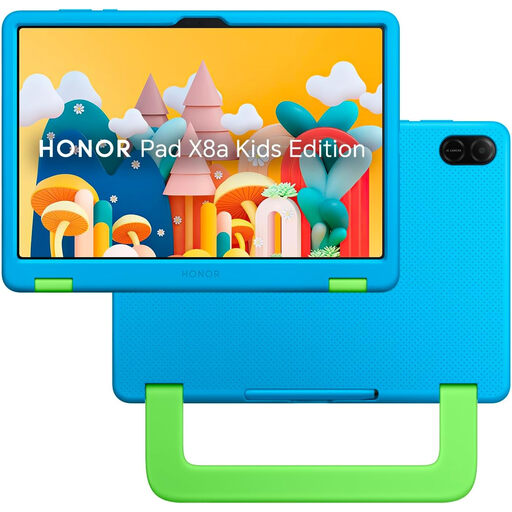
HONOR X8A Kids 11-inch Wi-Fi tablet, 128GB, Space Grey
Consider this 11-inch Wi-Fi tablet when a child will mainly use a screen at home for apps or video; the named variant has 128GB of storage.
Before buying for supervised use, check the operating-system version and whether the intended child-account and parental controls work on this exact model.
View on Joybuy
 No image available
Alldocube Kido 8-inch Android 15 tablet, 3GB/32GB, blue case
Consider this 8-inch tablet for a child’s apps, video or games if an included blue protective case suits the planned use; the listed variant has Android 15, 3GB RAM and 32GB storage.
No adapter is included. Check which compatible adapter is needed and confirm the child-account setup and intended supervision features for this exact model.
View on Joybuy
 No image available
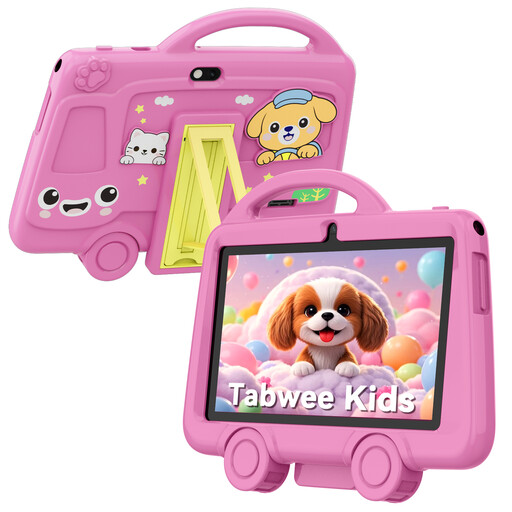
TABWEE K8 Kids 7-inch tablet, 2GB/32GB
Consider this 7-inch Wi-Fi tablet for a child’s apps or video when a smaller device suits the household; the named variant has 2GB RAM, 32GB storage and 2.4 GHz Wi-Fi.
Check the child-account and parental-control options for this exact model before choosing it for supervised online use. The listing says it is unsuitable for children under 3 and calls for adult supervision.
View on Joybuy
Common questions
Should my child use my account on their first iPhone or iPad?
No: Apple Support says a child should have their own Apple Account in the Family Sharing group rather than share another family member’s account. Set up that account and check the parental controls before the child starts using the device.
What should I check about a child’s Google Account?
Check the child’s age against Google’s current UK account and consent steps when setting up the device. Google For Families says parents can create and manage accounts for children below the applicable age through Family Link; also confirm that the child’s exact device supports the supervision you need.
Can I set different Switch restrictions for children sharing one console?
Not through separate console parental-control settings: Nintendo UK Support says Switch and Switch 2 restrictions apply to the console and everyone using it. Set shared-console restrictions with the youngest intended user in mind, then review Nintendo Account settings for applicable eShop controls.
Do console parental controls cover purchases as well as games?
They can address purchases, but the setup differs by platform. Xbox Support describes organiser purchase approval, PlayStation Support describes spending management in its family tools, and Nintendo UK Support places applicable eShop purchasing restrictions in Nintendo Account settings. Check the chosen platform’s purchase controls separately from its game-content filter.


