Choose a managed smartphone if the child needs school or messaging apps, online access or app-based location sharing, and a parent can set up and maintain a separate child account. If calls and texts are enough, a basic 4G phone avoids adding smartphone apps that are not needed. Either choice still calls for a coverage check, clear family rules and a plan for staying in touch; parental controls do not guarantee online safety.
Who is each route for?
Families planning for more independent travel
A personal phone may help a child contact trusted people on the way to school or other regular destinations. Decide which communication functions are needed rather than treating a school transition as an automatic reason to buy a smartphone.
Families who need managed apps
If school services, messaging or location sharing require a smartphone, allow time to set up the child’s own account and the parent’s management tools. Google Family Link and Apple Family Sharing with Screen Time depend on their respective account setups.
Families who mainly need calls and texts
A basic phone is worth considering when contact with trusted people matters more than apps. Check that it covers the child’s actual messaging needs before choosing it in place of a smartphone.
What should you check before choosing?
Start with the functions the child will use, then check whether the account setup, software and mobile network can support that choice.
Managed Android smartphone
Consider it when: the child needs Android apps or Google services and a parent can supervise the child’s own Google Account.
Keep in mind: Google says Family Link can set boundaries but cannot let a parent remotely hear calls or view the child’s screen.
iPhone with Family Sharing
Consider it when: a parent can manage a Child Account through an Apple family group and the child needs iPhone apps.
Keep in mind: Apple’s available controls depend on the family setup and compatible, updated devices; the child should not share an adult’s Apple Account.
Basic 4G phone
Consider it when: calls and texts meet the immediate need without school apps or app-based location sharing.
Keep in mind: a basic phone does not replace smartphone apps or an emergency contact plan.
| Priority | What to check | Your needs |
|---|
| Everyday functions |
List essential calls and texts, then name any school, messaging or navigation apps. Check whether each essential function needs a smartphone. |
Would calls and texts cover our daily plans, or does my child need an app that a basic phone cannot provide? |
| Accounts and controls |
Check how to create the child’s separate account, manage app access and set communication or screen-time rules on the chosen platform. |
I want to set age-appropriate boundaries before handing over the phone, then revisit them as needs change. |
| Location sharing |
Confirm that the chosen device and account support the intended service. Google says Family Link location requires location sharing to be set up on the child’s Android device. |
If location sharing matters on regular journeys, I need to know how it is enabled and when the phone can be reached. |
| Coverage and contact |
Check the intended mobile network at home, school and regular travel locations. Ofcom cautions that coverage predictions can differ from experience. |
A phone for staying in touch needs a usable connection where my child will carry it, alongside an agreed contact plan. |
| Software support |
Check the exact model’s security-update commitment and whether both the parent’s and child’s devices can run the required family-management software. |
If we expect to keep a smartphone for years, I want its controls and security updates to remain suitable throughout that period. |
Common first-phone mistakes
-
Choosing a smartphone before deciding which apps are needed
A smartphone offers online services beyond basic contact. If those functions have no clear purpose yet, its extra access may complicate the first-phone decision.
Write down the required calls, texts and apps. Compare a basic 4G phone on equal terms if calls and texts cover the child’s needs.
-
Signing in with an adult’s account
Apple advises giving a child their own Apple Account, while Apple and Google tie family controls to the appropriate child-account setup.
Set up the child’s account and family group before adding apps, and agree who will manage requests and settings.
-
Treating parental controls as complete monitoring
Google says Family Link cannot remotely listen to a child’s calls or show the parent the child’s screen. Controls therefore need to sit alongside conversations about contacts, privacy and online use.
Review app requests and privacy settings together, and revisit the rules when the child starts using a new service.
-
Overlooking coverage and software support
Ofcom warns that predicted mobile coverage may differ from real experience. For a managed smartphone, update eligibility and compatible family software also affect continued use.
Check the intended network along regular routes and the exact model’s update commitment before buying.
Poor coverage on regular journeys may leave the family relying on another way to make contact.
Relevant brand and platform references
These references describe particular phone lines and family tools; they do not establish which brands or models are available in the product selection below.
Google Pixel
A Pixel can fit a supervised Google Account setup when the family needs Android apps and can manage Family Link.
- Google says Family Link can manage app requests and screen time, with Android-device location available when location sharing is enabled.
- Google says Family Link cannot remotely hear calls or view the child’s screen.
- Google states that Pixel 8 and later phones, including Pixel 9a, receive seven years of OS and security updates from their first availability on the US Google Store; rollout can depend on the device and operator.
Apple iPhone
An iPhone may suit a household able to set up Family Sharing, a Child Account and Screen Time from a parent’s Apple device.
- Apple says its controls can manage access to apps and websites, communication and device time.
- The child should have their own Apple Account; available controls depend on the family setup and compatible, updated devices.
Samsung Galaxy A
The Galaxy A56 5G, A36 5G and A26 5G are Android models with a published Samsung software-support commitment.
- Samsung states that these three models receive up to six OS generations and six years of security updates.
- That commitment does not itself establish a child-account setup; check the exact handset and configure Google supervision separately if needed.
HMD
The HMD 2660 Flip is a calls-first feature-phone example for a child who does not need smartphone apps.
- HMD describes this model as a social-media-free 4G flip phone with large buttons.
- A feature phone does not replace app-based family location sharing; check coverage and the child’s required services separately.
Joybuy phone options
These options include basic phones for calls-and-texts-first use and Android smartphones for families considering apps. For either route, check the functions, network and family setup the child will actually need.
 No image available
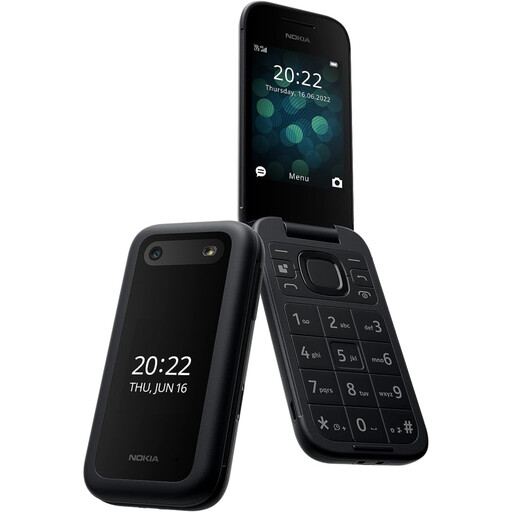
Nokia 2660 TA-1469
For a calls-and-texts-first plan, the listing describes 4G calling, SMS and an emergency button for up to five preset contacts.
Check the intended network’s coverage and whether the child needs any smartphone apps or app-based location sharing.
View on Joybuy
 No image available
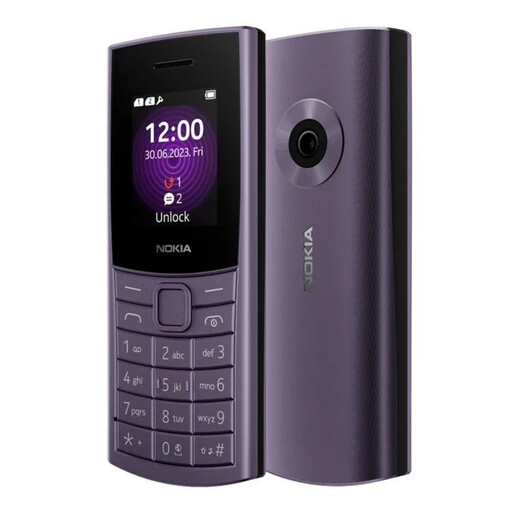
Nokia 110 4G TA-1543 DS Purple
This 4G feature phone has a tactile keypad; the listing also describes adjustable font sizes and zoom.
Confirm any school, messaging or location-sharing services the child needs, as well as coverage on the chosen network.
View on Joybuy
 No image available
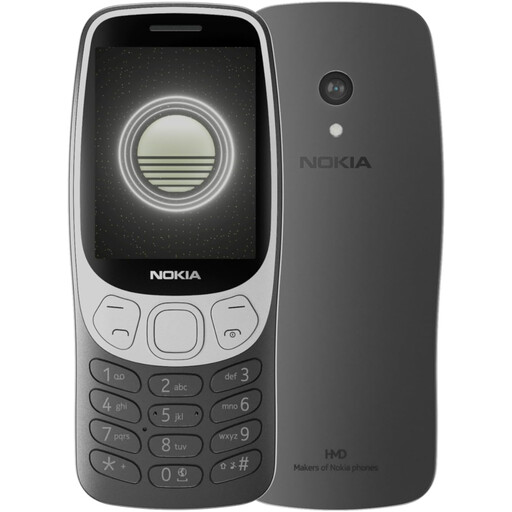
Nokia 3210 4G TA-1618 DS Grunge Black
A 4G feature-phone option with a tactile keypad for a calls-and-texts-first plan.
Confirm required apps and network coverage before choosing it. Check storage or processor figures directly before relying on them.
View on Joybuy
 No image available
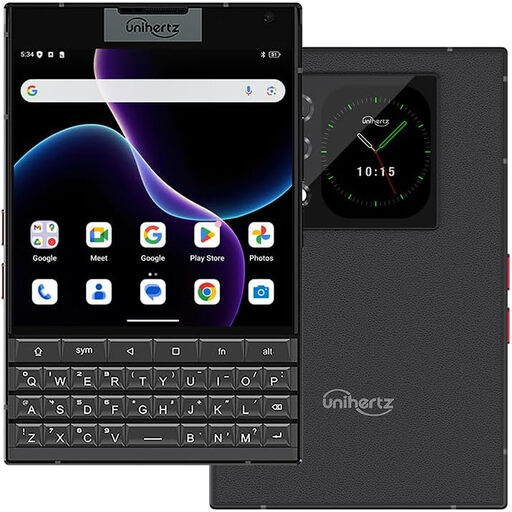
Unihertz Titan 2 5G, 12 GB RAM, 512 GB, Black Dual SIM
This Android 15 smartphone has a physical QWERTY keyboard and 5G, making it an app-capable option rather than a basic calling phone.
Before choosing it for a child, confirm Family Link compatibility, the model’s update commitment and coverage with the intended UK provider.
View on Joybuy
 No image available
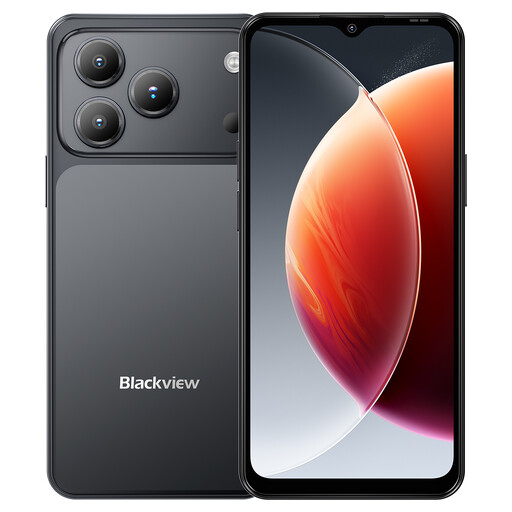
Blackview Wave 7C Android 16, 64GB, Black
This 4G Android smartphone is an app-capable option. Its product name specifies a 6.56-inch display and 5000mAh battery.
Confirm the required child-account controls, model-specific update support and compatibility with the intended UK network before buying.
View on Joybuy
First-phone questions
Should a child use a parent’s Apple or Google account?
Use the child’s own account for a managed smartphone. Apple advises against sharing an adult’s Apple Account with a child, and Google’s supervision setup uses the child’s Google Account.
Will Family Link show a child’s location automatically?
No. Google says location sharing must first be set up for the child’s Android device or compatible Fitbit device. Agree when the family will use it, and check the device’s connection before relying on a location update.
Can a parent manage an iPhone’s Screen Time settings from their own device?
Yes, with the appropriate Family Sharing setup: the child needs a Child Account in the family group and the adult must be its organiser or parent or guardian. Apple says the available controls depend on compatible, updated family devices.
Is carrying a mobile phone enough for emergency contact everywhere?
No. A call still depends on a usable connection and local conditions. Check the intended network at home, school and regular travel locations; Ofcom’s coverage checker gives predictions that may differ from experience, so agree on another contact plan as well.


