Who this guide is for

Parents preparing for secondary-school transition

For families considering a first phone around the move to secondary school, when communication and independent routines may increase but daytime use may be restricted. Ofcom reported that smartphone ownership rose from 56% of UK 10-year-olds to 83% of UK 11-year-olds in its May 2026 update.

Families seeking supervised access

For parents deciding how a child can use apps, web services, messaging and downloads through managed accounts, device controls and mobile-provider filters.

Families considering refurbished devices

For parents comparing a refurbished handset with a new entry-level phone and wanting to check condition, testing, warranty, seller responsibility and return arrangements.

What to prioritise

New entry-level smartphone

Choose it when: You want a current handset with ordinary new-product retailer support and can set up the child’s separate account before everyday use.

Keep in mind: Controls are not necessarily enabled by default, and mobile-provider filtering is separate from handset and account settings.

Refurbished smartphone

Choose it when: Reducing the initial outlay matters and you can check the exact seller, condition, battery, included accessories and support terms.

Keep in mind: A warranty differs by seller and adds to consumer rights rather than replacing them.

SIM-only or pay-as-you-go service

Choose it when: The family already has a suitable SIM-free handset or wants to keep the phone and mobile service as separate decisions.

Keep in mind: Check availability at the places the child uses the phone, and ask the provider whether its parental controls are enabled on that line.

Priority What to check Your needs
Timing and communication Decide which calls, messages or travel situations justify a personal phone. Check local mobile availability before choosing a network and plan. I want the phone to solve a clear communication or travel need, rather than choosing it on age alone.
Layered controls Set up the child’s own account, device family controls, app and download approvals, and provider controls separately. Confirm compatibility for the exact handset and software version. I need to manage access to apps, web content, messaging or purchases without assuming one setting covers every service.
School routine Read the individual school policy on possession, storage, breaks and emergency contact. Plan charging, storage and collection arrangements at home. I want a phone arrangement that still works if the handset must stay unused or stored away during the school day.
Refurbished support Check the exact model, condition grade, battery and charging condition, lock status, accessories, seller warranty and return process. Compare written terms, not condition labels alone. I want a refurbished device only where the seller’s support and the handset’s condition are clear enough for regular communication.

Common buying pitfalls

  • Assuming a provider filter controls every app, account and purchase

    Ofcom says provider controls apply to content accessed through the mobile internet connection and may not be switched on automatically. App-store, operating-system and account settings can still need their own configuration.

    Set up and test the provider controls, the child’s account, family controls and app or download approvals as separate layers before regular use.

  • Buying the handset before checking the school’s phone policy

    A phone bought mainly for school-day use may need to remain unused or stored away. England’s Department for Education guidance says schools should implement policies prohibiting mobile-phone use throughout the school day; Scotland and Northern Ireland have separate restriction guidance.

    Check the child’s school policy and agree how school-day contact, storage, charging and collection will work.

  • Treating all refurbished phones as equivalent

    A refurbishment label alone does not establish testing, battery condition, warranty length or after-sales responsibility. Apple’s UK certified-refurbished terms apply to its own programme, while Citizens Advice notes that warranty terms vary and sit alongside legal rights.

    Compare the written terms for the exact phone, including condition, warranty provider, return method and functional-testing statement.

  • Sharing a parent’s Apple or Google account

    Shared accounts can blur the separation between the child’s device use and a parent’s personal services, and may prevent standard family-management arrangements from working as intended.

    Create the child’s own account and connect it to the relevant family-management system before adding everyday apps or payment methods.

Relevant brand references

Apple

Relevant for families considering an iPhone, including Apple Certified Refurbished iPhones, and managing the child through the Apple ecosystem.

  • Apple says Screen Time can manage apps, content, communications and device-use time.
  • Family-managed controls require Family Sharing and a separate Child Account; updated controls may require software updates across the family group.
  • Apple’s UK certified-refurbished one-year warranty and functional-testing terms do not describe non-Apple refurbishers.

Samsung

Relevant for families considering an Android Galaxy phone and Samsung child-account or Galaxy for Families features alongside Google Family Link.

  • Samsung says Galaxy for Families can manage websites, app and game age ratings, downloads, purchases and screen time.
  • Samsung states that its child-account controls can be managed on and applied to Galaxy devices running One UI 6.1 or later, so check the exact model and software.

Google Pixel

Relevant for families choosing a Google-designed Android handset and planning to use a child Google Account with Family Link.

  • Google’s UK guidance describes Family Link functions including screen time, app limits, content restrictions and location management on supported devices.
  • A child Google Account and a compatible Android device are required for supervised-device management.
  • Google’s stated seven-year update commitment for the current Pixel 11 family should be checked for an older or refurbished Pixel model rather than assumed for all Pixel phones.

Joybuy product options

Joybuy product options for a child’s first-phone decision, including entry-level smartphones and a separate SIM plan. Check family-control compatibility, local network service and school arrangements for the exact setup.
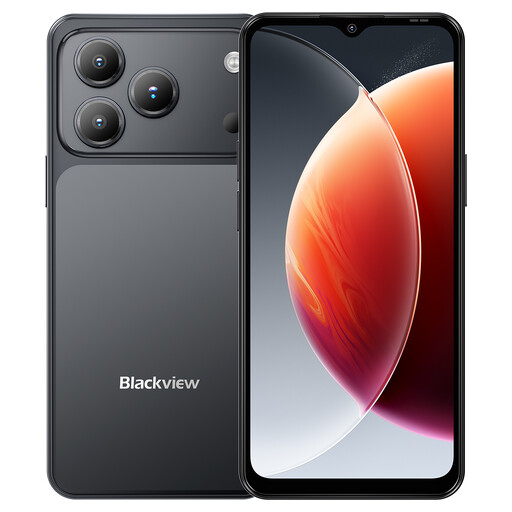
Blackview Wave 7C Android 16 smartphone in black

Blackview Wave 7C Android 16, 16GB+64GB, Black

A personal Android handset option for a separate child SIM and service setup.

Stated specifications include 64GB storage with TF expansion, a 5000mAh battery, 4G dual SIM, IP54 splash resistance, GPS and a 3.5mm jack. Confirm Google Family Link compatibility and suitable local network service before buying; provider controls need separate activation.

Joybuy
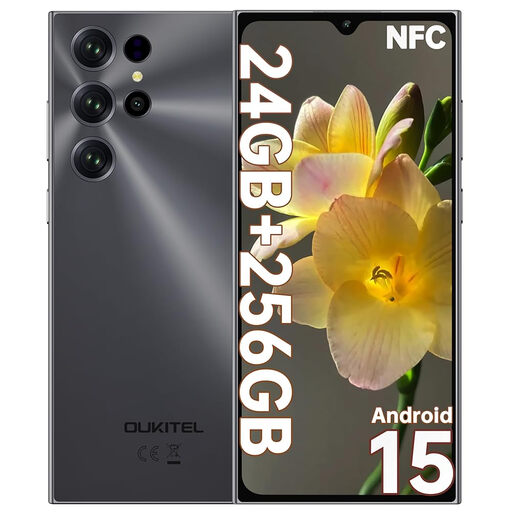
OUKITEL C61 Pro black smartphone

OUKITEL C61 Pro 8GB+256GB, Black

An Android handset for a child using a separate SIM service.

The listing states 256GB storage with TF expansion, a 5150mAh battery, NFC, GPS and dual-SIM support. It also states that the phone is not water-resistant; confirm Family Link compatibility, local network suitability and appropriate protection.

Joybuy

ZTE Blade A36 black smartphone

ZTE Blade A36 4GB+128GB, Black

A handset option for a child needing a separate connection and everyday communication device.

Stated features include 128GB storage, expandable TF storage, a 5000mAh battery, USB-C, Wi-Fi, GPS, VoLTE and dual Nano-SIM support. Check Family Link support, local network service and the protection needed for daily carrying.

Joybuy
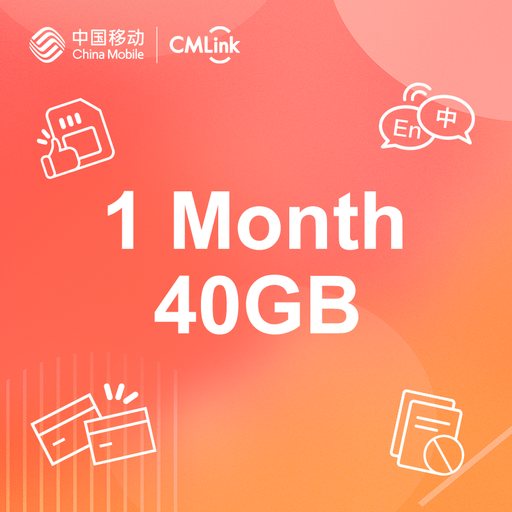
CMLink UK SIM card with 40GB UK data

CMLink UK SIM, 40GB UK Data, 1-Month Plan

A separate connectivity option for a family that already has a suitable handset.

The listing states 40GB UK data, 6GB EU and other-destination data, UK texts, 1,000 international minutes and a preloaded one-month no-contract plan. Check coverage for regular locations and confirm whether parental controls are available and enabled on the line.

Joybuy

OPPO Reno15 FS 5G smartphone in Aurora Blue

OPPO Reno15 FS 5G CPH2801, 8GB+512GB, Aurora Blue

A personal smartphone option for a family seeking SIM connectivity and substantial stated storage.

The listing states 5G NR, 8GB RAM, 512GB storage, a 5000mAh battery, 45W charging and an AMOLED display. Verify the operating system, child-account controls, UK network suitability and protective-case compatibility before purchase.

Joybuy

Frequently asked questions

Can mobile-provider parental controls replace controls on the phone itself?

No. Ofcom says provider controls limit content accessed through the mobile internet connection and may not be switched on automatically. Device and account controls remain separate: Google describes supervised Android settings for screen time, apps and content, while Apple describes Screen Time controls for apps, content, communications and device use.

What should be set up before giving a child an Android phone?

Create or confirm the child’s own Google Account, check that the handset supports Family Link supervision, add the supervising parent account, and test the relevant screen-time, app, content and purchase settings. Google states that supervision requires a child Google Account and a compatible Android device.

What should be set up before giving a child an iPhone?

Use a separate Child Account rather than sharing an adult Apple Account, add it to Family Sharing and configure Screen Time from the parent or organiser device. Apple says the child needs a Child Account and that Family Sharing is required for family-managed Screen Time setup.

Can a child use a first smartphone at school in the United Kingdom?

Do not assume so: check the individual school policy and the current guidance for the relevant nation. England’s Department for Education guidance, updated in June 2026, says schools should implement policies prohibiting mobile-phone use throughout the school day and should be phone-free by default; Scotland and Northern Ireland have separate restriction guidance.

What should be checked before buying a refurbished first phone?

Confirm the exact model, condition grade, battery and charging condition, lock status, accessories, return process, warranty provider and seller contact details. Citizens Advice says warranties and guarantees add to legal rights and terms vary; Apple’s UK certified-refurbished offer is one example with stated functional testing and a one-year warranty, not a market-wide standard.