Parents setting up a first personal tablet
For carers who need a separate child account, app-download approval, age-related content settings and screen-time routines rather than simply handing over an adult’s tablet.


Choose the ecosystem that the responsible adult can set up and maintain with a separate child account: Android tablets work with Google Family Link, iPads work with Apple Family Sharing and Screen Time, while child-focused Fire tablets use Amazon Kids profiles and Parent Dashboard controls. These tools can help manage downloads, age-related content and time, but each game or service still needs its own settings checked, and the exact tablet’s storage, support information and included protection should be confirmed.
For carers who need a separate child account, app-download approval, age-related content settings and screen-time routines rather than simply handing over an adult’s tablet.
For parents who need tablet controls alongside checks of game settings, correct age registration and conversations about online contact, violent content or bullying. Ofcom notes that many parents of gamers aged 3–17 use rules while concerns remain.
For buyers who value a supplied child case and damage cover, or who need to choose a correctly fitted protective case and screen protector for a standard tablet.
Choose it when:the child will use Android and the adult can manage a Google family group and child Google Account.
Check first:app limits depend on the Android version and setup; system apps cannot receive Family Link app limits.
Choose it when:the household can create a Child Account and use Apple Family Sharing for Screen Time and Ask to Buy.
Check first:remote controls rely on individual Apple Accounts and relevant current software across the family group.
Choose it when:a younger child needs a child profile, simple parent-managed controls and a bundle that includes a protective case.
Check first:confirm that the child’s required apps, streaming services and account features are available in that ecosystem.
| Priority | What to check | Your needs |
|---|---|---|
| Child account and approvals | Create a separate managed child account; check family-group requirements, download approval and purchase approval paths; review store content restrictions. | I want to approve downloads and keep purchases and age-related settings separate from an adult’s account. |
| Screen-time routines | Compare daily limits, per-app limits, bedtime or downtime, and exempt-app options. On compatible Android setups, Family Link cannot limit system apps. | I need a routine for games and videos without accidentally blocking an essential reading, learning or communication app. |
| Game and service safety | Enter the child’s correct date of birth; review communication, privacy and web settings inside each game or service; check who can contact the child. | I want device controls to support, not replace, conversations and active checks around online play. |
| Storage, battery and protection | Compare the exact storage version and expansion options; compare battery claims on their stated test basis; confirm whether the chosen bundle includes a fitted case. | I need space for offline media, games or school files, plus practical protection for everyday child use. |
| Software support | Record the full model number; seek the manufacturer’s update information for that exact variant; check available system updates at setup. | I want to understand how the tablet may be supported over the years it will be used. |
Remote controls, purchase approvals and content settings rely on the relevant child-account and family-group arrangement. A shared adult account weakens the separation of permissions, content and purchase activity.
Create the child account and family group before handing over the tablet, then test an app request, time limit and content restriction while the adult can access both devices.
Google says Play content restrictions do not stop restricted content appearing in search results or through direct links, while purchase approvals apply only to Google Play billing. Tablet-level controls also do not resolve every online-game contact or behaviour risk.
Review the settings and age registration inside each game or service, limit communication where appropriate, and discuss who the child can play or chat with.
Battery capacity and manufacturer runtime tests are different measures. Apple states up to 10 hours of Wi-Fi web browsing or video playback for iPad (A16), while Samsung lists a 7,040mAh battery for Galaxy Tab A11+. A Fire HD 10 Kids bundle includes a Kid-Proof Case, but standard tablets may not include equivalent protection.
Compare stated runtime on its test basis where available, then choose protection separately unless the exact UK bundle explicitly includes it.
A correctly fitted protective case and screen protector may be an additional purchase for standard iPad and Android-tablet routes.
Samsung states that available operating-system and security updates depend on the device model. The support period should therefore be checked for the exact variant, especially for a tablet intended for several years of child use.
Record the full model number before purchase, seek the manufacturer’s model-specific support statement or applicable compliance information, and update the tablet immediately after setup.
An iPad route for families prepared to use Apple Family Sharing, separate Child Accounts, Screen Time and Ask to Buy.
An Android-tablet route for families wanting Google Family Link compatibility and, on selected Galaxy Tab models, expandable storage.
A child-focused tablet route for younger children and carers who want Amazon Kids profiles, Parent Dashboard controls and a supplied child case.
Joybuy product options for child-focused tablets and Android tablets that can be considered alongside a managed child-account setup and suitable physical protection.
 No image available
For carers seeking a child-focused setup with parent and child accounts, approved apps, content controls and screen-time settings.
128GB storage. Check the manufacturer’s documentation for battery, protection and model-specific software-support information.
 No image available
For an Android route using a managed Google child account and Family Link, subject to the platform’s account and device conditions.
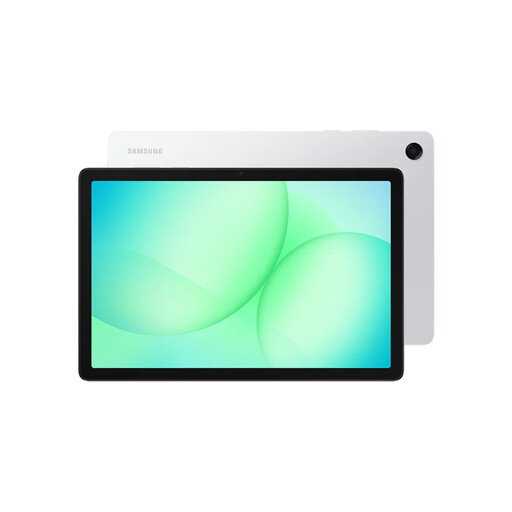
128GB storage, microSD expansion up to 2TB, 7,040mAh battery and 25W charging are stated. Choose a case and screen protector fitted to this model.
 No image available
For families considering an Android tablet with mobile connectivity alongside a managed Google child account and Family Link.
128GB storage, microSD expansion up to 2TB, a 7,040mAh battery and up to 15 hours of video playback are stated. Confirm SIM, plan and data-control needs before choosing 5G.
 No image available
For an Android child-account route where higher local storage is a priority.
256GB storage, microSD expansion up to 2TB and IP52 for light splashes and dust are stated. IP52 does not confirm protection from drops, so add a fitted case if needed.
 No image available
For a younger child or first tablet where an 8-inch format, Child Lock controls and a supplied protective case are relevant.
32GB storage, a 5,000mAh battery, Child Lock and a blue protective case are stated. The adapter is not included; confirm account controls, storage expansion and software support before purchase.
Yes, use a separate child account where the chosen ecosystem supports it. Apple says a child needs a Child Account in the Family Sharing group for managed Screen Time controls, while Google’s supervision and Google Play restrictions apply when the child is signed in with their managed Google Account on the Android tablet.
No. Google says Play content restrictions do not prevent restricted content appearing in search results or through a direct link, and purchase approvals apply only to Google Play billing. Ofcom advises parents to review service settings, ensure the child’s correct age is registered and talk regularly about online gaming and contacts.
Often, but check the platform’s conditions. Google Family Link supports app limits on compatible child-signed-in Android devices but not system apps. Amazon Kids says it can limit categories such as apps and video while leaving reading unlimited, and can also set bedtime or pause use.
Check the exact model rather than only the brand: ask for its stated operating-system and security-update support information, install available updates at setup and retain the model number. Samsung says update availability depends on the device model, and UK compliance documentation for relevant consumer connectable products includes a defined support period.