What to check before buying
Start with the child’s required activities and the account they will use. Then check the controls on the exact device and decide what protection and household routines it needs.
| Concern |
What to check |
Who this matters to |
| Downloads, purchases and content |
Check which account receives approval requests and whether the settings cover downloads, in-app purchases and the services the child will use. |
If I want to review new apps and spending before my child uses them, I need to know where approvals apply. Around 33% of consumers put these controls first. |
| Separate child access |
Confirm child-account or profile support on the exact software version, plus how adult settings and personal data are kept separate. |
On a tablet we all use, I want my child’s activities kept apart from adult messages and purchases; around 27% of consumers make separation their main concern. |
| Protection during everyday use |
Check whether a case is included or fits the exact model, and read any stated guarantee terms. |
If the tablet will be carried between rooms and handled often, I want a practical protection plan. For around 20% of consumers, that is the primary need. |
| Homework and family activities |
List the required school, calling and family apps; confirm their availability and the account they need. |
I need the tablet to run the activities my family actually uses without making daily routines difficult; around 20% of consumers prioritise that fit. |
Tablet choices on Joybuy
These tablets cover child-oriented and general family-use devices. For each one, check the child-account and app controls you need on the exact model before treating it as a supervised setup.
 No image available
HONOR X8A Kids 11-inch Wi-Fi tablet, 128GB, Space Grey
Consider this child-oriented tablet if its available apps and account setup meet your family’s needs.
The listed variant has an 11-inch screen and 128GB storage. Check how its child controls work on the exact device and choose a suitable case if needed.
View on Joybuy
 No image available
Alldocube Kido 8-inch tablet, 3GB/32GB, blue case
Consider the smaller screen and listed protective case if the tablet will be handled frequently by a child.
The title specifies Android 15, 3GB memory, 32GB storage and a child lock. Check what that lock controls, whether separate accounts and purchase approvals are available, and which charger you can use: the title says no adapter is included.
View on Joybuy
 No image available
Samsung Tab A11+ SM-X230, 6/128GB, Silver
Consider this general-purpose tablet if your family’s required apps are available and its account setup meets your child-access needs.
The listed variant is 6/128GB. Confirm its One UI version before relying on Samsung child-account controls, and check the case and charger you will need.
View on Joybuy
 No image available
TABWEE K8 Kids 7-inch tablet, 2GB/32GB
Consider the 7-inch size if a smaller tablet suits the child’s intended activities.
The title lists 2GB RAM, 32GB storage and a weight of 285g. Check its child-account, app and purchase controls before use; the listing recommends adult supervision and says it is not suitable for children under three.
View on Joybuy
 No image available
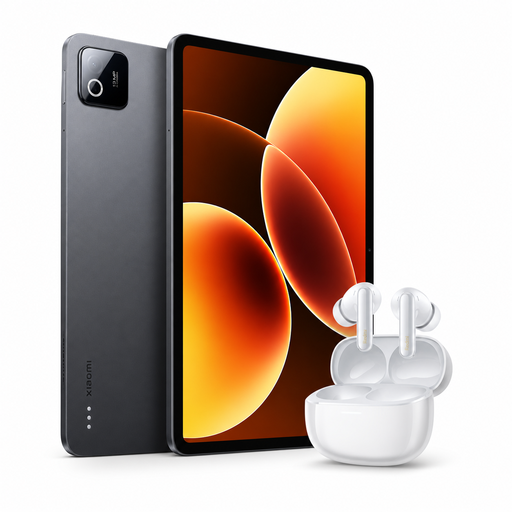
Xiaomi Pad 8 8GB/128GB with Redmi Buds 6 Pro, Grey and Glacier White
Consider this tablet-and-earbuds bundle for general family use if its required apps and child-account options suit your setup.
The title specifies 8GB RAM, 128GB storage and Wi-Fi. Confirm the exact processor and battery details before buying, along with child controls and protection for the tablet.
View on Joybuy
Frequently asked questions
Is there an official age for a child to get a tablet?
No official or recommended age is given by the UK Safer Internet Centre. Consider the child’s intended activities, understanding of safety and the boundaries your household can maintain rather than treating a product age label as a universal readiness test.
Can parental controls replace adult involvement?
No. The UK Safer Internet Centre advises using controls alongside open conversation. Agree where the tablet will be used, review settings regularly and make sure the child knows to tell an adult about worrying content.
Can my child share my Apple Account and use Ask to Buy?
Apple says a child should have their own Apple Account rather than share another family member’s account. To use Ask to Buy for eligible requests, set up Family Sharing and add the child’s account to the group.
Does Google Family Link approve every Android purchase?
No. Google says its purchase-approval settings apply to transactions using Google Play billing. Review other payment methods, subscriptions and retailer accounts separately.
Which privacy settings matter on a shared tablet?
Review who can access each account, app permissions, location, camera and microphone use, and who can contact the child through individual services. The Information Commissioner’s Office notes that connected devices can collect personal data through features including cameras and microphones.


