Choose the tablet platform around the child’s required apps and the controls you can set up: an iPad uses Apple Family Sharing and Screen Time, while a supported Android tablet can use Google Family Link. An Amazon Fire tablet offers a child-profile-led option, but check every required school and communication app in the Amazon Appstore before buying. Then compare screen size, storage and battery information against the child’s schoolwork, viewing and games.
Who is this for?
Parents balancing school apps and family controls
You need the child’s school and communication apps to work alongside adult-managed downloads, purchases, app time and content settings. Check both the app source and the account setup before choosing a platform.
Families prioritising videos and casual games
You want a screen and battery arrangement that fits regular entertainment as well as homework. Ofcom reports that watching videos and gaming online are common among UK children aged 8–17 who go online; that does not establish which tablet will suit an individual child.
Parents setting up a first independently used tablet
You want to create the child’s account or profile and choose content access and daily routines before handing over the device. Apple, Samsung and Amazon describe different ways to manage these settings, so the setup matters as much as the child-mode label.
What matters when choosing?
Start with the apps the child must use and the controls an adult needs to manage. The platform choice determines which setup and app checks come next.
iPad
Consider it when: Your household can use Apple Family Sharing and wants to manage the child’s apps, content and device use through Screen Time.
Check first: Apple says the child needs a separate Apple Account for the described family setup. Confirm that required school and communication services work with that account and the intended iPad.
Android tablet
Consider it when: Google Play access or Android school apps matter, and the intended device supports the Family Link setup you need. Some models also offer a separate child-facing environment.
Check first: Google says Family Link cannot supervise an iPad or iPhone. Confirm the tablet’s software requirements and any manufacturer child-mode functions separately.
Amazon Fire tablet
Consider it when: A child profile with content filters and separate time limits for activities is the priority.
Check first: Fire tablets use the Amazon Appstore in the UK. An app’s availability through Google Play does not establish that it will work on Fire.
| Concern |
What to check |
Who this matters to |
| Schoolwork and apps |
Check each required school or communication app in the intended platform’s app store, including its account and software requirements. |
If I need one tablet for lessons and family calls, those essential apps must work before entertainment extras matter. Around 31% of consumers put required-app access first. |
| Viewing, games and battery |
Compare screen size and storage for the intended activities; assess battery claims against the child’s mix of video, games and schoolwork. |
When videos and casual games are a regular part of the day, I want comfortable viewing without treating a battery figure as a promise of use time. Around 31% of consumers chiefly prioritise entertainment comfort and battery practicality. |
| Child account and controls |
Confirm how to create the child account or profile and which app, content, contact and time settings the intended device offers. |
Before my child uses the tablet independently, I want to know that I can set appropriate access and daily limits. Roughly 38% of consumers place manageable child setup first. |
Buying pitfalls
-
Buying a Fire tablet without checking essential apps
A child-focused interface does not resolve a missing school or communication app. In the UK, the Amazon Appstore is the app source to check for Fire tablets.
List the child’s required school, learning and calling apps, then check each one for the intended Fire tablet and account before ordering.
-
Assuming family controls work across every device
Google says Family Link cannot supervise iPads or iPhones. Apple’s described remote Screen Time setup uses Family Sharing and separate Apple Accounts.
Check that the child’s tablet and the adult’s management setup support the same control system before relying on a parental-control feature.
-
Treating a battery claim as guaranteed use time
A battery-capacity figure alone cannot tell you how long the tablet will last through the child’s particular mix of schoolwork, video and games.
Compare stated battery information for the intended models, then check what use conditions any runtime claim covers and whether charging will be practical during the day.
-
Assuming a listing identifies the right regional version
A model name alone may not settle which regional variant, accessories or warranty terms apply to the item being sold.
Check the exact version, included charging equipment, warranty terms and software compatibility on the product-detail page before buying.
Brands to consider
Apple
An iPad route for families prepared to use Family Sharing, a child’s Apple Account and Screen Time.
- Apple says Screen Time can manage access to apps and content, communications and device use.
- Apple’s described family setup calls for a separate account for the child rather than a shared family member’s account.
Samsung
An Android route with Samsung Kids as an additional child-facing environment on applicable devices.
- Samsung says Samsung Kids can limit playtime and allow specified contacts and apps.
- Check the individual tablet’s software version, required school apps and account setup; the child-facing environment does not settle those questions.
Amazon
A Fire tablet route centred on an Amazon Kids child profile and adult-managed settings.
- Amazon says its Parent Dashboard offers daily and category-based limits, including the option to limit apps or video while leaving reading unrestricted.
- Check required school and communication apps in the Amazon Appstore for the intended Fire tablet.
Lenovo
An Android route that may combine a child-facing interface with Google family-management tools on applicable models.
- Lenovo describes Google Kids Space and Family Link for its Tab M10 Gen 3.
- Lenovo notes that Kids Space books, videos and apps can vary by region or availability; check the intended model and content.
Joybuy tablet choices
These tablets cover compact child-focused designs and larger Android models for learning and entertainment. For each one, confirm the child’s essential apps and the adult controls you need rather than assuming that a kids’ label or screen size settles the choice.
 No image available
Alldocube Kido 8-inch Tablet with Blue Protective Case
A compact option to consider when a child will carry the tablet between learning and entertainment activities; check required apps and what its Child Lock setting does before buying.
The listed configuration includes Android 15, 3GB RAM, 32GB storage and a 5000mAh battery. The title states that no adapter is included; battery capacity does not establish use time.
Joybuy
 No image available
HONOR X8A Kids 11-inch WiFi Tablet, 128GB, Space Grey
Consider the 11-inch format if the child will often read or watch video at home. Confirm the school apps and the child-access settings you require for this exact model.
The product name specifies WiFi connectivity and 128GB storage. Check the regional version and warranty terms for the item offered.
Joybuy
 No image available
DOOGEE U11 11-inch Tablet, 128GB, Grey
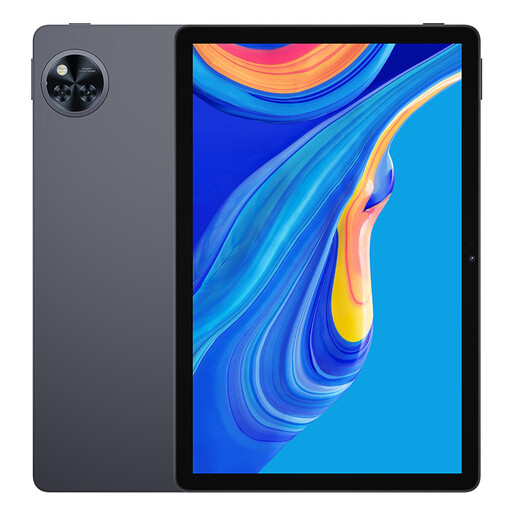
A larger Android tablet to assess for schoolwork alongside video and games; confirm the required apps and any child-management functions before choosing it.
The title specifies an 8580mAh battery and 128GB storage, but battery capacity does not establish runtime. Processor descriptions conflict across the product information, so confirm the exact processor for this variant.
Joybuy
 No image available
TABWEE T80 10-inch Android 16 Tablet with Keyboard, 128GB
The keyboard makes this a model to check if the child’s schoolwork involves typing as well as viewing content. Confirm that required apps and child-profile controls work on the intended device.
The title lists a 6000mAh battery and describes memory as 18GB (6+12); confirm the physical and expanded RAM configuration before comparing it with other tablets.
Joybuy
 No image available
TABWEE K8 Kids 7-inch Tablet, 2GB RAM and 32GB Storage
The smaller format is worth considering for handheld learning and entertainment, provided the child’s required apps and adult-management settings are available.
The title states a 3000mAh battery and a weight of 285 grams; neither figure establishes battery runtime or suitability for every child. The product information advises against use by children under three and recommends adult supervision.
Joybuy
Frequently asked questions
Does my child need a separate account for their tablet?
A separate child account is part of the family-management setup described by Apple for an iPad. Apple says the child should have their own Apple Account within Family Sharing; Google Family Link can create a child Google Account or add supervision to an existing child account on an eligible device.
Can Google Family Link supervise an iPad?
No. Google says Family Link cannot supervise iPads or iPhones. For an iPad, check Apple Family Sharing and Screen Time and set up the child’s own Apple Account.
Will an Android school app work on an Amazon Fire tablet?
Do not assume it will. Fire tablets use the Amazon Appstore in the UK, so check the exact school or communication app and its account requirements for the intended Fire tablet before buying.
What should I set up before my child starts using the tablet?
Create the appropriate child account or profile, then review app and content access, purchase settings and time limits available on the chosen device. Apple, Google, Samsung and Amazon describe different controls, so follow the setup for the actual tablet rather than relying on a generic child-mode label.


