What matters when buying
Measure the desk and identify your computer’s video output first. Then decide whether the stand can put the screen at a suitable height for the way you update the register.
| Concern |
What to check |
Who this matters to |
| Desk footprint |
Compare dimensions with the stand against usable desk width and depth; leave space for the keyboard and papers. |
I need the screen to fit without displacing the register materials I use beside it. Around 33% of consumers put desk fit first. |
| Screen position |
Check height adjustment on the exact model, or whether a suitable separate mount would work with your desk. |
If I edit the register regularly, I want to position the screen without relying on an unsuitable desk or chair height; around 27% of consumers make positioning their primary concern. |
| Connections |
Match the computer’s video output to a monitor input and confirm whether the required cable or adapter is included. |
I need the monitor to connect to my existing laptop or desktop without an unexpected setup change. For around 20% of consumers, connection compatibility comes first. |
| Everyday features |
Compare the exact screen size, resolution and stand adjustments before prioritising additional display modes. |
For text, lists and spreadsheets, I want a straightforward screen that suits the desk rather than features I will not use; around 20% of consumers put that need first. |
Joybuy monitors to consider
These monitors offer compact and larger-screen options for register work. Check the exact model’s footprint, screen position and connection against your desk and computer before choosing.
 No image available
ASUS ProArt PA24ACRV IPS QHD
Consider this model for register work only after checking that its installed footprint leaves room for your keyboard and papers.
The product name identifies an IPS display and QHD variant; confirm the exact resolution, connections and required cable for your setup.
View on Joybuy
 No image available
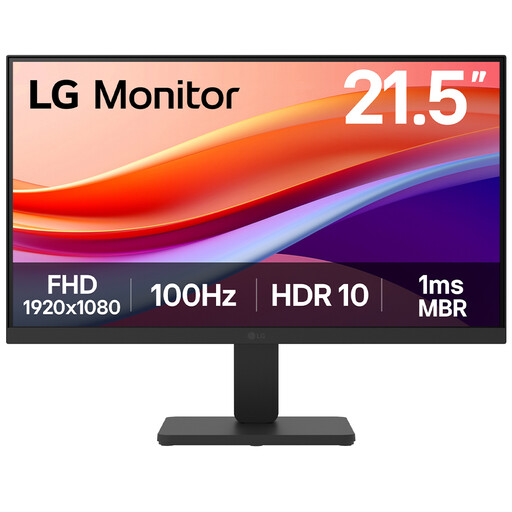
LG 22U401A-B 22-inch VA Full HD 100Hz Monitor with HDMI
This compact screen is worth checking when keyboard and paperwork space limit the size you can accommodate.
The product name specifies a VA panel, Full HD resolution, a 100 Hz refresh rate and HDMI. Check the stand height and with-stand footprint against your workstation.
View on Joybuy
 No image available
Dell P2425 24-inch Monitor
Consider the larger screen if it fits while leaving a suitable position for the keyboard and register materials.
Check the exact resolution, stand dimensions, video inputs and refresh rate before ordering.
View on Joybuy
 No image available
ASUS ZenScreen MB249C IPS USB-C
If you are considering a different mounting arrangement for a small desk, check how this model would occupy the surface once installed.
The product name identifies an IPS display and USB-C connection; confirm that your computer supports the required video connection and that the chosen mounting arrangement suits the desk.
View on Joybuy
Common questions
Should I choose a 22-inch or 24-inch monitor for a small desk?
Choose by the space available with the stand in place, not the screen-size label alone. ASUS UK lists the 21.45-inch VZ22EHE at 49.60 cm wide and 19.30 cm deep with its stand; a larger screen is useful only if it still leaves room for the keyboard, papers and a suitable viewing distance.
Does stand height matter for updating a choir register?
It matters if the existing desk and chair cannot put the screen at a suitable height, particularly for regular editing. The Health and Safety Executive advises placing the screen’s top at eye level and the display about an arm’s length away; Dell UK lists 130 mm height adjustment for the E2226HS, while the ASUS VZ22EHE’s supplied stand has no height adjustment.
Which connection should I check before buying?
Identify the video output on your exact laptop or desktop, then match it to the monitor input and check the required cable. ASUS UK lists HDMI and VGA inputs for the VZ22EHE; LG UK lists HDMI and D-sub for the 24MR400-B. A computer with only USB-C video output may need a compatible adapter or dock for those inputs.
Do UK Display Screen Equipment duties apply to a choir volunteer working at home?
The Health and Safety Executive describes these employer duties as applying where workers regularly use display screen equipment as a significant part of their normal work; that description alone does not determine an unpaid volunteer’s position. Its practical guidance on screen height and distance can still help you arrange a home workstation.
Might I need anything besides the monitor?
You may need a compatible cable, adapter or separate mount, depending on your computer’s output and the screen position your desk allows. Check what comes with the exact product and review the retailer’s applicable return and warranty terms before ordering.


