
24/7 Customer Support

Free returns

Same-day & Next-day Delivery

Quality Guaranteed

Unlock Your Welcome Offers: FREE Delivery | Up to 80% OFF | Free 30-day JoyPlus trial
Download the APP
Buying a new television can look straightforward until you compare screen technology, streaming platforms, refresh rates, sound formats and energy labels. Marketing terms such as QLED, Mini LED, HDR and “AI picture enhancement” can be useful, but only when matched to how and where you watch.
This guide helps UK households avoid common buying mistakes and compare smart TVs by room, budget and viewing habits.
A 4K smart TV has a resolution of 3840 × 2160 pixels, but resolution alone does not determine picture quality. In a small bedroom viewed from several metres away, the difference between Full HD and 4K may be less noticeable than the difference in screen size, viewing angle or brightness.
Similarly, a 144Hz gaming TV is primarily useful for compatible games and hardware. Most broadcast television and films do not require that refresh rate.
Roku TV, Google TV, Tizen, TiVo OS and VIDAA provide different interfaces and app libraries. Before buying, check that the services you use are available in the UK, including BBC iPlayer, ITVX, Channel 4, Channel 5, Netflix, Prime Video and Disney+.
A television with Freely built in can stream compatible live and on-demand television through Wi-Fi without a separate aerial or set-top box. However, you still need suitable broadband, and service availability can change. Confirm the current app and channel list before purchase.
Dolby Atmos or Dolby Audio support describes compatible audio processing; it does not guarantee cinema-style sound from built-in speakers. Check the TV’s speaker configuration and output, as well as whether it has eARC for connecting a soundbar or AV receiver.
For example, a 20W two-speaker system may suit everyday viewing, while a larger room or home cinema set-up may benefit from a 2.1-channel system or external audio.
Measure the TV stand or wall before ordering. Remember to allow space for the feet, cables and ventilation. Approximate screen categories include:
Do not judge size from the diagonal measurement alone. Check the product’s stated width and depth with the stand fitted.
A Full HD TV displays 1920 × 1080 pixels and remains practical for smaller screens. A 4K smart TV provides more detail and is widely available from 43 inches upwards.
Display technology affects contrast and colour:
Check the full specification rather than relying on one label. A QLED TV is not automatically a Mini LED TV, and HDR support does not mean every programme is mastered in HDR.
For consoles and gaming PCs, check for:
Also review the UK energy label. Energy use can vary substantially between a 32-inch Full HD TV and a 75-inch or 85-inch 4K model. The label lists SDR and HDR consumption separately, helping you estimate running costs based on your viewing pattern.
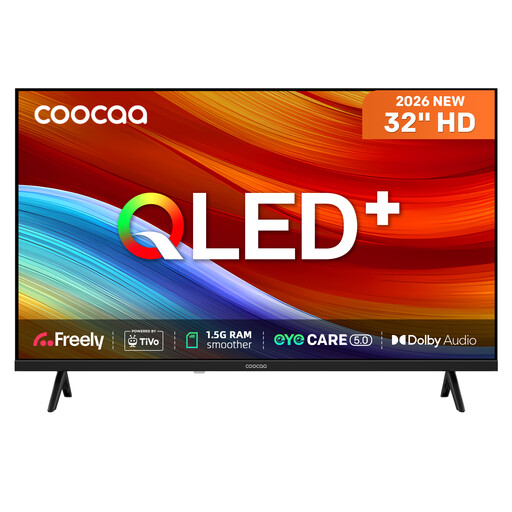
Why This Fits Their Persona: A compact option for a bedroom, kitchen, student room or secondary viewing space where a large 4K panel would be unnecessary.
Its 32-inch format avoids paying for a large screen that may not suit the room. The listing specifies TiVo OS, Freely, Wi-Fi and a triple tuner.
QLED display, HDR10 and HLG support; two HDMI inputs, two USB ports and headphone connectivity.
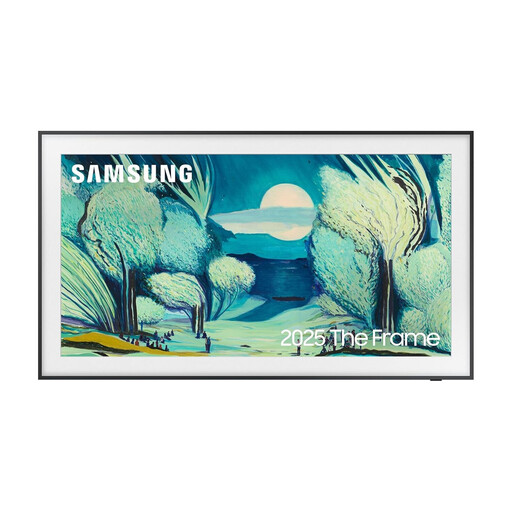
Why This Fits Their Persona: Suitable for buyers who want a 4K smart TV that integrates with a carefully styled living room when it is not being used for television.
The anti-glare screen and frame-style design address reflection and appearance concerns that standard televisions may leave unresolved.
QLED 4K resolution, Tizen platform, four HDMI inputs and eARC support for compatible audio equipment.
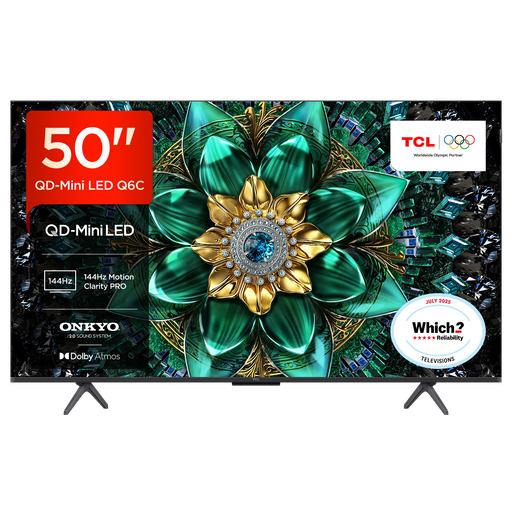
Why This Fits Their Persona: A 50-inch format for living-room gaming, films and sport, with specifications aimed at fast-moving content.
It states the gaming features individually rather than relying only on a “gaming TV” label: HDMI 2.1, ALLM, VRR and FreeSync support are listed.
QD-Mini LED display, Google TV, 144Hz VRR specification and a 30W Onkyo audio system with Dolby Atmos support.
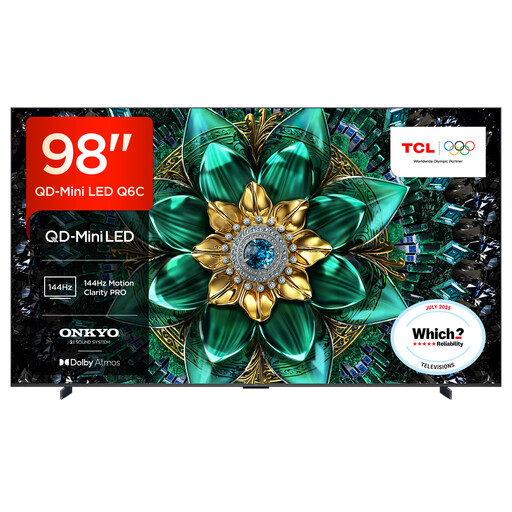
Why This Fits Their Persona: Intended for a very large living room, dedicated home cinema or viewers who sit further from the screen.
Its published dimensions make it easier to check doorways, wall space and furniture before ordering, reducing the risk of an unsuitable large-screen purchase.
98-inch 4K QD-Mini LED panel, up to 144Hz VRR, four HDMI 2.1 inputs and 40W 2.1-channel Onkyo audio.
We have compiled a complete, real-time list of products that fully satisfy these strict selection criteria and UK safety regulations.
Running cost depends on screen size, brightness, viewing hours and energy rating. Check the product’s kWh figures on its energy label. Larger 4K TVs generally use more electricity than compact Full HD models, particularly when operated at high brightness.
A television with Freely built in can access compatible live and on-demand services through Wi-Fi, so an aerial or separate box may not be required for those services. You will still need a reliable internet connection, and conventional broadcast or satellite features depend on the television’s tuner and your home set-up.
There is no single guaranteed lifespan. Longevity depends on panel use, software support, ventilation and component reliability. Before buying, check the stated warranty, update information, available replacement parts and whether the smart platform supports the services you expect to use over time.