Shortcut-focused garden builders
If you repeatedly place, rotate and select in-game objects, reachable mouse controls may be more useful than a large button count on its own. Check that your game accepts the commands you want to assign.


Choose a gaming mouse by the commands you can assign and comfortably reach while placing objects, moving the camera and using menus. Configurable scrolling may help if zooming and navigation feature heavily in your game, but check that its controls work with your chosen bindings. Wireless keeps a mouse cable off the desk beside your headphones; a wired mouse avoids charging if you can route its cable comfortably.
If you repeatedly place, rotate and select in-game objects, reachable mouse controls may be more useful than a large button count on its own. Check that your game accepts the commands you want to assign.
If a headphone lead already crosses your desk, you may prefer a wireless mouse to keep the mouse area clear. Balance that preference against charging or battery management.
If a wired mouse gives you enough reachable shortcuts, consider whether you would use wireless connectivity or additional scroll functions before choosing them.
List the garden-building commands you want on the mouse, then decide how much desk-cable freedom matters alongside your headphones.
| Concern | What to check | Who this matters to |
|---|---|---|
| Reachable shortcuts | Check button positions and whether the mouse software and game accept your intended assignments. If you zoom or navigate long menus often, consider the available scroll controls too. | When I keep placing and rotating objects, I want commands under fingers I can reach without accidental presses; around 42% of consumers put reachable shortcuts first. |
| Cable freedom | For wireless models, check the charging method. For wired models, allow enough slack and space to route the mouse cable beside your headphone lead. | With headphones on at my desk, I would rather keep another cable out of the mouse area, even if that means managing a charge; roughly 33% of consumers prioritise cable freedom. |
| Practical value | Compare the exact model’s usable controls, connection type and included accessories rather than choosing extra features by name alone. | If a wired mouse covers the commands I use, I would rather skip features I do not need; about 25% of consumers place straightforward value first. |
Extra controls offer more possible assignments, but a button that is awkward to reach or cannot serve your chosen game binding adds little to your setup.
Start with your most repeated actions, then check button placement with your usual grip and confirm software and game-binding compatibility.
Wireless use clears a mouse cable from the desk but introduces a charging or battery routine. Quoted battery life depends on the stated operating conditions.
Check the exact model’s power method, any included charging accessories and where you would keep its receiver.
GOV.UK advises against putting electrical products and batteries in household rubbish when they no longer work.
Use an appropriate electrical recycling collection point and follow its instructions for any removable battery.
The G502 HERO and G502 X LIGHTSPEED illustrate wired and wireless approaches to configurable controls.
The wired Basilisk V3 35K is relevant if scroll behaviour is central to how you navigate your game.
The wired Rival 5 is an option to examine if you want several thumb-side controls.
These wireless and wired gaming mice offer different ways to approach shortcuts and desk cabling while you build a virtual garden with headphones on. Check the controls and connections of each model against your own game and desk setup.
 No image available
Consider this model if you want mouse shortcuts without another cable crossing the desk. Its stated weight is 53 g and its title lists 10 programmable buttons; check their placement against your grip and plan for charging.
 No image available
Consider this wired model if you prefer not to manage a mouse charge. Confirm that its reachable controls can take the commands you need, and leave room to route its cable beside your headphone lead.
 No image available
If you are considering joystick inputs for camera movement or navigation, check whether your virtual-garden game accepts the inputs you intend to use. This is a wired model, so also consider cable routing and whether its controls suit your grip.
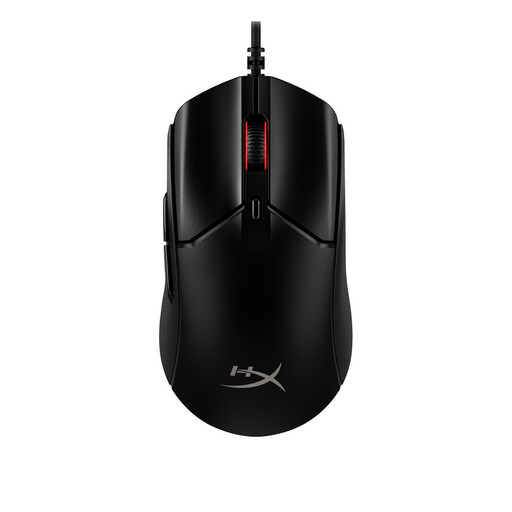 No image available
Consider this wired model if avoiding a charging routine matters more than removing the mouse cable. Check that you can assign and reach your preferred garden-building commands, and plan a clear cable route.
 No image available
Consider this wired mouse if you want to explore programmable controls without managing a charge. Confirm which buttons can be remapped for your game and whether the cable and mouse shape suit your desk and grip.
No: headphones do not require a wireless mouse. Choose wireless if clearing the mouse area matters more to you than managing charging; a wired mouse remains an option if you can route its cable away from your headphone lead.
You need enough reachable controls for the actions you actually want to assign, rather than the highest available count. List those actions and check your game’s binding options before choosing a layout; SteelSeries lists nine programmable buttons for the Rival 5, while Logitech G lists 13 customisable controls for the G502 X LIGHTSPEED.
Assign the commands you use most often, then test whether the positions feel comfortable during play. Use the manufacturer’s configuration software where needed: Logitech G describes G HUB programming for the G502 HERO, and Razer describes Synapse configuration for Basilisk V3 35K scroll and secondary functions.
Take an old electrical mouse to an appropriate recycling collection point rather than putting it in household rubbish. GOV.UK gives the same guidance for batteries; follow the collection point’s instructions if your mouse has a removable battery.