What matters when buying
Decide where the image will go and how you will play the lecture, then check whether the projector's native resolution suits the text you expect to read.
| Concern | What to check | Who this matters to |
|---|
| Slide and subtitle clarity |
Confirm native resolution, rather than accepted input resolution, and assess text at your intended image size and seat. |
If dates, maps and captions carry much of the lecture, I need to read them comfortably from my usual seat; around 40% of consumers put slide and subtitle clarity first. |
| Lecture-source connection |
Check the exact model's input for your laptop or media device, or its supported wireless method. |
When my lectures come from a particular laptop or service, I want a connection that fits how I actually watch; roughly 30% of consumers prioritise connecting their lecture source. |
| Placement and setup |
Measure the projection distance and check whether the stand and alignment features suit the wall or ceiling position. |
With no fixed place for a projector, I need to set it up from whichever suitable surface is available; around 30% of consumers make flexible placement their main concern. |
Portable projector choices on Joybuy
These portable projectors suit readers considering a moveable setup for dark-room lectures. Check native resolution, the connection to your lecture source and the space needed for your chosen image size on each model; their listing claims are not like-for-like performance tests.
 No image available
Magcubic HY350Max Smart Projector, native 1080P
Consider this for a moveable lecture setup if its stated native 1080P resolution and HDMI compatibility meet your source and slide-reading needs. The title also lists 900 ANSI lumens, 180° rotation and automatic keystone correction. Check what image size you can achieve at the proposed position in your room.
View on Joybuy
 No image available
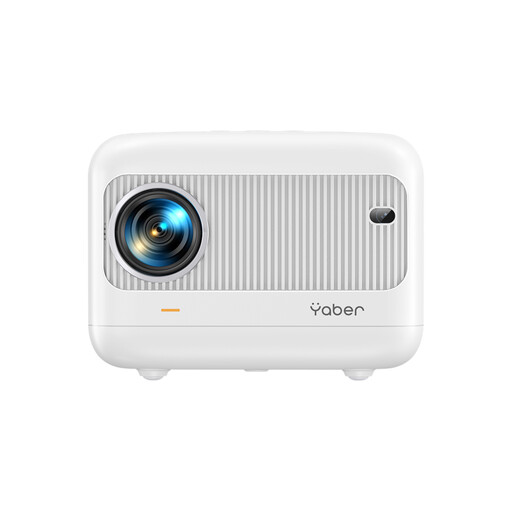
Yaber E1 Mini 720P Projector
Consider this compact option if you can assess lecture text at your intended image size before choosing it. Its specification table identifies native 720P, rather than native Full HD; the title lists ±40° keystone correction. Confirm the connection for your lecture device and whether the planned projection position works in your room.
View on Joybuy
 No image available
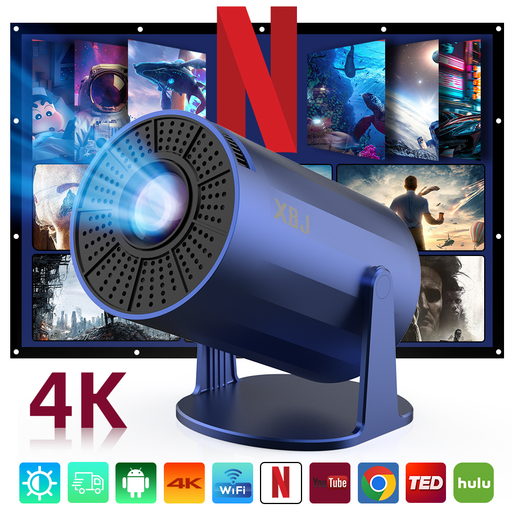
XBJ Portable Blue Projector, upgraded version
Its stated 180° rotation may suit a changing wall or ceiling position. The title lists 200 ANSI lumens and 1080P HD, but the detailed description identifies native 720P; do not treat playback wording as native Full HD. Check the usable image size for your room, arrange a power connection and confirm how your lecture source will connect.
View on Joybuy
 No image available
XBJ 360° Portable Projector, European Version
Consider this rotating model if you need to aim at a wall, ceiling or table-facing surface. Its title states Full HD 1080P, 500 lumens, HDMI compatibility and automatic keystone correction. Before planning around the advertised 120-inch image, check the projection distance it would require in your room.
View on Joybuy
 No image available
MAGCUBIC HY310 Auto Focus Projector
Consider this compact model if automatic focus would help with your setup and you can confirm a way to play your lectures. Its title states native 1080P and 330 ANSI lumens. Check the exact connection options for your laptop or other source before buying.
View on Joybuy
Frequently asked questions
Is a dark room enough reason to choose a portable projector?
No: a dark room makes a lower-output model worth considering, but slide readability still depends on image size, text density and seating position. Choose portability when moving or aiming the projector solves a real setup problem, and check the stated brightness measurement before comparing models.
How do I check whether a projector will play my lectures?
Start with the device and service you actually use, then check the exact projector model's input or supported wireless method. Epson lists HDMI on its CO-FH01 and CO-FH02; a built-in smart interface on any model does not by itself confirm support for your lecture service.
How can I tell whether a projector will fit my room?
Measure the available projector-to-wall distance and decide on the image size and projection angle before choosing a model. Epson provides a throw-distance simulator for the CO-FH02, but a distance calculated for that model should not be transferred to another projector.
What support should I check for a smart projector?
Check the exact model's support information, including software and security-update details if you plan to use its network-connected features. Support arrangements are model-specific, so do not assume another projector from the same brand has the same update period.


