Viewers focused on stage detail
If you usually watch in a dim room, you may want to compare how individual TVs present costumes, sets and darker scenes, as well as which picture formats they support.


For theatre recordings, compare OLED TVs if you mainly watch in a dim room, and Mini LED TVs if daylight viewing or a larger screen shapes your search; neither panel label tells you how a particular model will perform in your room. Before buying, check how your theatre service will play on the TV, whether captions and audio description work through that route, and which audio connections the model offers.
If you usually watch in a dim room, you may want to compare how individual TVs present costumes, sets and darker scenes, as well as which picture formats they support.
If following speech or using accessibility features is central to the experience, check the complete playback setup. National Theatre says all its recordings are captioned with optional subtitles, and many offer audio description.
If you watch in daylight, sit in different parts of the room or use an external playback device, compare the TV’s reflection handling, seating suitability and connections for your intended route.
Settle on your likely viewing conditions, then check the exact TV and the route you will use to play recordings. Picture features cannot make up for a service you cannot access or dialogue you struggle to follow.
Consider when: You mainly watch in controlled lighting and want to compare contrast-focused picture features for filmed stage scenes.
Keep in mind: Brightness, reflections, sound and supported formats depend on the particular model and size.
Consider when: Daylight viewing or a large screen is important to your shortlist.
Keep in mind: Mini LED backlighting does not establish how an individual TV handles reflections, local dimming or off-centre seats.
| Concern | What to check | Who this matters to |
|---|---|---|
| Stage-picture detail | Compare the exact model’s panel type and supported HDR formats; check the formats available from your playback source too. | When I watch darker stage scenes, I want to follow costume and set detail without choosing on resolution alone. Around 33% of consumers put stage-picture detail first. |
| Dialogue and accessibility | Check subtitle and audio-description controls through your chosen playback route, plus the TV’s external-audio connections. | If speech is difficult to follow, I need captions or an audio setup I can use comfortably throughout a performance. Roughly 25% of consumers make dialogue and accessibility their primary concern. |
| Daylight and seating | Compare model-specific reflection information and assess the picture from your usual seats where possible. | I watch while the room is light, sometimes from a seat away from the centre, so the picture needs to work in that setting. Around 25% of consumers prioritise room lighting and seating. |
| Service and connections | Confirm your theatre service’s app, casting or HDMI route and the connections needed for it. | Before changing TVs, I want to know how I will actually get a recording onto the screen. About 17% of consumers put playback compatibility first. |
A smart-TV label does not establish that a particular service has a native app on that model. National Theatre lists TV-viewing routes including Amazon Fire TV, Roku TV, Chromecast, AirPlay and HDMI.
Choose the playback route you intend to use before ordering, then check sign-in and accessibility controls through that route.
An external streaming device, compatible computer or HDMI cable may be needed for the route you choose.
OLED and Mini LED describe different display approaches, not the complete picture you will see from a particular recording in your room.
Compare the exact model’s supported formats, reflection information, sound outputs and energy information alongside its screen size.
A service’s accessibility features still need to be usable through your chosen playback device and TV setup. National Theatre says its recordings have optional subtitles and that many have audio description.
Try a recording, its subtitle controls and your usual listening volume from your normal seat as soon as the TV is set up.
If you decide to use external audio, that setup may also require a speaker or suitable cable.
Sony is relevant if you are comparing OLED models with Google TV and screen-based audio features.
LG is relevant if you want to compare an OLED route with webOS smart-TV functionality.
Samsung is relevant if Mini LED televisions and larger screen options are on your shortlist.
These OLED and Mini LED TVs give you different screen sizes and stated picture, smart-TV and audio features to compare for theatre recordings. Check the intended service route and room fit for any model you shortlist.
 Image unavailable
Consider this 55-inch option if Mini LED is on your shortlist for theatre viewing. Its title identifies 4K HDR and VIDAA OS; check how your theatre service plays through your intended device and how the screen handles light in your room.
 Image unavailable
Consider this 42-inch OLED model if that size fits a light-controlled viewing space. Its title lists 4K HDR, Google TV, Google Cast, Dolby Vision and Dolby Atmos; confirm the theatre service and its accessibility controls through your chosen route.
 Image unavailable
Consider this 65-inch OLED model if its dimensions suit your seating arrangement. Its title lists 4K HDR, Google TV, Google Cast, Dolby Vision and Dolby Atmos; check playback accessibility and the energy information for this exact size.
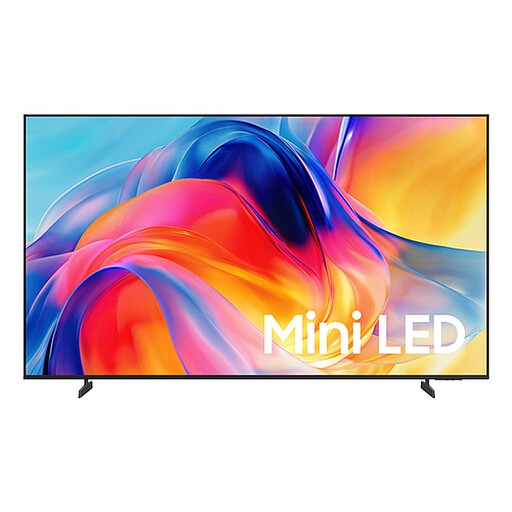 Image unavailable
Consider this 65-inch Mini LED model if you are comparing larger screens for your room. Its title identifies 4K and smart-TV functionality; assess reflection handling and confirm your theatre service’s playback route before choosing it.
 Image unavailable
Consider this 75-inch QD-Mini LED model if you have room for a larger screen at your viewing distance. Its title identifies 4K HDR and Google TV; check placement, reflections and the theatre service’s accessibility controls for your playback route.
No: a smart-TV label alone does not establish a native app for the service. National Theatre lists browser viewing, apps on Amazon Fire TV and Roku TV, and TV-viewing routes using Chromecast, AirPlay or HDMI; confirm which route your setup will use.
Yes, if subtitles are important to you, check that you can select and read them through your intended playback route. National Theatre says all its recordings are captioned with optional subtitles and many offer audio description, but you should also check the controls on the device you plan to use.
Compare the energy label and product information for the exact TV model and size, rather than treating a range name as sufficient. UK guidance from the Department for Energy Security and Net Zero and the Office for Product Safety and Standards addresses energy labelling for products within its scope.
Report the fault to the retailer promptly and keep your order and delivery records. The explanatory notes to the Consumer Rights Act 2015 describe a short-term right to reject with a minimum 30-day period, beginning after the latest relevant event, including ownership, delivery and, where applicable, notice that required installation is complete. A remedy for faulty goods is distinct from a retailer’s change-of-mind returns policy.