Choose a Chromebook if your required coursework, documents and calls work in a browser, and check the exact model’s update schedule before buying. Choose a Windows laptop when your course requires local or specialist software that you cannot use on ChromeOS; a keyboard-equipped tablet should not be assumed to replace a study laptop. For a refurbished device, confirm its condition and remaining software support as well as its suitability for your work.
Who these choices suit
Browser-first students
If coursework centres on learning platforms, web documents, email, research and calls, a Chromebook may cover your routine. Check course software and assessment requirements first: University of Nottingham and University of Bristol guidance identifies restrictions that can affect Chromebook use.
Shared-home web users
For browsing, documents, streaming, email and occasional calls, focus on a screen and keyboard you can use comfortably. Which? identifies screen comfort, performance and battery life as useful Chromebook selection factors.
Students with software exceptions
If your course might require a locally installed application, virtual desktop or controlled exam software, establish how you will access it before choosing a device. University guidance and Respondus support information show why browser access alone does not settle that question.
What to check before choosing
Start with the software and assessment rules for your work, then compare the hardware you will use every day. A refurbished Chromebook or Windows laptop still needs to meet those requirements; check its condition too, and check a Chromebook’s remaining update support.
Chromebook
Choose when: Required documents, learning platforms and calls work through supported web apps, and your institution permits the device for assessments.
Trade-off: Microsoft says Windows and Mac desktop Office applications cannot be installed on ChromeOS; specialist course software may also need another means of access.
Windows laptop
Choose when: Your course specifies Windows software or local applications that your proposed Chromebook cannot run.
Trade-off: The operating system alone is not enough: match the exact laptop configuration to your course’s stated requirements. University of Nottingham and University of Bristol guidance makes the software distinction relevant to study.
Tablet with keyboard
Choose when: Reading, notes and light browser work are the priority, and you have checked every required study platform on that tablet.
Trade-off: A keyboard does not add desktop-app compatibility. University of Bristol advises against relying on mobile devices as a main computer for its students.
| Concern |
Buying check |
Who this matters to |
| Course and app compatibility |
Check required applications, operating systems, virtual-desktop access and exam-device rules with your institution. |
If coursework or an exam depends on a particular application, I need to know I can use it before choosing ChromeOS. Around 36% of consumers put compatibility first. |
| Multitasking and storage |
Compare the exact processor, RAM and storage. Google lists at least 8GB RAM and 128GB storage among Chromebook Plus requirements, not as a performance guarantee. |
When I keep calls, documents and several browser tabs open, I want a configuration suited to that workload and space for local files. Roughly 29% of consumers prioritise multitasking and capacity. |
| Carrying, typing and calls |
Check screen size and resolution, keyboard, webcam, ports, charger contents and the conditions behind battery claims. |
If I carry the device between study spaces and join regular calls, screen and typing comfort matter alongside portability. Around 21% of consumers put those everyday-use needs first. |
| Remaining update support |
Confirm the exact Chromebook model and its Update schedule; for a refurbished device, check condition as well. |
Before committing to an older device, I want to know how long it will keep receiving updates. Approximately 14% of consumers prioritise support lifespan. |
Buying pitfalls
-
Assuming web-based Office means every course task will work
Microsoft supports Microsoft 365 web apps on Chromebooks, but not installation of its Windows or Mac desktop Office applications. University guidance also identifies specialist-software restrictions.
Get your course’s application and assessment requirements, then check each task that needs more than a browser.
-
Buying an older Chromebook without checking updates
Google says a Chromebook’s Update schedule gives its last update date. After the final update, security and bug fixes end, and support for some apps can stop.
Ask for the full model identifier and check its device-specific schedule rather than relying on the sale listing’s date.
-
Expecting every Chromebook to handle the same workload
Which? distinguishes basic tasks from heavier multitasking. Google’s Chromebook Plus requirements provide a hardware comparison point, but do not make differently configured models equally capable.
For frequent tabs, calls and documents, compare the exact processor, memory and storage rather than the brand or screen size alone.
-
Comparing battery headlines without the rest of the listing
Manufacturer battery figures depend on their stated conditions and should not be treated as your expected runtime. HP claims up to 17 hours for its Chromebook 14a-nm0001na configuration.
Check the exact listing’s battery wording, screen, keyboard and supplied accessories before choosing it for a day of study.
HP states that a charger is not included with that configuration, so obtaining one separately may be necessary.
Brands to consider
These examples describe specific Chromebook models, not the full range from each brand. Check the configuration offered before applying a model detail to a purchase.
Acer
Acer’s Chromebook Plus 514 CB514-5H-574N is a reference point for a specified 14-inch configuration.
- Acer lists a 1920 × 1200 IPS display, Intel Core 5 120U, 8GB RAM, 512GB NVMe SSD, 1440p webcam and backlit keyboard for this exact model.
- Those specifications do not apply to every Chromebook Plus 514 variant, and ChromeOS software restrictions still need checking.
HP
HP’s Chromebook 14a-nm0001na / DT4Z8EA#ABU illustrates a 14-inch configuration for browser tasks.
- HP lists 8GB RAM, 128GB UFS storage and a 1366 × 768 display for this model.
- HP’s up-to-17-hour battery figure is a manufacturer claim, and its listing says the charger is not included. Check whether that display and accessory package suit your use.
Lenovo
Lenovo’s Chromebook Plus 2-in-1 Gen 10 (14-inch Intel) is a convertible option to examine for desk and tablet-style positioning.
- Lenovo describes this model as a 2-in-1 with a 16:10 display and peripheral connectivity.
- Lenovo says the pen is optional and sold separately. Confirm course-software compatibility independently of the form factor.
Joybuy product choices
These choices cover Chromebooks for browser-centred work and one Windows laptop for consumers considering a different software route. Check your required applications first, then compare each listed configuration with your study routine.
 No image available
Acer Chromebook Plus 514 CB514-5H, Core 5 120U, 8GB/512GB, Iron
Consider this ChromeOS configuration for browser-centred study with regular documents and calls, provided your required software works on it.
The listed variant has a 14-inch 1920 × 1200 display, 8GB RAM and a 512GB SSD. Check its exact update schedule before buying.
Joybuy
 No image available
Acer Chromebook Plus 514 CB514-5H, Core i3-1315U, 8GB/256GB, Iron
This is another configuration to compare for browser-based coursework and cloud documents, subject to your course’s software rules.
Its title specifies a 14-inch 1920 × 1200 display, 8GB RAM and a 256GB SSD. Confirm the webcam configuration if calls matter to you, and check the exact update schedule.
Joybuy
 No image available
Lenovo IdeaPad Slim 3 Chromebook 14IAN8, 83BN001EUK, 8GB/256GB, Grey
Consider this Chromebook for web documents and coursework if ChromeOS meets your institution’s requirements.
The listed variant has an Intel Core i3 N305, 8GB RAM, 256GB eMMC storage and a 14-inch display. Check its update schedule, and confirm the keyboard and webcam if typing and calls are priorities.
Joybuy
 No image available
Lenovo IdeaPad 1, Ryzen 3 7320U, 8GB/128GB, Cloud Grey
Consider this Windows alternative if your course calls for that operating-system route, but confirm that its supplied Windows 11 Home in S Mode configuration permits every required application.
The title specifies a 15-inch Full HD laptop with 8GB RAM and a 128GB SSD. Check the course’s other hardware requirements separately.
Joybuy
 No image available
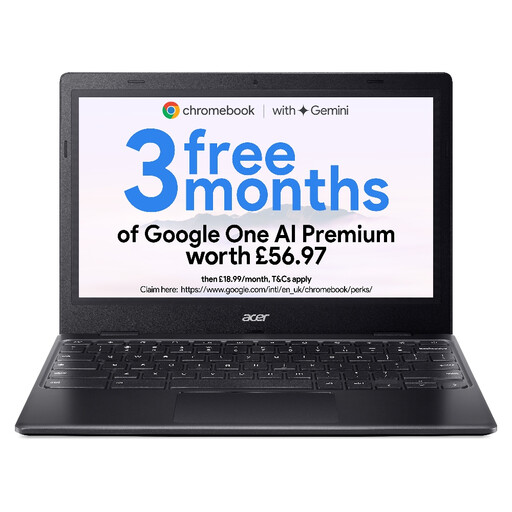
Acer Chromebook 311 CBOA311-1H, 4GB/64GB, Black
Consider this smaller Chromebook for light browser tasks only after confirming that the exact device meets your study requirements.
Its title specifies an 11.6-inch 1366 × 768 display, Intel Celeron N4500, 4GB RAM and 64GB eMMC storage. That memory and storage are below Google’s Chromebook Plus requirements of 8GB and 128GB; confirm the exact model identifier and update schedule before buying.
Joybuy
Frequently asked questions
Can I use Microsoft 365 on a Chromebook for coursework?
Yes, Microsoft says Word, Excel, PowerPoint, OneNote, OneDrive and Outlook are accessible through the web on a Chromebook. Check whether your course needs a desktop-only feature, because the Windows and Mac desktop Office applications cannot be installed on ChromeOS.
How can I find a Chromebook’s last update date?
On the device, open Settings, then About ChromeOS and Additional details to find its Update schedule. Google says the schedule identifies the last update; match it to the exact model you intend to buy, particularly if it is older or refurbished.
Will a Chromebook work for a Respondus LockDown Browser exam?
It can depend on whether your institution enables Chromebook use for that assessment. Respondus says a Device Is Not Supported message can indicate that the institution has not allowed Chromebooks, so confirm your exam arrangements directly with your institution before choosing one.


