Renewal administrators with limited socket access
You work at club rooms, events or shared venues where you cannot count on a free socket. Battery endurance and a workable charging plan matter alongside a laptop you can carry between locations.


Choose a Chromebook if the club can complete renewals in a browser and the exact device will receive updates for as long as you need it. Choose a Windows laptop if the workflow depends on Microsoft Access or other Windows-only software. With either route, check the selected configuration’s battery claims, charging arrangements and connections rather than assuming a short break near a socket will cover a full event.
You work at club rooms, events or shared venues where you cannot count on a free socket. Battery endurance and a workable charging plan matter alongside a laptop you can carry between locations.
You use a web-based renewal service, email and cloud documents, and can check that every essential task works in Chrome before choosing a Chromebook.
You rely on desktop Office features, Microsoft Access or club-specific Windows software. Keeping those applications working takes priority over choosing a browser-first device.
Choose when: The renewal portal, documents and communications all work in the browser.
Trade-off: Microsoft identifies Access as PC-only, and Google advises checking the final automatic-update date for the individual Chromebook.
Choose when: The club needs Access, other locally installed Windows software or peripherals that depend on Windows applications.
Trade-off: Battery and charging features vary by configuration; a Windows label alone does not establish how long the laptop will run at an event.
| Concern | What to check | Who this matters to |
|---|---|---|
| Time away from a socket | Check the exact configuration’s battery claim and test conditions, plus its charging requirements. Do not compare a claimed runtime directly with another model’s battery capacity. | If I am running a renewal desk without a dependable socket, I need enough working time and a plan for charging breaks. Around 36% of consumers put that continuity first. |
| Workflow compatibility | Try the renewal portal, file exports and required printer or card-reader software on the intended operating system; identify any Access, macro or add-in dependency. | I cannot change laptop platforms if a required membership tool stops working. For around 29% of consumers, preserving the existing workflow is the primary concern. |
| Member-data protection | Confirm the device’s update support and plan who can access renewal files, how the laptop is locked and how records are backed up. | When I handle members’ details, I need authorised access and a way to recover records after a problem. Protecting that information comes first for around 21% of consumers. |
| Carrying and connecting | Check the selected model’s size and ports against the display and accessories used at club activities. | I move between venues and need to connect the equipment used at the desk without disrupting the session. Around 14% of consumers make portability and connections their main priority. |
Acer advertises up to 12 hours for one Chromebook Plus 514 family page, while HP lists different battery-capacity options for its ProBook 4 G2i line. These are different measures and do not establish comparable runtime for the configurations you might buy.
Check the chosen configuration and the conditions behind its battery claim, then plan how you would charge during a longer event.
A renewal service that opens in a browser does not mean every part of the club’s workflow will run there. Microsoft identifies Access as PC-only.
List the applications, spreadsheet features, exports and peripheral software the club uses, then test the essential tasks before committing to a Chromebook.
Moving an established workflow to different software may also take time.
The Information Commissioner’s Office says organisations processing personal data need security measures appropriate to the risk. Device choice does not replace access rules, updates or a recovery process.
Assign responsibility for the device and renewal files, use individual accounts where possible, lock the laptop and arrange appropriate backups.
Google advises checking the individual Chromebook’s update schedule. After its final automatic update, security fixes and support for some features or applications may cease.
Find the final automatic-update date for the exact device and compare it with the club’s intended period of use.
If essential software stops working after updates end, the club may need to replace the device sooner than planned.
Acer’s Chromebook Plus 514 family is relevant to clubs whose renewal work runs in a browser. Its UK family information describes a 14-inch WUXGA display and USB-A, USB-C and HDMI connections.
Lenovo’s 14-inch ThinkPad E14 Gen 6 line is relevant when the club’s administration depends on Windows software.
HP’s ProBook 4 G2i 14-inch line offers Windows-oriented configurations to consider when the club needs desktop applications.
These laptops cover browser-first ChromeOS work and Windows-based administration. Check the club’s essential software before comparing battery claims or choosing a size.
 No image available
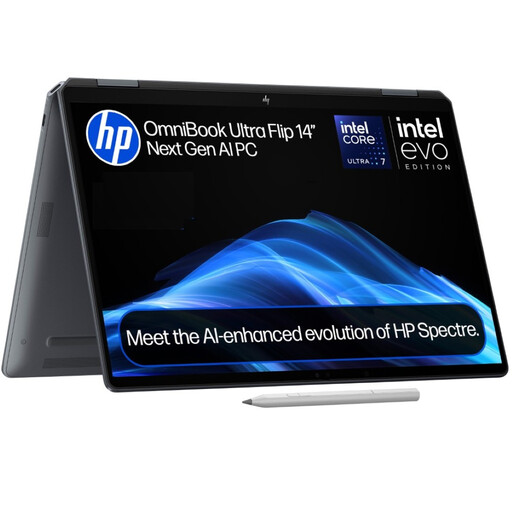
Consider this Windows 11 Home two-in-one if the club needs compatible Windows applications and a laptop to carry between venues.
The listing describes a 14-inch design weighing 1.34 kg, with USB-C and Thunderbolt connections. HP’s listed fast-charge claim is for charging while the laptop is powered off; check the expected runtime and any required peripheral connections before buying.
 No image available
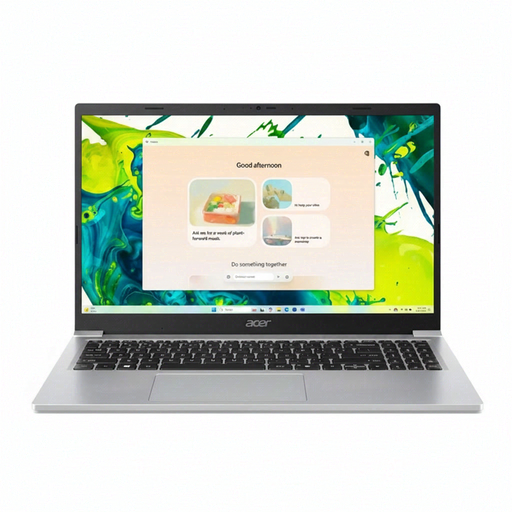
This is a Windows option for renewal work if the club’s applications run in Windows 11 Home in S Mode or after an appropriate mode change.
The listing specifies a Full HD display, Intel N150 processor, HDMI, USB-C and USB-A. Its up-to-12.5-hour battery figure is a claim rather than a guaranteed session length; check the test conditions and whether the storage suits the club’s files.
 No image available
Consider this ChromeOS configuration when the renewal service, documents and peripherals work without Windows-only desktop applications.
The listing describes a 14-inch WUXGA display, USB-C, USB-A and HDMI, and claims up to 10 hours of battery life. Confirm the exact model identifier, battery-claim conditions and final automatic-update date; other CB514-5H configurations have different processors and storage.
 No image available
This ChromeOS variant is worth considering for browser-based renewals once the club has tested its required services and accessories.
The listing specifies a 14-inch WUXGA display, 1.41 kg weight and USB-C and USB-A ports. Its up-to-12-hour battery figure is not a guaranteed runtime; check the claim’s conditions and the device-specific final automatic-update date.
 No image available
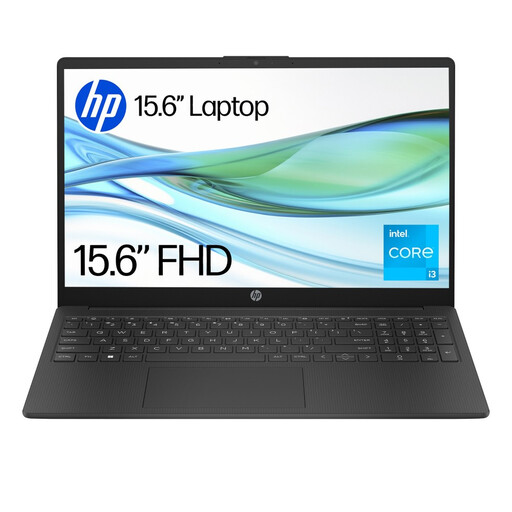
This Windows 11 Home in S Mode laptop is an option only if the club’s required applications work in that mode or after switching modes.
The listing specifies a 15.6-inch Full HD display, 1.59 kg weight, USB-C, USB-A and HDMI. Check whether 4GB RAM and 128GB storage meet the club’s needs; its up-to-11-hour battery claim does not guarantee a full renewal session.
Yes, if the renewal portal and every essential file and peripheral work with the club’s ChromeOS workflow. Microsoft says Microsoft 365 is designed to work in current Chrome, but identifies Access as PC-only, so test the tasks the club actually performs.
Find the final automatic-update date for the exact device before buying. Google describes a 10-year update period from a ChromeOS platform’s release, but the date to use for a purchase decision is the individual device’s published schedule.
Put access controls and a recovery process in place as well as choosing a suitable laptop. For organisations processing personal data, the Information Commissioner’s Office explains that security measures must be appropriate to the risk; decide who may access the records, keep software updated and arrange suitable backups.
Arrange suitable electrical-equipment reuse or recycling and securely remove club data before handing the laptop over. GOV.UK describes recovery, reuse and recycling as aims of the UK’s electrical-equipment waste rules.