Choose a Chromebook if volunteers record hours in a browser and each regular user can have a separate Google account. Choose a Windows laptop if a required application runs only on Windows or the office needs an administrator to configure Windows Shared PC controls. Before buying either, test the complete tracking workflow, plan how users will sign in and check the exact device’s remaining update support.
Who needs this laptop?
Volunteer coordinators using a web tracker
If hours are entered in a browser, a Chromebook may suit the task when each regular volunteer can sign in with a separate Google account. Google Chromebook Help says signed-in users’ files and information are kept separate.
Offices tied to Windows software
An established desktop timekeeping application or required Windows peripherals may make a Windows laptop the practical route. Microsoft Learn describes Shared PC settings for organisations that can configure and manage a device used by several people.
Small teams without dedicated IT support
These teams need a sign-in routine they can maintain and a device with continuing updates. Google Chromebook Help describes automatic updates for Chromebooks, but the final-update date should be checked for the exact model under consideration.
What matters when choosing?
Decide which operating system can run the entire hour-tracking workflow, then choose how volunteers will access the shared device. Neither route separates accounts or manages access without an appropriate sign-in setup.
Chromebook
Choose when: Hours are logged through a browser and regular volunteers can use separate Google accounts.
Trade-off: A required Windows-only desktop application cannot be assumed to run in ChromeOS.
Windows laptop
Choose when: The workflow requires Windows software or an administrator needs to configure Windows Shared PC controls.
Trade-off: Shared PC policies need setup and ongoing administration; buying a Windows laptop does not configure them automatically.
| Concern |
What to check |
Who this matters to |
| Separate access |
Plan individual Chromebook sign-ins or an administered Windows shared or guest setup. Decide who manages accounts and sign-out. |
I do not want the next volunteer to inherit my open session or access my files. Roughly 36% of consumers put separation between users first. |
| Tracking compatibility |
Test hour entry, reports and exports in the proposed operating system, along with any required printer, scanner or card reader. |
If our existing tracker or equipment fails on the new laptop, we cannot complete the usual shift records. Compatibility is the primary concern for around 29% of consumers. |
| Updates and support |
Check a Chromebook model’s final automatic-update date, or confirm the exact Windows device can run a supported Windows version. |
With little time to administer devices, I need to know how long this one can continue receiving updates. About 21% of consumers place support life first. |
| Shared-desk use |
Plan sign-in on resume and a suitable charging position; inspect the charger, plug and cable as part of office maintenance. |
At a desk used by several volunteers, I need charging and handovers to be manageable without leaving damaged equipment in use. For roughly 14% of consumers, shared-space practicality comes first. |
Buying pitfalls
-
Assuming browser access proves the whole workflow works
A Chromebook’s separate accounts and update schedule do not establish that a particular tracking service, export process or peripheral works in ChromeOS.
Before committing to ChromeOS, try a real sign-in, hour entry and report export, then test every required device. If an essential application is Windows-only, assess a Windows laptop instead.
-
Using one account for every volunteer
A shared account can leave a previous user’s session, files or tracking access available to the next person. Google Chromebook Help describes separate Chromebook user data, while Microsoft Learn documents configurable Windows Shared PC options.
Give regular Chromebook users individual sign-ins, or have an administrator configure the appropriate Windows shared, guest or kiosk arrangement. Set a clear end-of-shift sign-out routine.
-
Judging a used Windows laptop only by whether it starts
Microsoft states that Windows 10 support ended on 14 October 2025. A working older laptop still needs to meet the requirements for the Windows version the office intends to use.
Confirm the exact model’s Windows 11 compatibility and installed edition, then test the required tracking software before purchase.
-
Overlooking the shared desk and charging area
The UK Health and Safety Executive says electrical equipment capable of causing injury must be maintained in a safe condition. It does not prescribe a universal annual portable appliance test.
Assign responsibility for checking the charger, plug and cable, and keep the charging position clear of liquids and trip hazards. Choose an inspection approach appropriate to the equipment and office environment.
Damaged charging equipment may need replacing, and inspections take staff time.
Relevant brands to consider
These business-laptop lines are reference points for a Windows-based office setup. Check the exact configuration rather than assuming that a feature described for one model applies across a brand.
Lenovo
ThinkPad business laptops are relevant when an office needs a Windows device that it may later manage centrally.
- Lenovo UK describes optional Intel vPro on applicable ThinkPad T14 Gen 6 (Intel) configurations for fleet deployment, updates and maintenance.
- That option is configuration-specific; a small office should establish whether it needs central management before selecting it.
HP
HP ProBook is a business-laptop line to examine if the office wants a Windows 11 Pro configuration.
- HP United Kingdom describes ProBook options with Windows 11 Pro for Business and 13-, 14- and 16-inch screen sizes.
- Screen size and operating-system edition vary by configuration, so confirm both on the model being considered.
Dell
Dell Latitude is relevant to offices assessing Windows 11 Pro and business-oriented configuration options.
- Dell UK lists Windows 11 Pro and 16 GB, 32 GB and 64 GB memory options for the Latitude 9450.
- Those options describe the Latitude 9450, not every Latitude laptop, and do not establish what simple hour tracking requires.
Joybuy laptop choices
These choices include Chromebooks for a browser-based workflow and Windows laptops to assess for Windows-dependent work. Test the actual tracker and peripherals on the intended operating system, and plan separate or managed sign-ins before putting any model on the shared desk.
 No image available
Acer Chromebook Plus 514 CB514-5H, 14-inch, 8GB/256GB, Iron
Consider this Chromebook for browser-based hour entry with separate Google sign-ins, provided the full tracking workflow works in ChromeOS.
The named configuration has a 14-inch WUXGA display (1920 x 1200), an Intel Core i3-1315U, 8GB RAM and a 256GB SSD.
Check the exact model’s final automatic-update date and set up the intended user-account restrictions.
View on Joybuy
 No image available
Acer Chromebook 311 CBOA311-1H, 11.6-inch, 4GB/64GB, Black
This smaller Chromebook is an option to assess when volunteers enter hours through a ChromeOS-compatible browser service.
The named configuration has an 11.6-inch HD display (1366 x 768), an Intel Celeron N4500, 4GB RAM and 64GB eMMC storage.
Test the tracker and peripherals, check the model’s update end date and confirm its weight if the laptop will be moved regularly.
View on Joybuy
 No image available
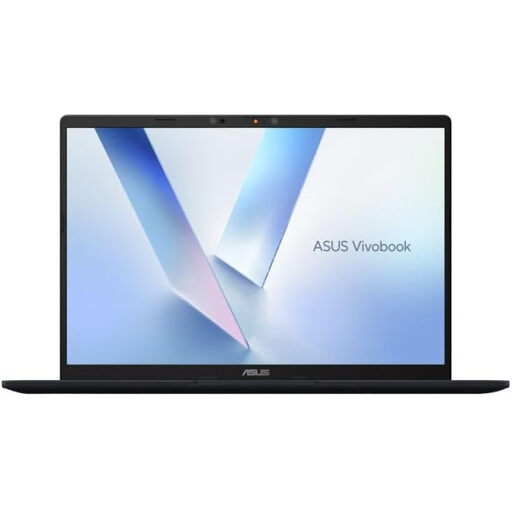
ASUS Vivobook 14 X1407QA-LY003W Copilot+ PC, Snapdragon X, 16GB/512GB, Quiet Blue
Assess this Windows-route laptop if the office needs its tracking workflow to run on the intended Windows configuration.
Its name specifies a Snapdragon X processor, 16GB RAM and a 512GB SSD.
Test the required application and peripherals on this exact configuration, and establish how shared accounts will be administered.
View on Joybuy
 No image available
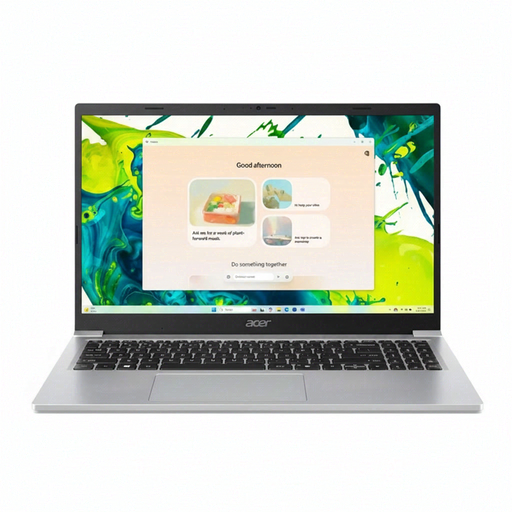
Acer Aspire Lite AL15-36P-C29Z, 15.6-inch, 8GB/128GB, Silver
Consider this Windows laptop where a larger shared-desk display is useful and the office’s tracking software works with Windows 11 Home.
The named configuration has a 15.6-inch Full HD display, an Intel N150, 8GB DDR4 RAM and a 128GB SSD.
Confirm the required peripherals and decide how each volunteer will access the device; shared-use settings require configuration.
View on Joybuy
 No image available
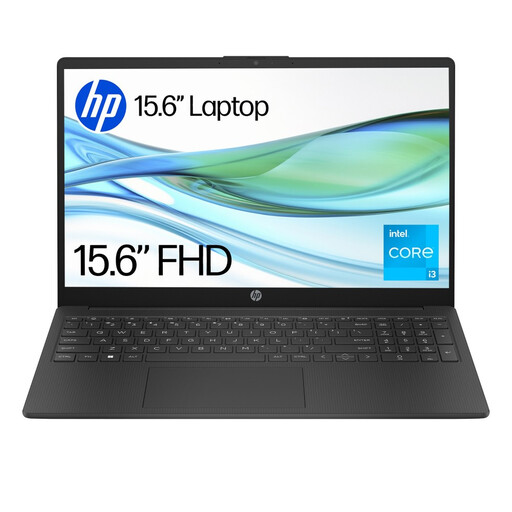
HP 15-fd0060na, Core i3-N305, 4GB/128GB UFS, Windows 11 Home S
Assess this Windows laptop only after checking whether the office’s tracker and other required applications work with the intended S Mode setup.
The named configuration has an Intel Core i3-N305, 4GB RAM and 128GB UFS storage.
S Mode restricts app installation to Microsoft Store apps; the described switch out of S Mode is irreversible. Plan shared sign-ins separately.
View on Joybuy
Frequently asked questions
Can several volunteers use one Chromebook without seeing each other’s files?
Yes, when regular volunteers use separate Google accounts: Google Chromebook Help says each signed-in user’s information and files are kept separate. Decide who may sign in, whether guest browsing is appropriate and how users will sign out between shifts.
What should I check before buying a Chromebook for volunteer-hour tracking?
Test hour entry, report exports and every required peripheral in ChromeOS, then check the exact Chromebook’s final automatic-update date. Google Chromebook Help explains where to find a model’s update schedule.
Is an older Windows 10 laptop a sensible long-term choice?
Not without a plan for a supported operating system. Microsoft states that Windows 10 support ended on 14 October 2025; check the exact laptop’s Windows 11 compatibility and test the organisation’s tracking software before buying.
Does a shared-office laptop need an annual PAT test?
Not automatically. The UK Health and Safety Executive says electrical equipment capable of causing injury must be maintained in a safe condition, but there is no universal legal requirement for an annual portable appliance test. Base inspection and any testing on the equipment and its working environment.


