What matters when choosing?
For cinematic adventures played through headphones, decide whether your primary need is a home display and audio setup, access to physical games, or the flexibility to play away from the TV. Then check the exact console and headset combination.
| Concern |
What to check |
Who this matters to |
| Headphone audio and TV presentation |
Confirm how your headset connects and whether the game supports the audio feature you want. Check your TV, HDMI connection and the game before expecting a particular display mode. |
If dialogue, ambience and directional sound are central to my TV-based play, I want the headset and game to work with the console's audio options. Around 42% of consumers put this home audio-and-display need first. |
| Discs and digital games |
Check whether the exact variant includes a disc drive and whether your existing games are on disc or tied to a digital account. |
If I want to keep playing boxed games, an all-digital model will not meet that need without any compatible additional hardware. Roughly 33% of consumers make game format and library access their primary concern. |
| Private play away from the TV |
Check handheld and tabletop options, the headphone jack and Bluetooth restrictions, especially if you need a microphone or are sensitive to audio delay. |
When the TV is shared or I play in more than one place, I want to continue a game with headphones without depending on the TV. About 25% of consumers prioritise that portability and private-play flexibility. |
Relevant brands
These console families offer different ways to meet the same story-game and headphone brief; check the particular model and games rather than treating a brand name as a complete specification.
PlayStation
The PS5 family is a TV-based route with disc and all-digital variants.
- PlayStation lists 3D Audio support for PS5; check support in the games and audio setup you plan to use.
- PS5 Digital Edition has no included disc drive, so it is not the same purchase as a disc-drive PS5 for someone with boxed games.
Xbox
Xbox Series X and Series S provide TV-based choices with different disc and digital configurations.
- Xbox Support identifies wireless console pairing and named spatial-audio options for the Xbox Wireless Headset.
- Series S is all-digital, and Series X listings include both disc-drive and all-digital variants. Check the exact model and any other headset's compatibility.
Nintendo
Nintendo Switch 2 is a hybrid choice for handheld, tabletop and TV play.
- Nintendo UK lists a 7.9-inch 1080p HDR screen and a 3.5mm audio jack, alongside Bluetooth audio.
- Nintendo UK Support warns that Bluetooth audio may have latency; Bluetooth microphones cannot be used.
Joybuy products for this setup
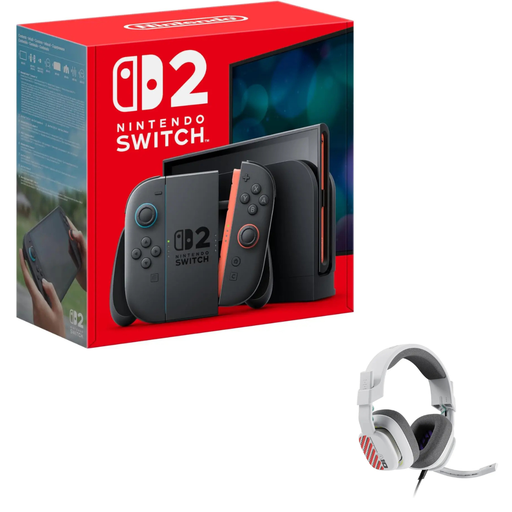
This console-and-headset bundle is relevant if you want Nintendo Switch 2's handheld and TV options alongside a wired headset. Check the headset's connector and compatibility with your intended Switch 2 audio and chat setup before relying on the bundle for both.
 No image available
Nintendo Switch 2 with Logitech ASTRO A10 Gen 2 wired headset (white)
This bundle suits someone considering a portable-and-TV console together with a headset. Nintendo Switch 2 supports handheld and docked play; the bundled ASTRO A10 Gen 2 is described as wired, so confirm its connector and compatibility before planning to use it for game audio or voice chat.
Check that the specific story-led games you want to play are available on Switch 2 and support the features you expect.
View on Joybuy
Questions about the setup
Do I need a console-specific headset for cinematic games?
Not necessarily, but the connection must work with your chosen console. Xbox Support describes wireless pairing for the Xbox Wireless Headset, PlayStation Support uses a USB adapter in its official wireless-headset instructions, and Nintendo Switch 2 offers a 3.5mm audio jack and Bluetooth audio; check your exact headset model and whether you need voice chat.
Will Bluetooth headphones work well for story-led games on Switch 2?
They can be an option for game audio, but Nintendo UK Support warns that Bluetooth audio may have latency and that Bluetooth microphones cannot be used. If synchronised dialogue or voice input matters to you, check the headset's behaviour or consider a compatible wired connection.
Should I choose a disc-drive or all-digital console?
Choose a disc-drive variant if playing boxed games is important to you. PlayStation says PS5 Digital Edition has no disc drive, Xbox describes Series S as all-digital, and Series X is available in differing configurations; confirm the exact model before purchase.
What do I need for 4K or high-refresh-rate play?
The game, console, display and connection must support the mode you want. Xbox lists 4K gaming and up to 120 frames per second for Series X, while Nintendo lists up to 4K output for Switch 2 in TV mode under its stated conditions; check the specific game and your TV's inputs and refresh rate rather than relying on the console figure alone.


