City-builder players with limited desk space
You need room to see maps, toolbars and text, but the monitor and its stand must fit your desk. Check the complete dimensions and available adjustments, not just the screen diagonal.


A 23.8–24-inch QHD monitor is a useful starting point for city-building games if you want more pixels for maps and menus without moving to a larger screen, and your computer can run the game satisfactorily at 2560 × 1440. Full HD may suit a computer better matched to 1920 × 1080; whichever resolution you choose, measure the stand footprint and check the connections you need.
You need room to see maps, toolbars and text, but the monitor and its stand must fit your desk. Check the complete dimensions and available adjustments, not just the screen diagonal.
A compact QHD screen may suit you if reading dense interfaces is the priority and your computer can run the game acceptably at 2560 × 1440. Dell UK and ASUS UK both specify 23.8-inch QHD models.
If you want video and charging through one USB-C connection, check the laptop’s video output and charging requirements against the exact monitor. The connector alone does not establish compatibility.
Start with the space available for the screen and stand, then decide how much native resolution your computer and game need. Treat USB-C and refresh rate as checks for your particular setup.
| Concern | What to check | Who this matters to |
|---|---|---|
| Desk fit and positioning | Measure usable width and depth against the dimensions with stand. If using an arm, check the monitor’s mounting pattern and the arm’s desk-clamp requirements. | I need the screen close enough to use comfortably without its stand taking over my small desk. Around 42% of consumers would put physical fit and positioning first. |
| Map and interface clarity | Compare native Full HD and QHD resolution at the screen size you want, and check whether your computer can run the game satisfactorily at that setting. | Dense menus and map details are what I most want to see clearly, even if that means checking my computer’s QHD performance. For around 33% of consumers, resolution would be the primary concern. |
| Laptop connections and motion | Confirm the computer’s video output, any required USB-C charging capability, and the refresh rate supported at your chosen resolution. | I use a laptop at this desk and want connections that suit it, with smoother scrolling where my setup supports it. Connection and refresh needs would come first for around 25% of consumers. |
A 23.8-inch screen can still have a stand that uses more desk depth than you can spare.
Measure the usable surface and compare the manufacturer’s dimensions with stand. If you plan to use an arm, check mounting compatibility, arm capacity and the desk-clamp requirements.
A USB-C connector does not, by itself, establish that the laptop can send video to the monitor or use its stated power delivery.
Check the laptop manual for its USB-C video mode and charging requirements, then compare them with the monitor’s specifications.
Available refresh rates depend on the display and connected setup. Microsoft Support also notes that some refresh-rate selections can change the active resolution.
After connecting the monitor, check both the active resolution and refresh rate. Microsoft Support advises using a display’s recommended native resolution where possible because text can look less sharp at a lower resolution.
Desk fit may only become clear when the monitor is set up, and an old display needs an appropriate electrical-waste route.
Before ordering online, check how to contact the seller about cancellation or a faulty item; these are different matters. For an old monitor, look for a suitable local electrical-waste collection or retailer take-back option.
Dell UK lists the Pro Plus P2425D as a 23.8-inch QHD IPS option for a compact desk.
LG UK’s 24BA750 offers a 23.8-inch Full HD IPS route for a desk shared with a laptop.
ASUS UK’s ProArt PA24ACRV combines a 23.8-inch QHD IPS display with USB-C laptop connections.
These monitors offer different compact-screen approaches to city-building games, from a QHD option to Full HD and WUXGA models. Compare each exact model’s native resolution, physical footprint and connections with your desk and computer.
 No image available
Consider this model if you want QHD map and menu detail at a compact screen size and also connect a laptop. ASUS UK specifies a 23.8-inch 2560 × 1440 IPS display, USB-C video and data, and up to 96W Power Delivery for the PA24ACRV. Check your computer’s QHD performance, USB-C compatibility and the stand’s dimensions.
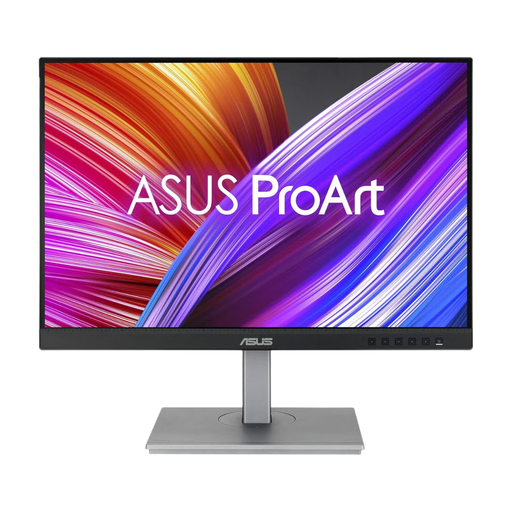 No image available
Consider this model if its WUXGA format suits the space you want for maps and menus. Check its native resolution against your preferences and confirm its dimensions and laptop connections for your setup; it is a different model from the QHD PA24ACRV.
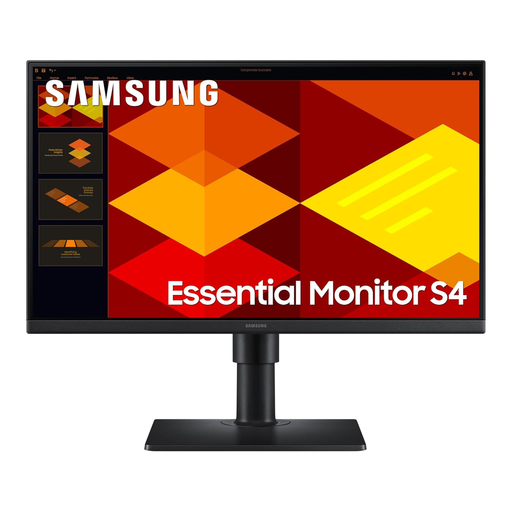 No image available
Consider this 22-inch Full HD model if you prefer a smaller screen and Full HD gives you enough room for the game’s maps and text. Measure the complete monitor and stand before deciding whether it fits your desk.
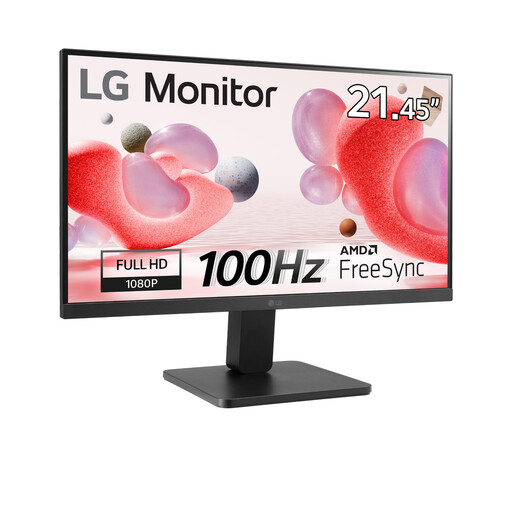 No image available
This 22-inch Full HD option suits a desk where a smaller screen is preferable, provided Full HD meets your needs for map and menu space. Its name specifies a VA panel, 100Hz and HDMI; check the full dimensions and whether your computer and connection support the refresh rate you want.
 No image available
Consider this 24-inch model if that screen size suits your desk, then check its native resolution against the map detail you want. Confirm the exact variant’s refresh rate, ports and stand dimensions before ordering. This P2425 is not the QHD P2425D discussed above.
Choose a compact QHD monitor if map and menu detail matters most and your computer can run the game satisfactorily at 2560 × 1440; Full HD may suit a setup better matched to 1920 × 1080. Microsoft Support advises using a monitor’s recommended native resolution where possible, as text can look less sharp below it.
No: the available refresh rate depends on the monitor and the connected setup at the selected resolution. Microsoft Support advises checking the active resolution as well as the refresh-rate setting, because some selections can change the resolution.
Check that the laptop’s USB-C port supports the video mode required by the monitor and that the monitor’s power-delivery rating suits the laptop’s charging needs. ASUS UK, for example, specifies USB-C video, data and up to 96W Power Delivery for the PA24ACRV; that specification does not establish compatibility with every laptop.
GOV.UK says consumers who order online generally have a limited period to cancel even when the item is not faulty. Check the applicable cancellation process promptly; a change-of-mind cancellation is separate from remedies for a faulty, damaged or misdescribed monitor.
For products placed on the market in Great Britain, GOV.UK says CE marking continues to be recognised alongside UKCA marking where the relevant rules permit it. Northern Ireland follows different product-marking arrangements, so check the requirements for the market where the monitor is supplied rather than treating either mark alone as proof that a particular product complies.