Teachers setting up a fixed recording corner
When pupils take turns at one desk, a repeatable microphone position, direct computer connection and a way to listen before saving make the routine easier to manage.


For one pupil at a fixed recording desk, start with a USB microphone that connects to the intended device and lets someone check the sound through headphones. If classroom activity is hard to control, consider a directional dynamic microphone used close to the speaker; choose a wireless clip-on system when pupils need to move or film away from the desk, allowing for device checks and charging. Whichever route you choose, test it in the actual recording position before making full reviews.
When pupils take turns at one desk, a repeatable microphone position, direct computer connection and a way to listen before saving make the routine easier to manage.
If nearby activity competes with a pupil’s voice, give the speaker a consistent position close to a directional microphone rather than expecting it to capture the whole room.
Presentations and filmed interviews may call for a microphone away from the desk. A wireless setup also needs a compatible recording device and a reliable charging routine.
Decide whether reviews will be recorded at one desk or while pupils move. Then check how the microphone connects to the recording device and where each pupil will speak.
Choose when: One pupil at a time records at a designated, relatively quiet desk using a compatible device.
Allow for: Consistent speaker distance and control of nearby chatter and desk movement.
Choose when: The room is less controlled and each pupil can speak close to, and towards, the microphone.
Allow for: A tighter speaking position that is less suited to pupils sharing one microphone around a desk.
Choose when: Pupils film reviews or present away from a fixed recording desk.
Allow for: Charging, connection checks and the cable or receiver required by the exact recording device.
| Concern | What to check | Who this matters to |
|---|---|---|
| Speech amid classroom noise | Check the pickup pattern and whether one pupil can speak close to the microphone. A directional design still needs careful placement. | If nearby chatter competes with the review, I want the pupil’s voice to remain the focus. Around 42% of consumers put noise control first. |
| A repeatable recording station | Confirm the device port and supplied cable, then check how pupils will position the microphone and listen to a test recording. | For a desk used by successive pupils, I need a setup they can repeat without changing connections each time; roughly 33% of consumers prioritise that simple station workflow. |
| Filming away from the desk | Check the receiver’s compatibility with the camera, computer or phone, and establish a charging routine. | When a pupil presents while moving, I need their voice recorded without keeping them beside a desk. Movement is the primary concern for about 25% of consumers. |
Cardioid and hypercardioid microphones concentrate on sound from particular directions; pupils farther away or off-axis may not be recorded consistently.
For individual reviews, mark a speaking position and record one pupil at a time. Assess a separate multi-person setup if the activity is a group discussion.
A USB connection alone does not establish that the connector, operating system and recording application will work together.
Check the intended laptop or tablet, its port and the supplied cable. Try one microphone with the actual recording workflow before equipping several stations.
The setup may require a compatible adapter or different cable.
A wireless transmitter and receiver add connection and battery checks to each recording session. RØDE rates its Wireless ME rechargeable battery for up to seven hours, but that rating should not replace a classroom charging routine.
Use wireless where movement or filming calls for it, and assign responsibility for charging and keeping the components together.
The Information Commissioner’s Office defines personal data in terms of an identified or identifiable person. Where pupil recordings are personal data, Department for Education guidance requires schools to establish an appropriate lawful basis for processing and have data-protection procedures.
Agree the recording purpose, storage, access, retention and any sharing through the school’s data-protection process before collecting identifiable reviews.
Its AT2020USB-X represents a USB desk-microphone route, while the AT2040USB is a directional dynamic USB option.
The Q2U offers a dynamic microphone route with USB for direct recording and XLR for a possible later mixer or audio-interface setup.
Wireless ME is relevant to filmed reviews and presentations that move away from a desk.
The MV7+ is a dynamic USB-C/XLR option for a close-positioned recording station that may later use other audio equipment.
These models cover fixed, close-positioned USB/XLR microphones and wireless options for reviews filmed away from a desk. Choose by the planned recording position, then confirm the exact device connection and working routine.
 No image available
Consider this kit for a fixed, one-pupil recording position where the boom arm can remain set up between reviews.
The product name specifies USB and XLR connections and a headphone jack. Keep the pupil close to the microphone, and check device compatibility and what an XLR setup would require.
 No image available
This desktop format fits a station where each pupil can return to the same speaking position.
The product name lists USB/XLR connections, a headphone jack and mute control. Check the intended device and app, and confirm which controls work with the connection you plan to use.
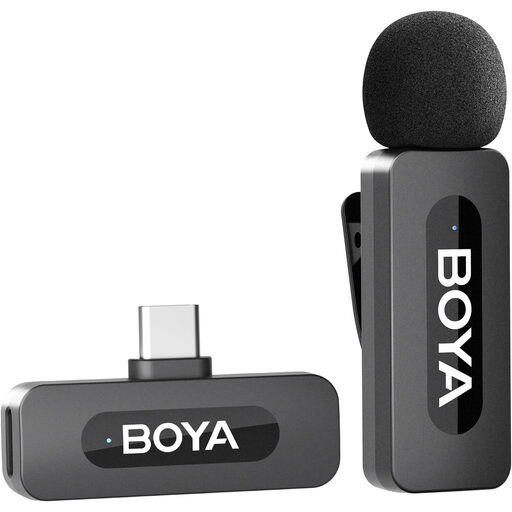 No image available
A single pupil filming away from a desk could use this wireless format if the recording device accepts its USB-C receiver.
The product name identifies one transmitter and one receiver. Confirm compatibility with the exact device and recording app, and plan to charge the system between sessions.
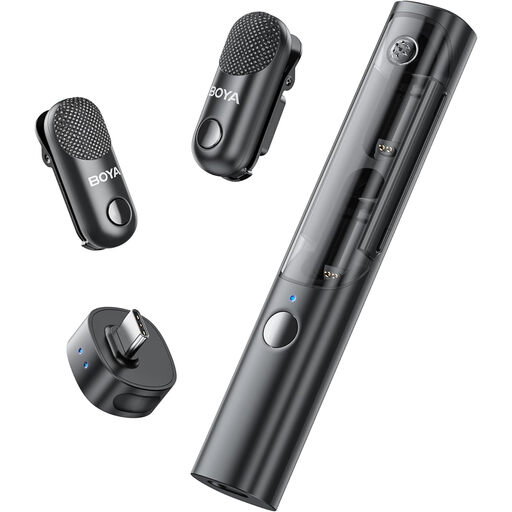 No image available
Consider this wireless kit when the review involves moving presenters or a filmed exchange rather than a fixed desk.
The product name specifies two transmitters, one receiver and a charging case. Check how the intended camera, phone or computer connects, including support in its recording app.
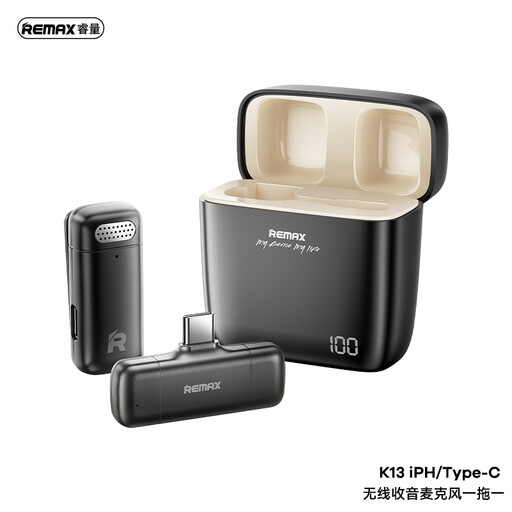 No image available
This is another option for a review recorded away from a desk, provided its receiver works with the school’s device.
Its product name specifies a 1-to-1 USB-C wireless format. For a busy room, test the pupil’s voice against nearby activity rather than assuming a wireless format will isolate it; check charging and app compatibility too.
No single consent rule covers every recording activity. If a review identifies a pupil and is personal data, Department for Education guidance requires the school to establish an appropriate lawful basis for that processing and follow its data-protection procedures; check the intended recording, storage and sharing with the school’s data-protection lead.
Assess public sharing separately from making a recording for classroom use. Department for Education guidance treats identifiable photos and videos as personal data, while the Information Commissioner’s Office defines personal data by whether a person is identified or identifiable; check whether the review identifies the pupil, why it would be shared and the school’s lawful basis and procedures before publishing it.
Check the exact device port, supplied cable, operating system and recording app before buying. Audio-Technica lists a USB-C-to-USB-A cable and USB-A-to-USB-C adapter for the AT2020USB-X, whereas Shure lists separate app requirements for the MV7+; the relevant checks depend on the model and device you intend to use.
Make a short test from the pupil’s intended speaking position and listen to it through headphones before continuing. Samson lists headphone monitoring on the Q2U, Audio-Technica on the AT2020USB-X and AT2040USB, and Shure on the MV7+; checking a test also lets you adjust the position if classroom activity intrudes.
Set a repeatable speaking position, keep the required cable and monitoring headphones with the station, and assign charging responsibility if the system is wireless. For example, RØDE specifies a rechargeable battery for Wireless ME, so a filmed-review routine needs a charge check before pupils begin.