What matters when buying?
Decide where each person will speak before choosing a connection or a wireless system: distance and position affect every recording route.
| Concern | What to check | Who this matters to |
|---|
| Clear speech amid classroom noise |
Check the pickup pattern and whether each speaker can face the microphone from close range. |
If nearby conversations or room sound could obscure my introduction, I need a defined speaking position and close pickup. Around 36% of consumers put speech clarity amid classroom noise first. |
| Computer recording and monitoring |
Check the computer connection and compatibility, plus whether headphones can be connected for a sound check. |
I want to record directly to the classroom computer and hear whether the microphone is working before pupils begin; around 29% of consumers prioritise that straightforward workflow. |
| Several pupil speakers |
Decide whether pupils can approach one speaking point or a microphone or recorder can be moved close to each pupil. |
When pupils introduce themselves from different places, I need a workable way to reach each voice. This is the primary concern for around 21% of consumers. |
| Presenter movement |
Check transmitter coverage, charging needs and receiver compatibility with the recording device. |
If I must walk while speaking, I need the microphone to move with me rather than remain at the lectern; around 14% of consumers place presenter mobility first. |
Joybuy products for these setups
These products cover fixed-position USB/XLR microphones and wireless options for a moving presenter. For pupil introductions, match the microphone to each speaker’s position and check the intended recording-device connection.
 No image available
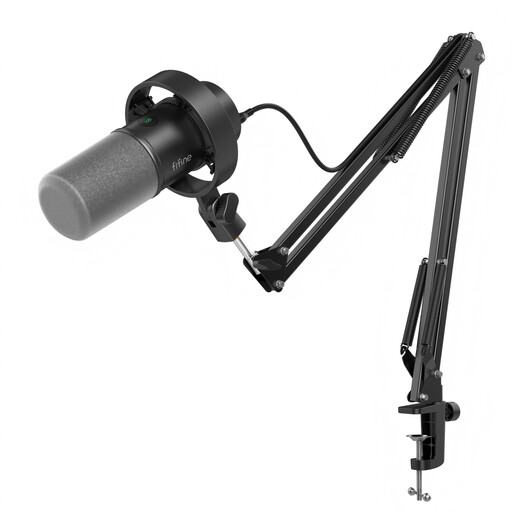
FIFINE K688CT USB/XLR microphone kit with boom arm
Consider this dynamic microphone when introductions take place at a designated speaking point with a compatible computer.
The product name specifies USB/XLR connections, a boom arm, mute button, headphone jack and gain knob. Check the required connection and keep each speaker close to the microphone.
View on Joybuy
 No image available
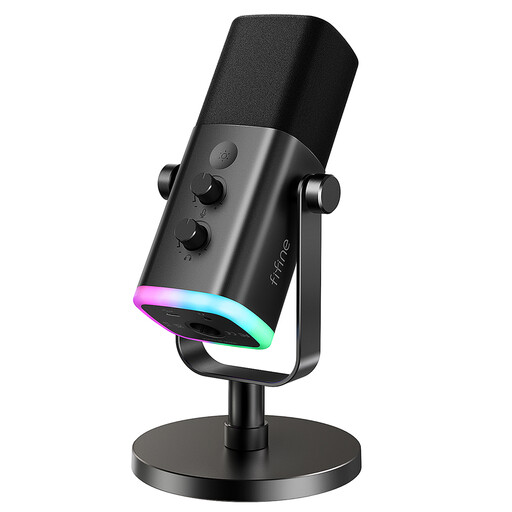
FIFINE AM8 USB/XLR desktop microphone
Consider this dynamic desktop model when speakers can take turns at one recording position.
The product name specifies a desktop stand, USB/XLR connections, a mute button and headphone jack. Confirm the computer connection and position the stand so each speaker can address the microphone.
View on Joybuy
 No image available
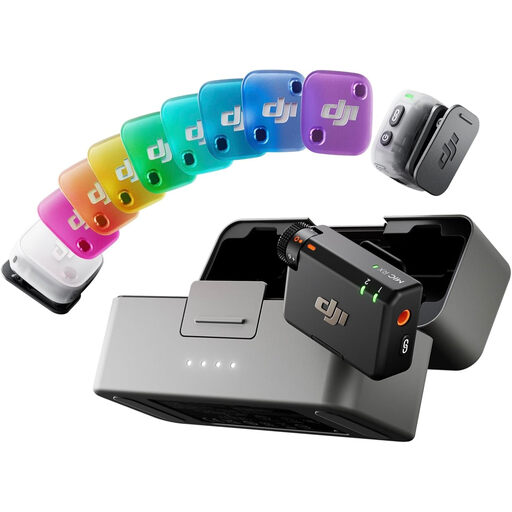
DJI Mic Mini 2 (2 TX + 1 RX + Charging Case)
Consider a wireless kit when a presenter needs to move while speaking.
The product name specifies two transmitters, one receiver and a charging case. Before using it for two pupil speakers, confirm how both transmitters connect to and are recorded by the intended device.
View on Joybuy
 No image available
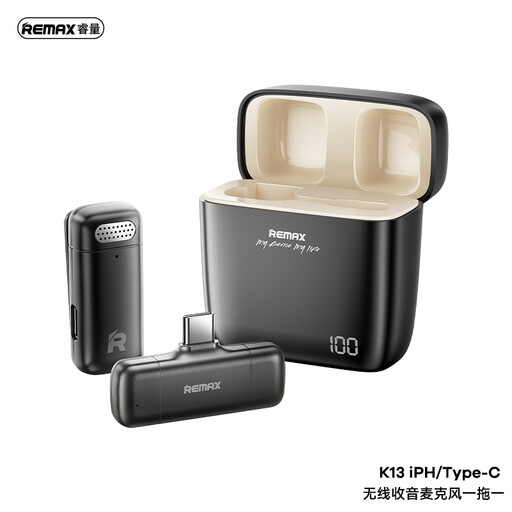
REMAX K13 1-to-1 USB-C wireless microphone, black
Consider this wireless option for one moving presenter if its receiver works with the intended recording device.
The product name specifies a 1-to-1 USB-C configuration. Check receiver and recording-app compatibility before buying; one presenter’s microphone is not a plan for capturing every pupil.
View on Joybuy
Common questions
Is a cardioid microphone suitable for pupil introductions?
A cardioid microphone is worth considering when pupils speak one at a time at a fixed point. Shure’s directionality guidance describes reduced off-axis pickup, but each pupil still needs to face the microphone and stay close to it.
Can a microphone at the front record pupils across the classroom?
Do not rely on a single front-of-room microphone to capture every pupil clearly. Shure’s classroom guidance makes quiet, fairly non-reflective conditions important for overhead microphones; a shared speaking point, passed handheld microphone or planned multi-microphone setup may better match where pupils actually speak.
Do I need USB or XLR to record to a classroom computer?
USB provides a direct route to a compatible computer. Choose USB/XLR if a suitable sound-system connection is also needed; Shure’s connection guidance says an XLR-to-computer setup requires an analogue-to-digital audio interface.
Why make a test recording before pupils start?
A short test lets you check the selected input, speaker position and sound in the actual room before the introductions begin. Sheffield Hallam University’s classroom guidance recommends checking classroom audio when required.
What should a UK school check before recording pupils?
If recordings contain personal information about identifiable people, the school needs an appropriate lawful basis and clear information about its processing. Information Commissioner’s Office guidance covers lawful, fair and transparent processing, including purpose and retention information; staff should follow the school’s process and seek advice from its data protection officer when unsure, as the Department for Education advises.


