What matters when choosing?
Start with the number of voices that need close microphones. Then choose a connection that works with the recording device and decide whether a separate recording on the microphone system matters for this interview.
Wired phone lavalier
Choose it when: One interviewee needs a close microphone and the phone has a compatible input or confirmed adapter.
Trade-off: The cable limits movement, and one lavalier does not separately close-mike the interviewer.
Simple wireless system
Choose it when: A speaker needs to move without a cable to the recorder.
Trade-off: Charging and testing the wireless connection become part of the recording routine.
Dual wireless system with onboard recording
Choose it when: Both speakers need close microphones and a separate recording could protect a hard-to-repeat interview.
Trade-off: Managing two transmitters and transferring their recordings adds work after the session.
| Concern |
What to check |
Who this matters to |
| Speech intelligibility |
Check that the microphone can sit securely near the speaker’s mouth. The Oral History Society advises a distance of around 15 cm for oral-history recording. |
If the guest’s words are the main record, I need their voice to remain clear amid classroom activity. Around 42% of consumers put intelligibility first. |
| Device compatibility |
Match the microphone connector or wireless receiver to the actual phone, tablet, camera or computer, including any required adapter. |
When I am using an existing classroom device, I want to avoid a connection problem at the start of the interview. For around 33% of consumers, straightforward setup is the primary need. |
| Two-person capture and backup |
Check the number of transmitters, how both voices are captured, whether onboard recording is available and how files are transferred. |
If neither side of a conversation can easily be recorded again, I need a workable plan for both voices and the files afterwards. Keeping that interview from being lost comes first for around 25% of consumers. |
Joybuy microphone choices
These DJI wireless configurations offer one or two transmitters for classroom oral-history setups. Choose by the number of speakers who need a microphone, then confirm how the selected kit connects to your recorder and handles the recordings you need.
 No image available
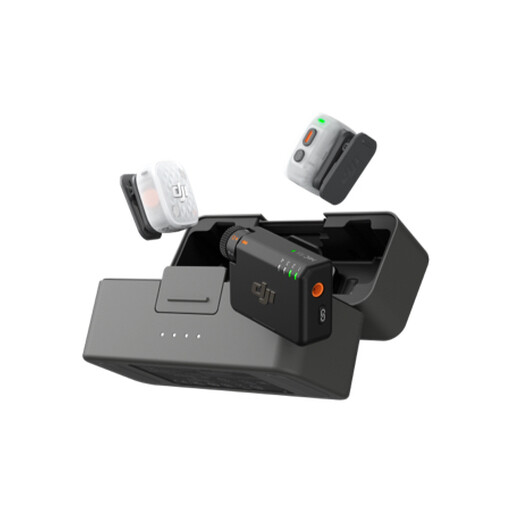
DJI Mic Mini 2S (2 TX + 1 RX + Charging Case)
The two-transmitter configuration is worth considering when interviewer and interviewee each need a microphone. Before relying on it for a hard-to-repeat interview, confirm how each transmitter records, how files are transferred and whether the receiver works with your device and recording app.
View on Joybuy
 No image available
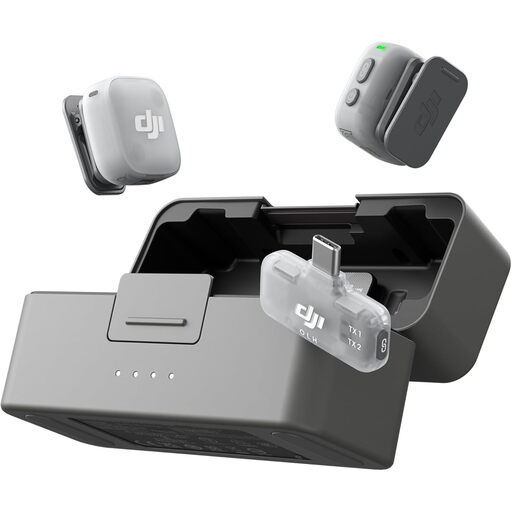
DJI Mic Mini 2 (2 TX + 1 Mobile RX + Charging Case)
This two-transmitter kit is a possible choice for an interviewer and interviewee using a mobile recording setup. Check how both microphones are captured by your device and app, and confirm any need for separate channels or onboard recordings before the session.
View on Joybuy
 No image available
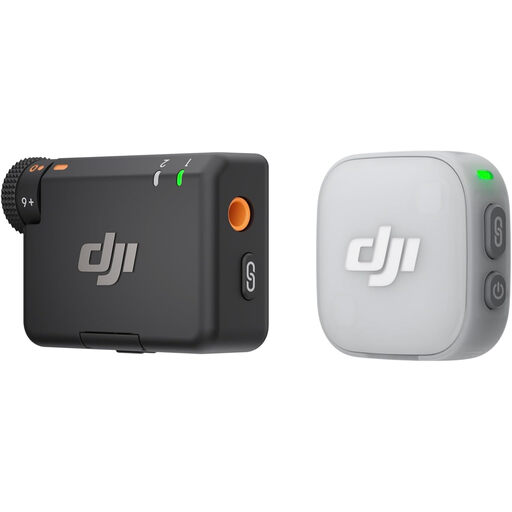
DJI Mic Mini 2 (1 TX + 1 RX)
The one-transmitter configuration suits a setup focused on one close-miked speaker; it does not give the interviewer a second microphone. Confirm that the receiver and recording app work with your device, and check recording and file-transfer options if you need an archival copy.
View on Joybuy
Frequently asked questions
How close should the lavalier be to the interviewee?
For audio-only oral history, the Oral History Society advises placing the microphone around 15 cm from the interviewee’s mouth. Secure it away from clothing that might rub against it, then make a short test recording.
Can I plug a wired lavalier straight into a phone?
Only when the phone and microphone connection are compatible. Shure says its MVL works with mobile devices that have a 3.5 mm TRRS input or an appropriate CTIA-compliant adapter; check the exact phone and adapter before buying.
Does a UK school always need consent to record an oral-history interview?
Do not assume consent is always the appropriate lawful basis. The Information Commissioner’s Office says organisations must identify and document a valid lawful basis before handling personal information. Confirm the school’s process for the planned recording and sharing with its data-protection lead; separately, the Oral History Society advises a signed interview-recording agreement covering rights and access.
Should an oral-history interview be recorded as WAV or MP3?
The Oral History Society’s school guidance recommends WAV for audio-only oral history. Check that your recording device or app can produce the format you need and that you have enough storage and a way to transfer the files.
What should happen to the recording after the interview?
Transfer and back up the files rather than relying on a single device or drive. The Oral History Society advises making safety copies and agreeing the interview’s rights and access conditions; follow the school’s arrangements for storing and sharing identifiable recordings.


