For occasional birthday hand-outs in a small classroom, a compact postcard photo printer is a practical starting point if its media and connection suit the school’s devices. An A4 photo printer makes more sense when larger prints and continuing classroom work matter; choose instant film when the individual keepsake activity matters more than print size, and allow for separately purchased film and development time. Follow the school’s arrangements for identifiable pupil photographs whichever route you choose.
Who each format suits
Occasional classroom-event organisers
Teachers or support staff giving out a small number of birthday photographs may prefer a compact printer to an A4 multifunction machine. Canon lists phone, camera, USB and SD-card input routes for the SELPHY CP1500; check which route the school permits.
Frequent classroom-printing users
For teams also making A4 displays and cards or regularly copying and scanning, a multifunction photo printer may serve more than the birthday event. Epson lists those functions for the EcoTank ET-8500, which needs space for an A4 machine.
Instant keepsake activity organisers
If receiving an individual instant-film print is the point of the activity, consider the smaller output and phone-led workflow. Fujifilm specifies Bluetooth printing and a 62 × 99 mm image area for the instax Link WIDE.
What matters when choosing
For birthday photographs in a small classroom, settle the intended print size and the school-approved device workflow before planning how many photographs to hand out. Then consider whether the printer will have a continuing classroom role.
| Concern |
What to check |
Who this matters to |
| Event printing |
Check print time at the intended size and whether the camera, card or permitted phone can connect. |
If photographs need to go home soon after the celebration, I want a manageable queue and a workable connection; around 36% of consumers put prompt event printing first. |
| Print format |
Choose between instant-film, postcard and A4 output; confirm the exact model supports the required media. |
When a photograph is destined for a card or classroom display, its physical size matters more to me than the printing activity; roughly 29% of consumers make format their primary concern. |
| Continuing use |
Consider future photo and document printing, plus whether copying or scanning is needed. |
If the class will keep making displays and other materials, I need the printer to remain useful after the birthday event; about 21% of consumers prioritise that continuing role. |
| Individual keepsakes |
Check film type, pack quantity, battery readiness and development time. |
For an activity centred on each child receiving an instant-format memento, I can accept a smaller image and time for it to develop; around 14% of consumers put that experience first. |
Purchasing pitfalls
-
Choosing a compact photo printer for A4 classroom tasks
Trusted Reviews found that the Canon SELPHY CP1500 uses specialist paper and prints no larger than 10 × 15 cm. That does not cover an A4 display or ordinary document printing.
List the tasks expected after the birthday event. If A4 output, copying or scanning will be regular needs, compare a multifunction model before choosing a dedicated photo printer.
Otherwise, those tasks may still require access to a separate A4 printer.
-
Assuming instant-film prints are fully ready at ejection
Fujifilm states that the instax Link WIDE ejects a print in about 12 seconds, while development takes about 90 seconds and varies with temperature. Ejection time alone will not tell you when the image is ready to judge.
Count the intended recipients, prepare the permitted phone workflow and allow development time during the activity.
Fujifilm sells the required WIDE film separately, so obtain enough compatible film before the event.
-
Using a personal device without checking photo arrangements
The Information Commissioner’s Office says recognisable photographs are usually personal data. A convenient printer app does not replace the school’s arrangements for taking, using and storing pupil images.
Check the school’s approved devices, storage and printing process, including any relevant opt-outs, before transferring photographs to an app or printer.
Relevant brands to consider
Canon
The SELPHY line is relevant to compact, dedicated photo printing for small hand-outs rather than A4 documents.
- Canon specifies a 41-second postcard print and Wi-Fi, USB-C and SD-card input for the SELPHY CP1500.
- Trusted Reviews found that the CP1500 uses specialist paper and is limited to 10 × 15 cm prints.
Epson
The EcoTank ET-8500 is a reference point when birthday photos are part of repeated A4 printing, cards and general classroom work.
- Epson specifies A4 borderless photo printing, six-colour refillable ink, and copying and scanning for the ET-8500.
- Its A4 multifunction role requires more workspace than a compact event printer.
Fujifilm
The instax Link WIDE suits a smartphone-led instant-film activity rather than standard postcard or A4 printing.
- Fujifilm specifies Bluetooth printing and a 62 × 99 mm picture area for WIDE film.
- Fujifilm says film is sold separately and development takes about 90 seconds, varying with temperature.
Joybuy product choices
These choices include compact printers for birthday-photo hand-outs and a printer to consider for wider classroom use. Compare the intended photo format, compatible media and the school’s permitted device workflow before choosing.
 No image available
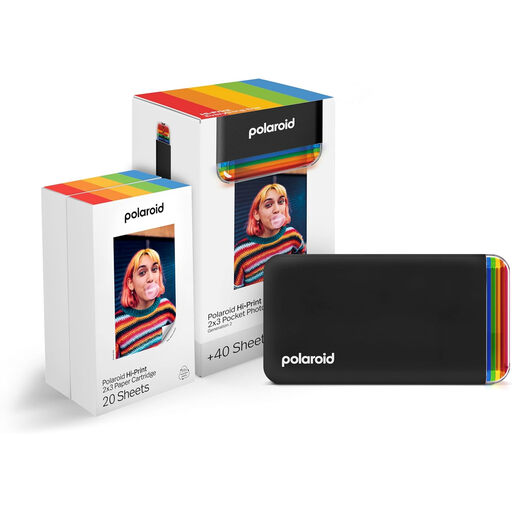
Polaroid Hi-Print Bluetooth 2x3 Photo Printer, 40-Sheet Bundle
Consider this for small birthday-photo hand-outs from a permitted phone. Its stated bundle includes 40 sheets; check whether the 2x3 format suits the intended keepsake and how to replenish compatible media.
Joybuy
 No image available
Xiaomi Portable Photo Printer 1S
Consider this portable model when a small birthday keepsake is the aim. Confirm its finished photo size, compatible paper and whether its phone workflow is permitted on the school’s devices.
Joybuy
 No image available
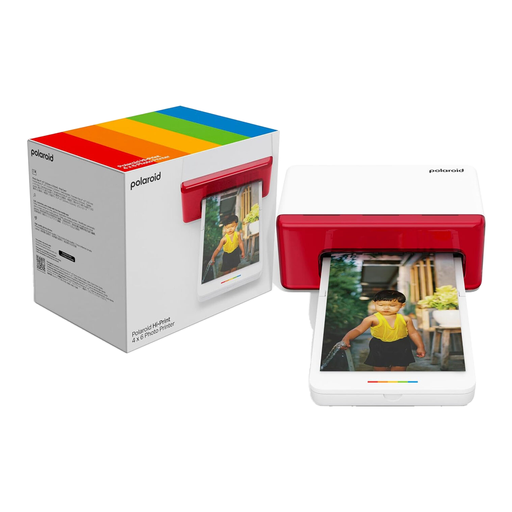
Polaroid Hi-Print Bluetooth 4x6 Photo Printer, White
Consider this model when a 4x6 birthday photograph is the intended hand-out. It offers Bluetooth printing; check the compatible paper-cartridge requirements and what is included before the event.
Joybuy
 No image available
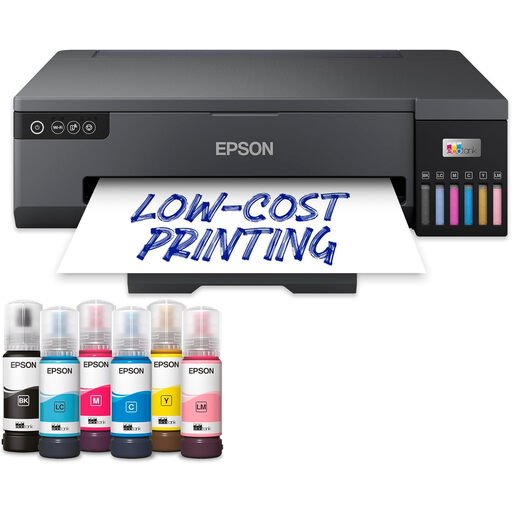
Epson EcoTank ET-18100 Printer
Consider this printer if it will have a role beyond birthday hand-outs. Check its supported photo-media sizes, the space available in the classroom and whether the intended printing workflow is permitted.
Joybuy
Frequently asked questions
Does a school always need parents’ consent to print birthday photographs?
No: parental consent is not automatically the appropriate lawful basis for every school-photography use. The Information Commissioner’s Office says recognisable photographs are usually personal data and notes that publicly funded schools will commonly consider public task. The school must identify the basis appropriate to its circumstances, explain its use of the images in advance and follow its own arrangements, including relevant opt-outs where possible.
What size should classroom birthday photographs be?
Choose the size to match how the photographs will be used: a postcard format for individual hand-outs, or A4 when a larger display is needed. Canon specifies 100 × 148 mm postcard output for the SELPHY CP1500, while Epson specifies A4 borderless photo printing for the ET-8500. Fujifilm’s instax Link WIDE has a 62 × 99 mm image area when the instant-film activity is the priority.
What should a school do with an old classroom printer?
Use the school’s approved electrical-equipment recycling route and manage any stored personal data before the printer changes hands. GOV.UK identifies the Waste Electrical and Electronic Equipment Regulations 2013, as amended, as the underpinning UK legislation for measures encouraging recovery, reuse and recycling of electrical equipment.


