Choose a microphone that stays close to the narrator: a wireless clip-on system suits movement between worktops, while a wired lavalier can suit recording directly to a compatible phone or tablet. For narration from one workstation, a cardioid desktop microphone is another option, provided the speaker can remain near it. Check the recorder connection, monitoring needs and, for wireless kits, possible interference in the classroom.
Who is recording?
Mobile classroom demonstrators
Teachers or presenters moving between ingredients, cooking areas and the recording device need hands-free speech capture. Wireless clip-on systems such as those described by RØDE and DJI are relevant when their receiver connects to the device being used.
Fixed-workstation narrators
Someone recording an introduction, voice-over or recipe recap at one computer can consider a nearby cardioid microphone with headphone monitoring, such as the setup described by Audio-Technica.
Phone or tablet recorders
A single narrator wanting a small wired microphone can consider a lavalier such as the Shure MVL, after confirming that the device or its adapter accepts its 3.5 mm TRRS microphone connection.
What matters when choosing?
Wireless clip-on
Choose when: The presenter needs to speak while moving around the demonstration area.
Trade-off: Charging and pairing add preparation, and the wireless link needs testing where it will be used.
Wired lavalier
Choose when: One close-miked narrator records to a compatible phone or tablet without needing a wireless receiver.
Trade-off: The cable limits movement and needs a safe route around the work area.
Desktop USB microphone
Choose when: Narration stays at one workstation; a cardioid pattern suits one nearby speaker, while selectable patterns allow a change in recording format.
Trade-off: The speaker must stay positioned near the microphone, and a wider pattern can capture more classroom sound.
| Concern | What to check | Who this matters to |
|---|
| Movement while speaking |
Check the transmitter and receiver configuration, recorder connection and battery needs for the session. |
If I move between worktops, I need my voice captured close to me without carrying the recorder; around 36% of consumers put that mobility first. |
| Sound at a fixed station |
Check the pickup pattern, speaking position and availability of direct headphone monitoring. |
At a fixed desk, I want nearby narration to remain clear against activity around me; roughly 29% of consumers make that their primary concern. |
| Direct phone or tablet recording |
Confirm microphone-input and adapter compatibility, then plan a safe cable route. |
When I record one narrator on a phone or tablet, I would rather use a straightforward wired connection; around 21% of consumers prioritise that setup. |
| Changing recording formats |
Check the available pickup patterns and controls for gain, mute and monitoring. |
If I alternate between solo narration and wider capture at a desk, I need to select an appropriate pattern; about 14% of consumers put that flexibility first. |
Mistakes to avoid
-
Choosing wireless on advertised range alone
RØDE and DJI publish wireless specifications, but a stated range does not promise the same connection inside a classroom. Ofcom notes that other low-power equipment can interfere with the 2.4 GHz band.
Test the microphone, recorder connection and presenter’s route in the actual room before recording a full lesson. Keep a wired alternative if the recording is important.
Allow time to charge and test the kit before the session.
-
Assuming a lavalier fits every phone
The Shure MVL has a 3.5 mm TRRS connector. A phone or tablet may need a compatible adapter that accepts microphone audio, not just a physical connection.
Confirm the device’s microphone input and adapter compatibility, then make a short test recording.
A compatible adapter may be needed.
-
Putting a desk microphone beside a moving presenter
Audio-Technica specifies that the ATR2100x-USB’s cardioid pattern reduces pickup from the sides and rear. The narrator still needs to remain near and directed towards the microphone.
Reserve a fixed microphone for stationary narration, or choose a wearable format when the lesson involves moving between worktops.
-
Forgetting who may be included in the recording
For photos or video showing identifiable pupils, Department for Education guidance treats the images as personal data and requires a valid lawful basis for taking, using or sharing them.
Plan the framing and follow the school’s recording, storage and sharing procedures. Ask its data-protection lead about pupil voices if the recording arrangements are unclear.
Brands to consider for these setups
RØDE
The Wireless ME Dual is a compact clip-on option for a moving presenter using a compatible camera, computer or smartphone.
- RØDE specifies built-in microphones in its transmitters and receiver and offers one- and two-transmitter configurations.
- Its stated wireless range is not a guarantee of reception in a classroom; test the connection in the room.
DJI
Mic Mini is relevant when a small wearable wireless transmitter suits the presenter’s recording route.
- DJI specifies an approximately 10 g Mic Mini transmitter and approximately 11.5 hours of transmitter operation under its stated close-range, interference-free conditions.
- Those test conditions do not establish runtime or wireless reliability for a particular classroom.
Audio-Technica
The ATR2100x-USB suits consideration for narration delivered at a fixed computer position.
- Audio-Technica specifies USB-C and XLR outputs, direct headphone monitoring and a cardioid pattern that reduces pickup from the sides and rear.
- The cabled setup requires the speaker to stay close and consistently directed towards the microphone.
Shure
The MVL is a wired lavalier to consider for one narrator recording to a compatible mobile device.
- Shure specifies a 3.5 mm TRRS connector, clothing clip and recommended placement 15–25 cm from the mouth.
- Confirm the device input or adapter before purchase, and account for the cable when moving around a worktop.
Logitech
The Yeti is a desktop USB option when a fixed workstation is used for more than one recording format.
- Logitech lists selectable pickup patterns, on-microphone gain and mute controls, and headphone monitoring.
- A wider pickup setting can include more room sound; choose and test the pattern for the intended speakers.
Joybuy wireless microphone kits
These wearable DJI kits are options for a presenter who moves while narrating. Compare the transmitter and receiver supplied with each variant, then confirm how the kit connects to your recording device; the wired and desktop approaches discussed above serve different recording positions.
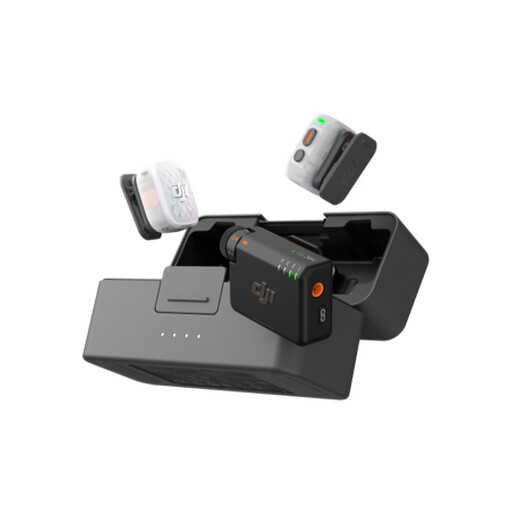 Image unavailable
DJI Mic Mini 2S (2 TX + 1 RX + Charging Case)
Consider this wireless kit for narration while moving between worktops. The listed bundle has two transmitters, one receiver and a charging case; confirm the receiver connection with your recorder and test the setup in the classroom.
View on Joybuy
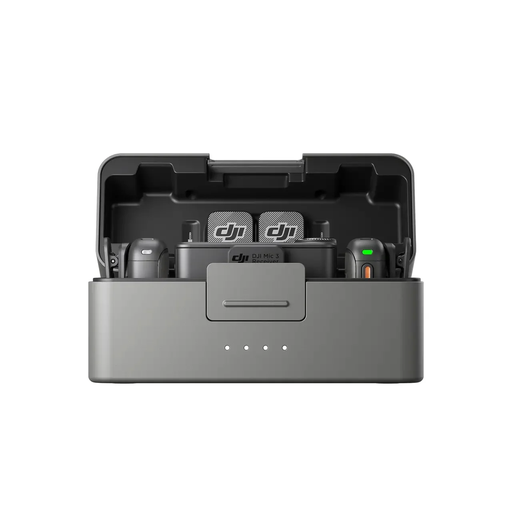 Image unavailable
DJI Mic 3 (2 TX + 1 RX + Charging Case)
Consider the two-transmitter kit if the recording calls for wearable microphones while the presenter moves. It includes one receiver and a charging case; check the connection to the intended recorder and test the complete kit before a lesson.
View on Joybuy
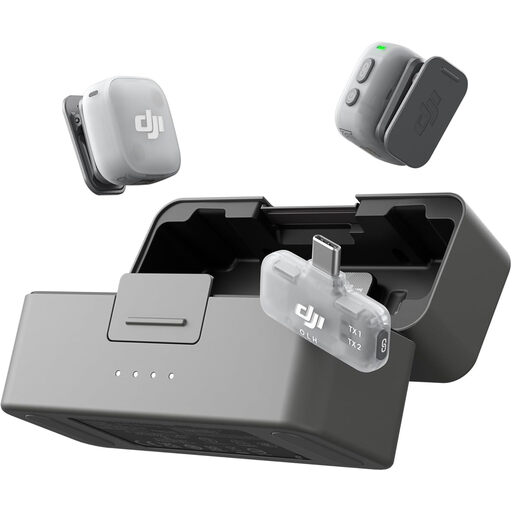 Image unavailable
DJI Mic Mini 2 (2 TX + 1 Mobile RX + Charging Case)
This wireless variant is worth checking for mobile-device recording while the narrator moves. The listed kit has two transmitters, one mobile receiver and a charging case; confirm that the receiver works with your particular phone or tablet.
View on Joybuy
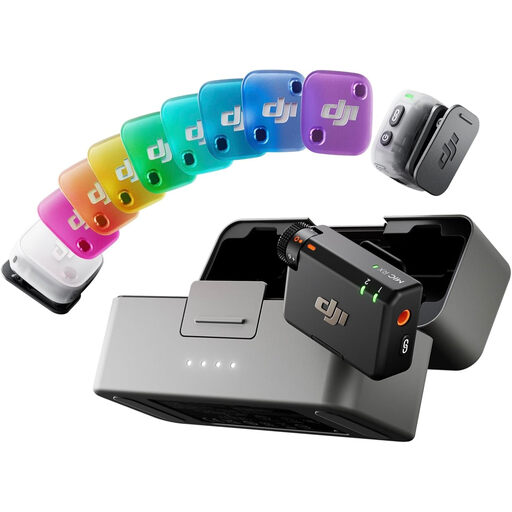 Image unavailable
DJI Mic Mini 2 (2 TX + 1 RX + Charging Case)
For a moving narrator, compare this kit’s receiver configuration with the device that will record the lesson. The title identifies two transmitters, one receiver and a charging case; test the connection and wireless link in the intended room.
View on Joybuy
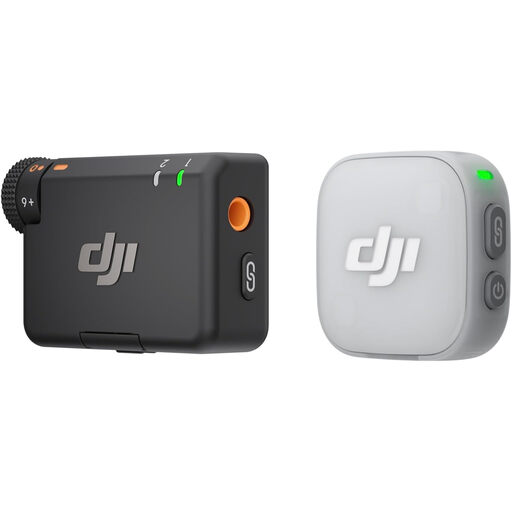 Image unavailable
DJI Mic Mini 2 (1 TX + 1 RX)
Consider this one-transmitter kit when a single moving narrator needs a wearable microphone. Its listed configuration has one transmitter and one receiver; confirm the recorder connection and test the wireless link before filming.
View on Joybuy
Common questions
Should I use wireless for a recipe demonstration?
Use a wireless clip-on microphone when the narrator needs to speak while moving between worktops. If narration stays at one position, a fixed cardioid microphone is another option; keep the speaker close to it and test both the recording level and surrounding sound.
Does a 2.4 GHz wireless microphone need a UK licence?
Ofcom identifies 2.400–2.4835 GHz as a licence-exempt range for wireless microphones under the applicable exemption requirements. It also notes that other low-power equipment uses the band and can cause interference, so check the chosen system and test it in the classroom.
Where should I clip a wired lavalier?
For the Shure MVL, Shure recommends placing the microphone 15–25 cm from the mouth. Clip it securely and make a short test recording to check for clothing or apron noise.
Can pupils appear in a filmed classroom recipe lesson?
Before taking, using or sharing video showing identifiable pupils, the school needs a valid lawful basis: Department for Education guidance treats such images as personal data. Follow the school’s procedures for recording and sharing, and ask its data-protection lead about arrangements involving pupil voices.


