What to check before buying a classroom robot dog
Start with the first program pupils will write, then check the exact robot and the practical arrangements needed to run that lesson. The percentages below describe consumers choosing a programmable quadruped for these classroom coding activities, with each row representing one primary purchasing need.
| Concern |
What to check when buying |
Who this matters to |
| First coding activity |
Check the exact model, controller, required editor or extension, school-device compatibility and a working introductory exercise. |
I want pupils to write a simple program and see the robot respond, using tools already available in class. Around 26% of consumers put an achievable first programming step first. |
| Teachable sensor project |
Check that the instructions cover the planned activity and confirm whether the required sensors or other accessories are included. |
I want pupils to connect code with movement or sensor inputs, rather than only watch preset actions. Consumers prioritising a teachable sensor-and-movement project make up around 21%. |
| Python or advanced control |
Verify the revision-specific software guidance, included controller and supported computer model; decide whether the lesson genuinely needs ROS. |
I need pupils to progress beyond blocks and have time to prepare the computing setup. Around 16% of consumers put Python or more advanced robot control first. |
| Assembly and preparation |
Compare construction and pre-assembled versions, including the exact servo or arm bundle, instructions and preparation time. |
I have limited lesson time and need to decide whether building the robot is part of the learning activity. Consumers prioritising manageable setup account for around 16%. |
| Safe repeated use |
Confirm the variant's battery and charger instructions, replacement-part route, supplier support and an activity-appropriate school risk assessment. |
I need a practical plan for charging, supervision and keeping equipment usable across lessons. Around 21% of consumers put safe, repeatable class use first. |
Joybuy product options
These Joybuy listings range from interactive robot-dog toys to quadruped robot platforms. Check each option against pupil-written coding, age suitability and the space and supervision required before considering it for a classroom lesson.
 No image available
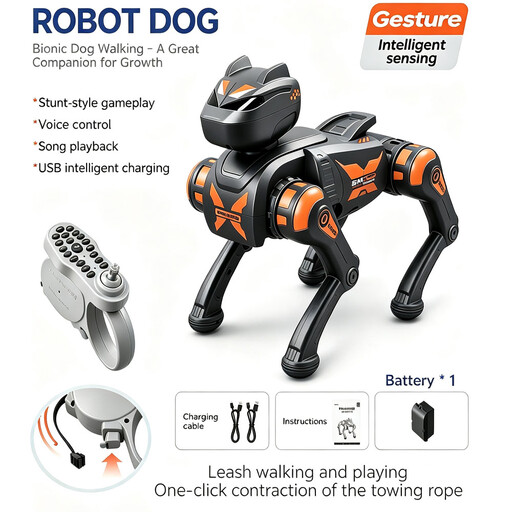
Smart Interactive Robot Dog, Black 1
The listing describes programmable walking and introductory coding concepts, so check the actual programming environment and pupil-written activities before using it for a coding lesson.
Voice, app and remote control are stated in the product name.
View on Joybuy
 No image available
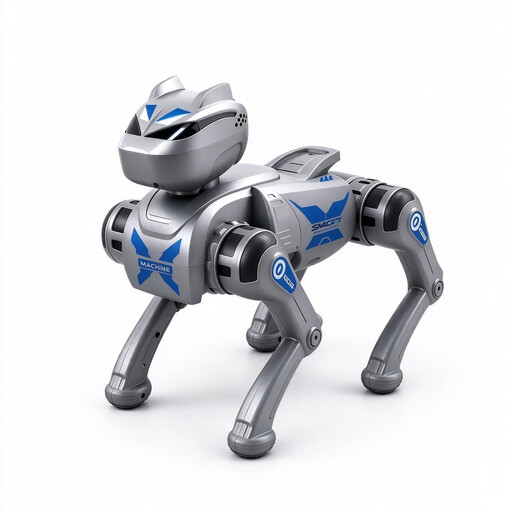
Smart Interactive Robot Dog, Silver Blue
The listed controls and movement actions may suit a demonstration of interactive responses, but the provided product details do not establish a pupil coding environment.
Gesture, voice and remote control are stated in the product name.
View on Joybuy
 No image available
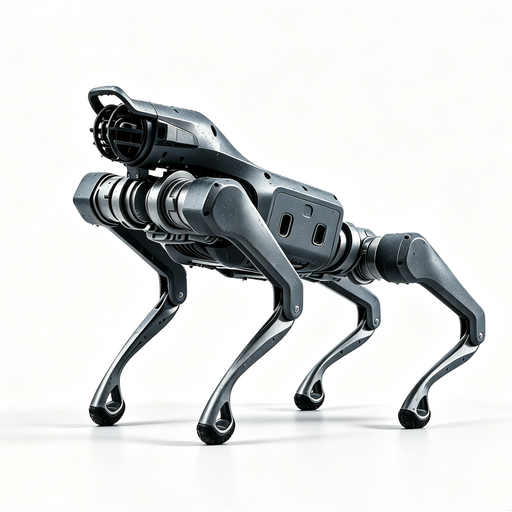
Unitree As2 Pro Quadruped Robot Dog
This quadruped is described as requiring an open, clutter-free area of at least 6 m × 6 m, which needs careful consideration for a classroom activity.
The description warns against touching the robot while it is moving and notes a pinching risk at the joints.
View on Joybuy
 No image available
Unitree AS2 Air Quadrupedal Robot
The supplied safety information calls for at least 2 m of distance during high-speed manoeuvres or autonomous testing.
It also calls for a trained operator with a remote emergency-stop command during initial deployment in public or unmapped spaces.
View on Joybuy
 No image available
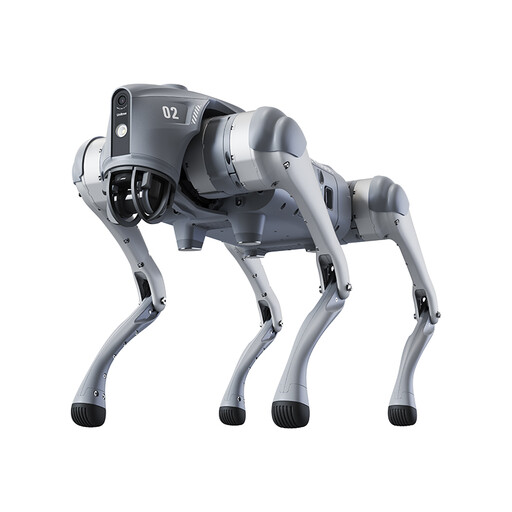
Unitree Go2 Pro Quadruped Bionic Robot Dog
The description lists app-based graphical programming but also says that secondary development is not supported, so check whether that scope matches the intended pupil activity.
The description says the product is not a toy and is unsuitable for people under 14.
View on Joybuy
Frequently asked questions
Should a primary class start with blocks or Python?
For pupils new to coding, begin by testing a documented block-coding activity on the school's devices. If the class is ready to configure a Raspberry Pi and write text-based code, a Python project is a different route; SunFounder documents PiDog projects, and you should check whether the exact kit includes the computer.
What should happen before pupils assemble or operate several robot dogs?
Check the exact kit's assembly and charging instructions, inspect the parts, set up a supervised movement area and follow the school's activity-appropriate risk-management process. The Health and Safety Executive advises appropriate assessment where specialist equipment is used; do not treat one robot's assembly estimate as a class-set timetable.
Can classroom robot dogs be charged with any matching-looking adaptor?
Do not assume that an adaptor is suitable: follow the instructions for the exact robot and charger. The London Fire Brigade advises using the supplied charger or a genuine replacement, protecting batteries from damage and not leaving devices continuously charging after the cycle is complete.
What should a school check before ordering a class set?
Confirm the exact configuration, required controller and charger, quantity, warranty terms, supplier support and how batteries or parts can be replaced. An individual product listing does not establish that the same configuration is available in the quantity a school needs.
May a camera-equipped robot dog record pupils during a lesson?
A camera feature is not permission to record. The Department for Education explains that images of identifiable individuals are personal data, so discuss the lesson, lawful basis and handling of collection, storage and sharing with the school's data-protection lead before enabling camera or cloud features.


