Teachers recording their own language modelling
If you mainly want to replay explanations, pronunciation examples and vocabulary work, focus on positioning a recorder near your voice and on how you will play back and transfer the files.


Choose a compact voice recorder for teacher-led explanations or a nearby small group, placing it close to the speaker you need to hear. If pupil contributions across the classroom matter, plan for an installed microphone system or additional close microphones rather than relying on one handheld recorder. Before recording identifiable people in a UK school, follow the school’s data-protection procedures for recording, storing and sharing audio.
If you mainly want to replay explanations, pronunciation examples and vocabulary work, focus on positioning a recorder near your voice and on how you will play back and transfer the files.
Answers, pair work and discussion require a plan for where contributors will speak. Guidance from the University of Edinburgh and Cornell University highlights the limitations of relying on distant microphones for individual voices.
If you will review, edit or transfer recordings after class, consider the file workflow alongside microphone placement. An external microphone input or a recording mode suited to changing levels may also matter.
Decide whose speech the recording must preserve before choosing the recorder; then check how the files will move into the school’s approved storage and sharing workflow.
Choose it when: The main recording is a teacher’s voice or a nearby small-group activity, with straightforward playback and transfer.
Accept the trade-off: Speech modes do not establish that quiet pupils elsewhere in the room will be intelligible.
Choose it when: Speaking levels change sharply or you want the option of connecting an external microphone.
Accept the trade-off: Easier level management cannot compensate for a microphone placed too far from the speaker.
Choose them when: Pupil answers and discussion are essential parts of the recording.
Accept the trade-off: The setup depends on equipment available in the room and needs testing with speakers in their actual positions.
| Concern | What to check | Who this matters to |
|---|---|---|
| Teacher-voice clarity | Look for speech-recording controls and a workable position close to the teacher; test a short pronunciation example. | I need individual words and pronunciation examples to be clear on replay, not just a record that the lesson happened. Roughly 36% of consumers put teacher-voice clarity first. |
| Pupil contributions | Check the room’s available microphones and test a quiet contribution from the furthest expected speaking position. | If answers or pair work are the point of recording, I need those voices to remain understandable. For roughly 29% of consumers, capturing pupil contributions is the primary concern. |
| Changing levels and workflow | Check the exact model’s recording format, intended microphone connection and file-transfer method. | My lesson can shift from quiet explanation to louder activity, and I need files I can review afterwards. Recording resilience and workflow come first for roughly 21% of consumers. |
| Storage and approved handling | Check storage and power for a full lesson, plus the school-approved destination and transfer route for identifiable audio. | I need to finish the recording and move it without using a sharing route the school has not approved. Roughly 14% of consumers make storage and handling their first purchasing concern; school procedures still apply when another concern comes first. |
Cornell University cautions that distant or soft student voices may not come through clearly on room microphones. A recorder’s feature list cannot replace a test with speakers in the intended positions.
Record a contribution from the furthest expected position. If that speech is essential, arrange a microphone closer to the contributor.
That may require access to classroom microphones or additional close microphones.
Zoom and Tascam describe 32-bit float as a way to manage recording levels. It cannot restore words that were unclear at the microphone.
Choose it if changing levels are a concern, but position and test the recorder or external microphone for the intended speaker.
Philips documents app-based sharing for its VoiceTracer range. The Department for Education says schools must have data-protection policies and procedures, so a convenient transfer feature does not by itself make that route appropriate for a lesson recording.
Before recording identifiable people, confirm the school’s approved storage, access, transfer and deletion procedures.
Moving a file into an approved system may add steps after the lesson.
Power, storage and microphone arrangements differ between models. An otherwise suitable recorder may still need preparation for the length of the lesson and the planned file workflow.
Check recording duration, storage destination, power, microphone placement and the device that will receive the file before buying.
Depending on the setup, you may need a memory card, batteries, a stand, an adapter or an external microphone.
The documented ICD-UX570 is a compact option for recording a nearby teaching voice and transferring files by USB.
The H1essential suits a setup where changing recording levels and the option of a lavalier microphone matter.
The DR-05XP is a portable recorder option for buyers considering an external microphone and AA-battery operation.
The documented VoiceTracer range offers recording scenes and storage options for spoken material.
These products cover portable voice recorders for teacher-led recording and a clip-on microphone setup that can keep capture close to the teacher. For pupil discussion, assess microphone access and placement separately rather than treating any one product here as whole-room coverage.
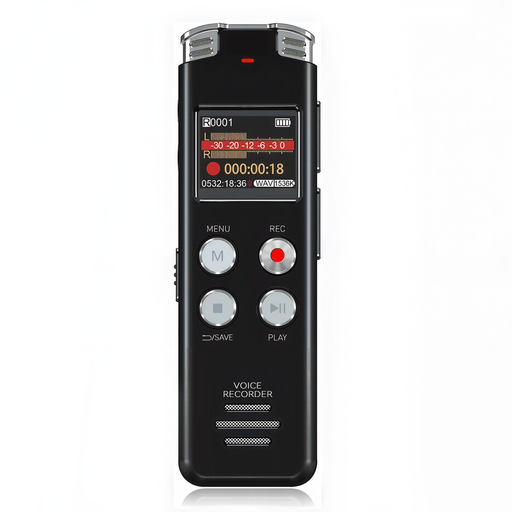 No image available
Consider it for recording a teacher’s voice from a nearby position and reviewing spoken examples afterwards.
The product title identifies 128GB storage and an LCD screen. Test the intended recording position if quieter pupil contributions matter.
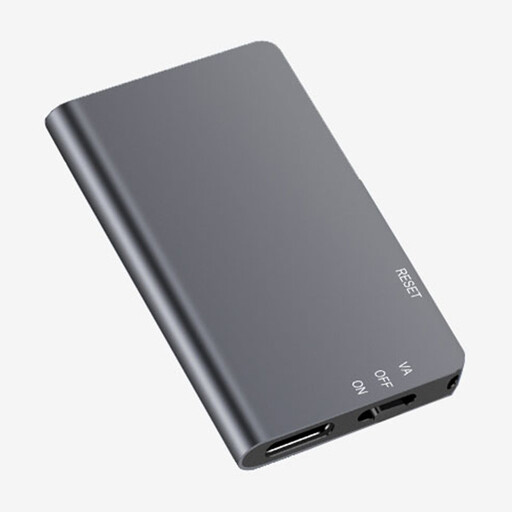 No image available
The one-touch recording format suits a teacher who wants to start capturing a nearby explanation without a complicated setup.
The product title identifies 64GB storage. Test pupil speech in the room before relying on it for discussion.
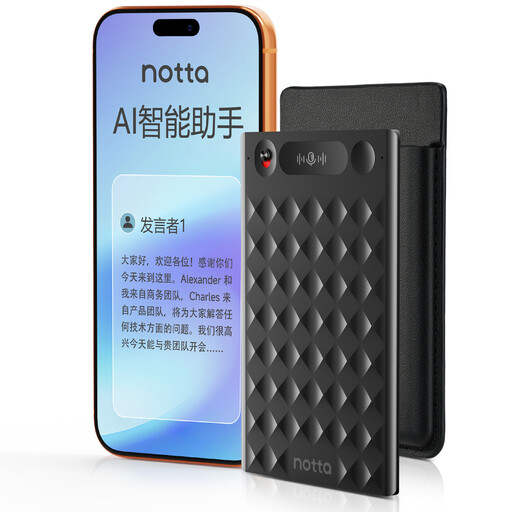 No image available
Consider its recording and text-review features only if the resulting file workflow fits the school’s procedures.
The product title identifies 32GB storage and advertises transcription and translation functions; do not assume their accuracy for a language lesson. Confirm whether recording and file transfer can avoid an app-based cloud route before capturing identifiable people.
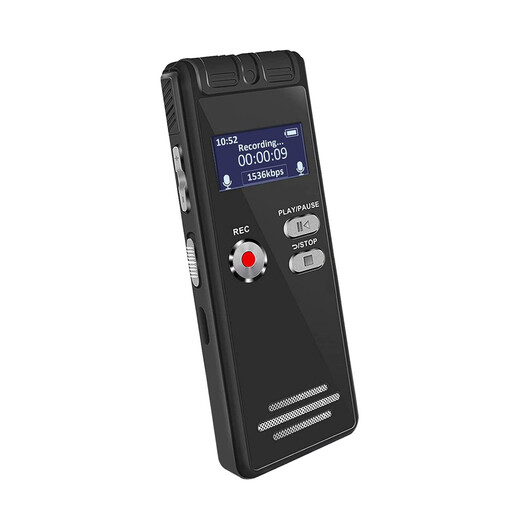 No image available
Consider it for a nearby teacher-led recording, with a classroom test before using it to document pupil answers.
The product title identifies an LCD screen and 64GB storage. Confirm whether that storage is built in or supplied on a detachable card when planning file transfer.
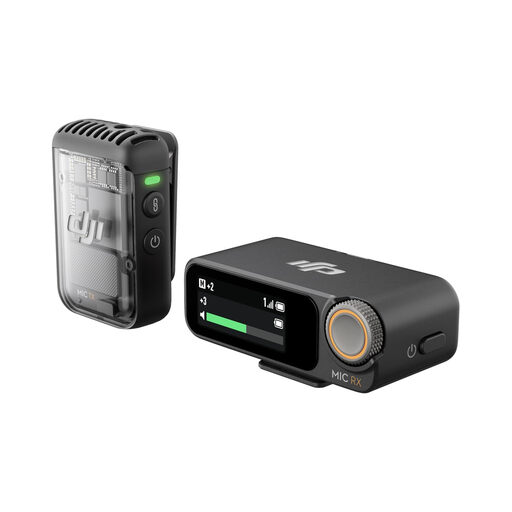 No image available
A clip-on microphone can keep capture close to a teacher who moves while speaking, but this single-transmitter bundle does not put microphones near pupils around the room.
The product title specifies 32-bit-float recording. Check receiver compatibility and how standalone recordings would be exported for the school’s approved workflow.
Do not rely on it for every voice without testing the actual classroom. Cornell University notes that soft or distant student voices may not come through clearly on room microphones; if pupil contributions are essential, arrange closer microphones where available.
Choose a speech-focused recorder for a nearby teacher voice and straightforward replay or transfer; consider 32-bit float when changing levels or an external microphone matter more. Zoom and Tascam describe reduced need for level adjustment, but microphone placement still determines whether distant speech reaches the recorder clearly.
Make a short recording from the positions that matter: the teacher’s usual speaking position and, if needed, a pupil’s expected position. Listen back before relying on the setup, and plan how contributors will reach a microphone if their words must be preserved.
Check the exact recorder’s storage, power source and microphone arrangement against the length and location of your lesson. Sony specifies internal memory and microSD expansion for the ICD-UX570, while Tascam specifies two-AA operation for the DR-05XP; a card, batteries or an external microphone may be needed for your chosen setup.
Follow the school’s data-protection procedures before making or sharing the recording. The Information Commissioner’s Office defines personal data as information relating to an identified or identifiable person, and Department for Education guidance requires schools to have data-protection policies and procedures. Ask the school’s data-protection lead which purpose and handling route are approved for the planned lesson.