Portfolio-led presenters
If clients inspect photography, designs, drawings or proposals on the tablet itself, give screen space and the way your work appears in the room priority. A larger display also means more to carry between visits.


Choose around what happens in the meeting: a larger tablet screen helps when clients inspect visual work directly, while a Windows tablet is worth considering when you must use desktop applications or office peripherals. A compact tablet may be easier to take between visits, but check your files, display connection, internet access and handling of client information before committing to a device.
If clients inspect photography, designs, drawings or proposals on the tablet itself, give screen space and the way your work appears in the room priority. A larger display also means more to carry between visits.
If you must edit work in established Windows applications, manage desktop-style files or connect office peripherals while visiting clients, check the exact software and processor configuration before choosing a Windows tablet.
If you move between meetings and mark up work or take handwritten notes on the tablet, a compact format and a pen supplied with the chosen model may simplify what you need to bring.
Decide whether clients will view work on the tablet, whether you must edit it in desktop software, and how you will work away from your usual network.
Consider it: A 13-inch iPad Air gives visual portfolios, drawings and slides more room when clients view them directly on the device.
Trade-off: Apple UK lists the 13-inch Wi-Fi iPad Air at 616 g, against 464 g for the 11-inch Wi-Fi model; Apple Pencil and Magic Keyboard are separate accessories.
Consider it: A Windows tablet is a route to examine when client work depends on desktop applications, familiar file workflows or wired peripherals.
Trade-off: Surface Pro configurations vary, so check essential applications and drivers against the exact processor and Windows edition; laptop-style work may also call for a keyboard.
Consider it: The 11-inch Samsung Galaxy Tab S11 suits a workflow built around travel, Android apps and handwritten annotation; Samsung UK lists an S Pen in the box.
Trade-off: Test the presentation apps, files and external-display method you need before relying on that Android setup at a client meeting.
| Concern | What to check | Who this matters to |
|---|---|---|
| Viewing work together | Compare display size and carrying weight; open a representative portfolio or slide deck at a normal meeting-room viewing distance. | When a client inspects images or drawings on my tablet, I need enough room to show the detail without making travel impractical. Roughly 42% of consumers put clear, shared viewing first. |
| Desktop workflow | Check required applications, file formats and peripherals against the exact tablet configuration. | If I need to revise a client file during a visit, simply displaying its finished PDF will not cover my work. Around 33% of consumers prioritise keeping their desktop workflow. |
| Mobile and secure use | Check whether the chosen model needs Wi-Fi or mobile data for your work, and set up appropriate protection for stored client information. | Moving between sites, I need access to essential work without relying on a client’s network, while keeping any personal information on the device protected. About 25% of consumers make connected, secure travel their primary concern. |
More display space can help clients inspect work on the tablet, but the device may be less convenient to carry and may still need accessories for your full workflow.
Open your actual presentation files and identify what you need for typing, annotation and connecting to a client display.
A connection you cannot use could prevent you from retrieving cloud files or opening online material during a meeting.
Keep essential work available offline where practical. Consider a cellular model if independent internet access is important to your visits.
Preparing offline files also takes time before each visit.
Opening a PDF does not establish that a tablet will run the application used to edit it or connect to the client’s meeting-room equipment.
Check your applications, file types, fonts, display inputs and USB accessories. For a Surface Pro, confirm essential software and driver support for the exact processor configuration.
A tablet carried between sites can be lost or stolen. The Information Commissioner’s Office recommends storage encryption on tablets that hold personal information; it also explains that UK GDPR does not require encryption of all personal information in every circumstance.
Use a strong passcode, enable appropriate storage encryption, limit locally stored client data and follow your organisation’s security policy.
The current iPad Air range offers 11-inch and 13-inch options for presenters choosing between a smaller carry and more screen space.
Surface Pro (11th Edition) is relevant when a touchscreen format must fit an existing Windows-based workflow.
Galaxy Tab S11 is an 11-inch Android option for presenting and annotating work while travelling.
These Apple, Samsung and Xiaomi tablets offer different screen sizes and configurations for showing work to clients. Match any choice to your files, meeting-room connection and need to edit work while on site.
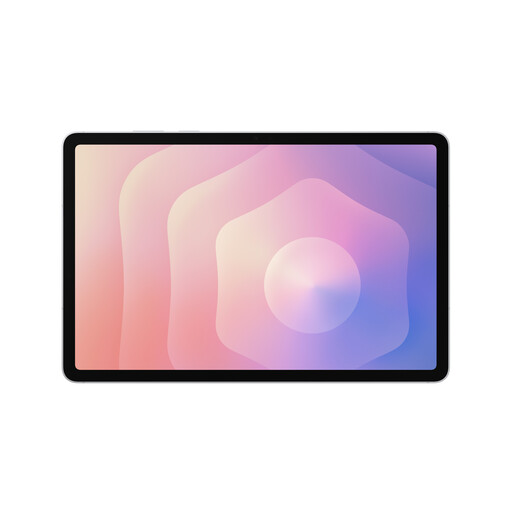 Image unavailable
Consider this model if you want to show work on an 11-inch tablet and annotate it during meetings; Samsung UK lists an S Pen with the Galaxy Tab S11.
This is a Wi-Fi configuration. Check access to a suitable connection and test your presentation apps and the client’s display method.
 Image unavailable
The stated 13-inch size makes this a model to consider when clients will view work on the tablet itself.
The product name identifies Wi-Fi + Cellular connectivity and 1TB storage. Check the exact configuration and your meeting-room connection; do not assume a pen or keyboard is supplied.
 Image unavailable
Choose this configuration to consider pen annotation alongside showing work at a client meeting; the product name says a Focus Pen is included.
Check that your presentation files, apps and intended external-display connection work with this model.
 Image unavailable
Consider this tablet if your client presentation involves showing work on the device or connecting to another screen.
Confirm that the required monitor, cable or adapter works with your chosen setup. If you plan to annotate with a Xiaomi Focus Pen, check its compatibility and availability separately.
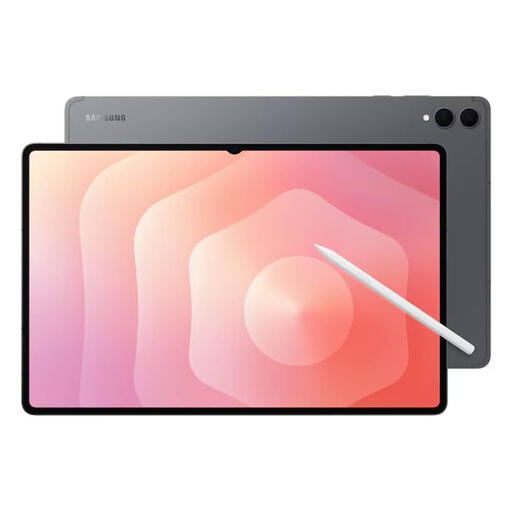 Image unavailable
Consider this configuration when clients will inspect work on a larger tablet screen; the selected model is listed with a 14.6-inch display.
It is a Wi-Fi configuration. Check its carrying fit, whether your intended pen setup is supplied, and compatibility with your apps and the client’s display.
Choose the larger screen when clients regularly inspect detailed work on the tablet itself; consider the smaller size if you travel frequently or usually connect to another display. Apple UK lists its 13-inch Wi-Fi iPad Air at 616 g and its 11-inch Wi-Fi model at 464 g, so compare the carrying weight as well as the viewing space.
Consider cellular connectivity if meetings require online access and you cannot depend on client Wi-Fi or your own hotspot. Apple UK says Wi-Fi + Cellular iPad Air models can use a mobile data plan when Wi-Fi is unavailable; keep essential presentation files available offline where practical.
Bring a keyboard if you expect to edit substantial text, and a compatible stylus if you mark up work or take handwritten notes. Apple Pencil and Magic Keyboard are separate accessories for the current iPad Air, while Samsung UK lists an S Pen with the Galaxy Tab S11; check the contents of the exact model you choose.
UK GDPR calls for security measures appropriate to the risk, but does not specifically require encryption of all personal information in every circumstance. The Information Commissioner’s Office recommends enabling storage encryption on tablets that store personal information; follow your organisation’s data-handling policy as well.
Open the actual files, check any fonts and embedded media, and test the cable, adapter or wireless-display method you plan to use. Where possible, confirm that essential work opens offline; for a Surface setup, check that the chosen dock and peripherals are compatible with your configuration.