Choose a backup route by deciding which files you need to restore, which devices hold them and how you will keep a separate, usable copy. Cloud services can automate uploads, while external storage gives you a local copy that needs a regular routine and safe keeping; a NAS can collect files from several devices but needs its own backup destination. Check exactly what your chosen service covers, and try restoring a few files before relying on it.
Who may need a backup plan
People keeping irreplaceable photos
If you want to recover family photos and other valued files after a device is lost or an item is deleted from a synced library, check that a separate, restorable copy exists. The National Cyber Security Centre describes recovery after loss, damage or deletion as a reason to back up important data.
Households using several devices
When photos and documents are spread across phones and computers, check the backup or upload settings on each device and who will maintain them. The National Cyber Security Centre and Synology describe backup routes that can help cover personal devices and shared files.
People with growing collections
Choose a destination with room for the files and the backup routine you plan to use. Apple Support (UK) advises that a Time Machine disk should have at least twice the storage capacity of the Mac being backed up.
What to consider when choosing
The National Cyber Security Centre describes cloud storage and removable media as backup routes; your choice depends on what needs restoring and how you will keep the copy available.
| Concern |
What to check when buying |
Who this matters to |
| Recovery after loss or deletion |
Check what is copied, whether deleted files remain recoverable and how to restore a sample. |
If a phone is lost or valued photos are deleted, I want a separate copy I can actually restore. Around 31% of consumers put recovery after loss or deletion first. |
| Coverage across devices |
List each device and file type, then check its settings and the most recent successful upload or backup. |
When photos and documents live on more than one phone or computer, I need to know each device is covered. Around 25% of consumers prioritise coverage across devices. |
| Capacity |
Estimate the files to protect and check shared cloud storage or the destination guidance for your backup software. Google One Help says Google Account storage is shared across Gmail, Drive and Photos; Apple advises a Time Machine disk with at least twice the Mac’s storage capacity. |
If my photo or video library is growing, I want room for the files and their backup copies. Around 19% of consumers put capacity first. |
| Access and privacy |
Check sign-in protections, local-backup encryption and account-recovery details. Apple Support (UK) says users in the UK who had not already enabled Advanced Data Protection cannot turn it on. |
For sensitive files, I want to know who can access each copy and how I would regain account access. Around 13% of consumers prioritise privacy and access control. |
| Ongoing cost and upkeep |
Review the current plan’s capacity, billing and cancellation terms, or account for the hardware, maintenance and separate destination a local backup routine needs. Google One Help describes monthly or annual subscriptions for additional storage; Synology describes backing up NAS files to another destination. |
I need an arrangement whose recurring charges or maintenance I can keep up with. Around 12% of consumers put ongoing cost and upkeep first. |
Backup buying pitfalls to avoid
-
Treating a synced photo library as an independent backup
Apple says that when iCloud Photos is enabled, photos are synced rather than duplicated in iCloud Backup, and deletions can appear across connected devices.
Keep a separate recoverable copy of important photos and check it periodically.
-
Buying a drive before checking capacity and formatting
Apple advises a Time Machine disk with at least twice the Mac’s storage capacity, and setup may ask to erase the disk. Seagate says its Expansion Portable drive needs reformatting for Time Machine.
Check the requirements for your backup software and move existing files elsewhere before agreeing to erase or reformat a drive.
-
Assuming a NAS or rugged drive removes the need for another copy
Synology describes backing up a NAS to another destination, so a NAS alone does not provide that separate copy. Samsung’s stated T7 Shield resistance has specific conditions and does not establish protection from every kind of damage.
Plan where you could restore files from if the storage device or its location became unavailable.
-
Overlooking shared account capacity and subscription terms
Google Account storage is shared across Gmail, Drive and Photos, and paid plans can involve ongoing billing.
Check your current UK plan’s available capacity, renewal terms and export process before relying on it for your backup routine.
Relevant brands and services for reference
Apple
Apple documents iCloud Backup and Time Machine for different device-backup needs.
- Apple says iCloud Photos are synced rather than duplicated in iCloud Backup when the photo service is enabled.
- Apple Support (UK) says users who had not already enabled Advanced Data Protection cannot turn it on in the UK.
Google
Google Photos and Google Account storage can be relevant for households using Google accounts.
- Google documents automatic photo and video saving when backup is enabled.
- Google Account storage is shared across Gmail, Drive and Photos; check your device-backup settings and available space rather than assuming photo upload covers every item.
Microsoft
OneDrive synchronises files across supported devices, while File History is a separate Windows backup option.
- Microsoft documents File History as a way to restore versions of included libraries and folders.
- Microsoft says OneDrive changes and deletions sync in both directions; neither service description means every item on a PC is automatically captured.
Seagate
The Expansion Portable STKM2000400 is a manufacturer-documented 2 TB external hard-drive example for a computer-led local-copy routine.
- Seagate’s datasheet specifies USB-cable power and a USB 3.0 cable.
- Seagate says Time Machine use requires reformatting; compatibility depends on configuration.
Samsung
The T7 Shield is a portable SSD example for moving files between compatible devices.
- Samsung states maximum read and write speeds of up to 1,050/1,000 MB/s when the host, cables and UASP meet its specified requirements.
- Those speed figures depend on the stated connection conditions; check that your device and cable support them.
Synology
The DS223j is a NAS example for households considering shared files and backup jobs across devices.
- Synology documents mobile-photo uploads and PC-folder backup capabilities for the DS223j.
- Synology also describes backing up NAS folders to another destination, so plan a separate copy rather than relying on the NAS alone.
Kingston
DataTraveler Exodia M is a USB Type-A flash-drive option for a selected set of files.
- Kingston lists 64 GB, 128 GB and 256 GB variants.
- Choose capacity for the files you intend to keep; a portable flash drive may not have room for a growing photo library.
Joybuy products for local storage
These Joybuy listings focus on local storage for personal backups, from desktop and portable drives to a USB flash drive.
 No image available
Samsung MU-PG4T0B 4 TB USB Type-C USB 3.2 Gen 2x2 Black
A portable SSD option for a separate local copy of personal files.
4 TB capacity; USB Type-C; USB 3.2 Gen 2x2. The listing says maximum speed requires a USB 3.2 Gen 2x2 port.
View on Joybuy
 No image available
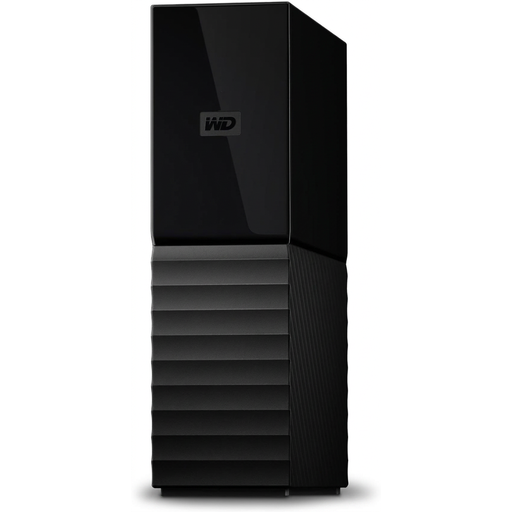
Western Digital My Book 22TB External Desktop Hard Drive
A desktop drive for a computer-held archive kept in a fixed location.
22 TB; USB 3.0; password protection and hardware encryption; listed for PC and Mac.
View on Joybuy
 No image available
Western Digital Elements Portable 4TB Black USB 3.0
A portable local-drive option for keeping a separate copy of personal files.
4 TB; USB 3.0. The product description says reformatting may be required for Mac or other operating systems, and compatibility can vary by configuration.
View on Joybuy
 No image available
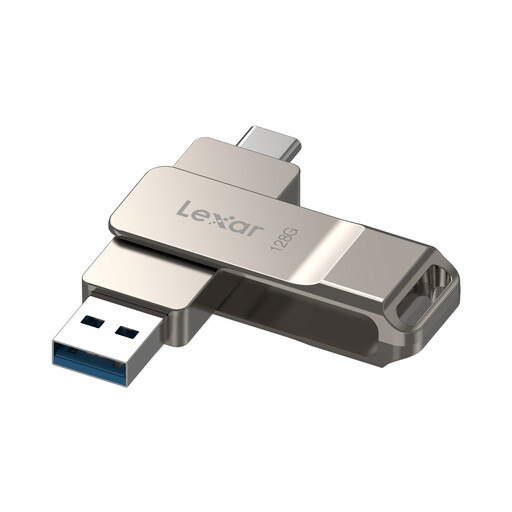
Lexar D40E 128GB Dual USB 3.2 Gen 1
A compact option for carrying a selected set of files between compatible devices.
128 GB; USB Type-A and Type-C connectors; USB 3.2 Gen 1. Android file access requires USB OTG support.
View on Joybuy
 No image available
Lexar ES4 Portable SSD with Magnetic Set 2TB
A portable local-storage option for compatible phones and computers.
2 TB; USB 3.2 Gen 2; stated speeds up to 1,050 MB/s read and 1,000 MB/s write. The listing names compatibility with iPhone 15/16, PC and Mac; MagSafe wireless charging is not supported while the SSD is attached.
View on Joybuy
Backup questions answered
If my photos are in iCloud Photos, are they also in my iCloud device backup?
Not when iCloud Photos is enabled: Apple says those photos are synced and are not duplicated in iCloud Backup. Deletions sync across devices; Apple describes a 30-day Recently Deleted recovery period and recommends keeping backup copies of the library.
How can I check that a new backup can be restored?
Check that recently added files appear at the destination, then open or restore a small sample. For a Mac using Time Machine, Apple’s instructions also let you check the latest backup’s progress or completion.
What should I check before using an external drive for Time Machine?
Check the Mac connection and available capacity. Apple advises a backup disk with at least twice the Mac’s storage capacity and warns setup may require erasing it; Seagate says its Expansion Portable model requires reformatting for Time Machine.
Does a cloud-storage subscription replace a local copy?
Not necessarily. The National Cyber Security Centre advises considering cloud and removable-media copies for irreplaceable files; check what the cloud feature covers, whether deletions sync and whether you can access your account and restore files.
Do I have to register or pay an ICO fee to back up family files at home?
The Information Commissioner’s Office says the UK GDPR does not apply to processing carried out by individuals purely for personal or household activities. That conclusion should not automatically be extended to an arrangement involving work files or other non-household processing.


