Choose a household backup arrangement by identifying what you would need to restore, which devices hold it and where a separate copy will live. Cloud services can handle account-based device backups or selected files, while removable storage gives you a copy you control directly; for irreplaceable family data, using both routes can avoid relying on a single location. The National Cyber Security Centre advises keeping a backup in a separate safe location, and Apple and Microsoft distinguish synchronised content from other backup coverage.
Who needs a household backup?
Families protecting irreplaceable memories
If losing a phone or computer would also mean losing family photos, videos or important documents, start with a separate copy you can recover. The National Cyber Security Centre identifies loss, damage, accidental deletion and malware as reasons to back up personal data.
Multi-device Apple, Android or Windows households
When family members use different devices and accounts, check what each backup service covers before sharing storage. Apple, Google and Microsoft describe different device, account and folder arrangements; shared capacity does not necessarily mean shared personal files.
Households with large photo or video libraries
A local external copy may suit regular transfers of a growing library, provided the drive has enough capacity and works with the intended devices. Samsung and SanDisk describe portable drives for moving large files, but a drive kept alongside the original device is not a separately located copy.
What matters when choosing a backup?
Decide what must be recoverable before choosing cloud storage, a drive or smaller removable media. Then check whether the destination works with each device and can hold the files you intend to copy.
Cloud backup or ecosystem storage
Consider it when: You want account-based restoration or access to selected data on another signed-in device.
Check: Apple, Google and Microsoft cover different data and devices; synchronised files and device backups may have separate roles.
Portable external SSD
Consider it when: You regularly make a local copy of a large photo or video library or move it between compatible devices.
Check: A drive kept with the original device remains vulnerable to the same loss; Samsung says its T7 maximum speed also depends on the host and cable.
Portable external HDD
Consider it when: You want a local archive that you update less frequently and do not need to move quickly.
Check: SanDisk notes that SSDs are typically faster than HDDs; an HDD still needs compatible formatting and a separate storage location.
USB drive or SD card
Consider it when: You need a deliberate copy of a limited set of documents or exported photos.
Check: Capacity, a compatible port or reader and a regular manual-copy routine before relying on small media.
| Concern |
What to check |
Who this matters to |
| Recovering lost data |
List the photos, documents and device data you would need back; check that a separate copy can be opened or restored. |
If a device is lost, damaged or erased, I need more than files left on that device. Around 31% of consumers would put recoverability first. |
| Device and account compatibility |
Check each device and operating system, the account required and the service’s family-sharing rules. |
With different phones or computers at home, I need an arrangement each person can actually use without assuming their files become shared. Compatibility would be the primary concern for around 31% of consumers. |
| Growing photo and video libraries |
Compare the library’s size and expected growth with storage capacity; check the drive connection for frequent transfers. |
As our photo and video collection grows, I need room for the next copy and a practical way to move it. Around 23% of consumers would prioritise library capacity and transfers. |
| Selected-file copies |
Define which files to copy, check the port or card reader, and test that the copies open. |
If I only need to preserve a few documents or exports, I want a manageable copying routine rather than assuming I have backed up an entire device. That limited-file need would come first for around 15% of consumers. |
Backup mistakes to avoid
-
Assuming synchronisation is a complete device backup
A synced library or folder may not cover settings, app data or files elsewhere on the device. Apple says iCloud Photos is synchronised separately from daily iCloud Backup; Microsoft says OneDrive folder backup synchronises selected Windows folders.
List what you would need after replacing each device. Check whether each item is synced, backed up or neither, then try opening a copied file or restoring a small sample.
-
Choosing an SSD by its maximum speed alone
Samsung says the T7’s maximum transfer speeds require a compatible USB 3.2 Gen 2 host and cable with UASP support. Some operating systems may require reformatting.
Check the exact device, port, cable and required file format before choosing a drive.
If reformatting is required, allow time to prepare the drive before making the first copy.
-
Keeping the only external copy beside the original device
If the device and drive are lost or damaged together, that copy may not help. The National Cyber Security Centre defines a backup as a copy stored in a separate safe location.
Keep a current copy away from the primary device, whether in a suitable cloud account or on physically separate media, and check periodically that you can recover it.
-
Assuming family storage is reserved separately for each person
Apple and Google describe shared family storage capacity, so one person’s growing library can affect the space available to others.
Check current use, allow for growing photo and video collections, and review the shared capacity regularly.
Relevant brands and services
Apple
iCloud Backup and iCloud+ are relevant to households using iPhone, iPad and Apple Family Sharing.
- Apple says an iCloud+ subscription can be shared with up to five other family members while each keeps a separate Apple Account and private files.
- iCloud Photos synchronises separately and is not included in daily iCloud Backup. Check both the photo library and device-backup settings.
Google
Google’s Android backup, Google Photos and Google One address different parts of an Android household’s backup and storage needs.
- Google says family members can share Google One capacity without automatically gaining access to one another’s files.
- Invited family members must live in the same country. Google also notes that Android restoration depends on the version and app, so check the data needed on a replacement phone.
Microsoft
Windows Backup and OneDrive folder backup are relevant when a household wants selected Windows folders available through a personal Microsoft account.
- Microsoft describes folder backup for selected locations including Desktop, Documents and Pictures.
- The Windows Backup app described by Microsoft is for consumer devices, not work or school accounts. Check the selected folders rather than assuming every file or app is covered.
Samsung
Samsung’s Portable SSD T7 line is one local-storage option for copying larger files between compatible devices.
- Samsung lists USB-C-to-C and USB-C-to-A cables with the cited T7 model.
- Samsung’s stated maximum transfer speed requires a USB 3.2 Gen 2 host and suitable cable with UASP; host compatibility varies and reformatting may be needed.
SanDisk
SanDisk’s Extreme Portable SSD line is relevant to households considering a portable local copy of larger photo or video collections.
- SanDisk describes the cited 2 TB Extreme Portable SSD for storing and moving large files.
- Manufacturer-stated drive features do not replace a second, separately located copy or a check that the intended devices can use the drive.
Joybuy options for local copies
These external drives and smaller removable-media options are for making local copies of household files. Choose capacity and connections around the files and devices you use, and keep a current copy separate from the original device.
 No image available
Samsung MU-PG4T0B 4 TB USB-C SSD
Consider this for a large local copy of family photos and videos. The product name specifies 4 TB, USB-C and USB 3.2 Gen 2x2; check the intended device and cable before relying on a particular transfer rate.
View on Joybuy
 No image available
Samsung Portable SSD T7 2 TB, Grey
Consider this for a local copy of a photo or document library that fits within 2 TB. Samsung lists USB-C-to-C and USB-C-to-A cables for the T7; check each intended device and its file-format requirements. Samsung says maximum speeds require a compatible USB 3.2 Gen 2 host and cable with UASP.
View on Joybuy
 No image available
Western Digital Elements Port. 4TB, Black
Consider this external HDD for a local archive that you update less frequently. Check the capacity and file format for the exact drive supplied, particularly if you intend to use it with macOS, and protect the drive from jolts during transfers.
View on Joybuy
 No image available
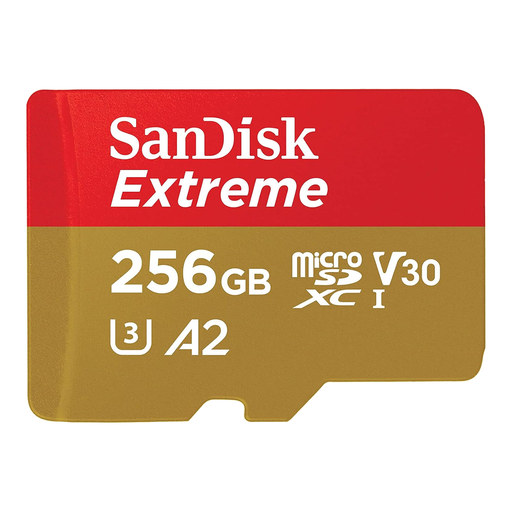
SanDisk Extreme microSDXC 256 GB with SD adapter
Consider this for selected files from a device that accepts microSDXC media or the included SD adapter. Check the slot or reader and whether 256 GB covers the files you plan to copy; do not assume it covers an entire device.
View on Joybuy
 No image available
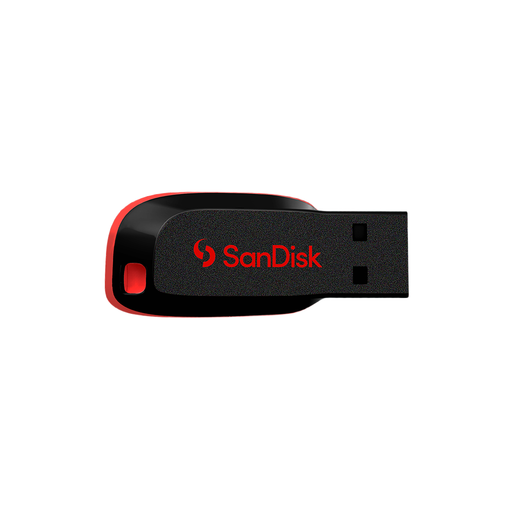
SanDisk Cruzer Blade 64 GB USB drive
Consider this for manually copying a limited set of documents or photos. Its stated capacity is 64 GB and its connection is USB 2.0; check that your device has a compatible port and that the selected files fit.
View on Joybuy
Common questions
Is cloud storage automatically a recoverable backup?
No: check whether the service synchronises files, stores device-backup data or does both. Apple says iCloud Photos is synchronised separately from daily iCloud Backup, while Microsoft says its OneDrive folder backup synchronises selected folders. Check how you would recover each important file and device setting.
Can family members share cloud capacity without sharing their files?
Yes, under the service’s account and eligibility rules. Apple says iCloud+ can be shared with up to five other family members using separate Apple Accounts; Google says Google One family members share capacity but cannot access one another’s files without permission, and invited members must live in the same country.
What should I check before using an external SSD with several devices?
Check each device’s port, the cable and the file format the device can read. Samsung says the T7 comes with USB-C-to-C and USB-C-to-A cables, but host compatibility varies and reformatting may be necessary. Its maximum rated speed requires compatible USB 3.2 Gen 2 and UASP support.
What happens if I turn off Android device backup?
Google says turning off Android Google backup erases the device-backup data, except content backed up to Google Photos. Google also says other device-backup data is erased after 57 days of device inactivity. Check what is stored separately in Google Photos before changing the setting.


