What should you check before choosing?
Start with where each copy will live and how you would restore it. Then check access, capacity and security for the devices and files you actually use.
| Priority | What to check | Your needs |
|---|
| Separate copies |
Check whether a copy is outside the home and whether a local drive can be disconnected. Test how to restore a deleted or changed file; Microsoft says its whole-account OneDrive restore is a Microsoft 365 feature. |
I need important files to remain recoverable if my device is lost or an unwanted change reaches the working copy. |
| Device access |
For cloud storage, check the apps and signed-in devices you will use. For a drive, confirm its connector, power needs, file system and read/write support on each intended device; Western Digital documents exFAT use with both Windows and macOS. |
My photos are spread across a phone and computer, or I need to add files from both Windows and Mac. |
| Capacity |
Compare your current library and expected growth with the available space. Google says its storage is shared across Drive, Gmail, WhatsApp backups and Google Photos, so check the whole account rather than photos alone. |
I want enough room for videos and documents as well as photos, without new backups stopping when storage fills. |
| Access control |
Review private, invited-person and public sharing settings, plus account recovery. If using optional encryption, establish how you will regain access before enabling it. |
Some of my files are sensitive, but I still need a workable way to recover the account or unlock a local copy. |
Which services and drive brands are relevant?
These references illustrate different backup routes; a service feature or drive specification should still be checked against your account, plan and devices.
Google
Google Photos and Drive suit account-based access to saved photos and files across signed-in devices.
- Google says saved photos and videos are accessible from signed-in devices.
- Google storage is shared across Drive, Gmail, WhatsApp backups and Photos; check the remaining allowance before depending on new photo backups.
Apple
iCloud is relevant to people using Apple devices for iCloud Backup and Photos.
- Apple offers optional Advanced Data Protection for iCloud, including protection for iCloud Backup and Photos.
- Apple says recovery with that setting relies on a device passcode or password, recovery contact or recovery key; plan for loss of account access.
Microsoft
OneDrive is relevant when personal files are kept in a Microsoft-account environment.
- Microsoft says Microsoft 365 subscribers can use Restore your OneDrive to undo file and folder actions within the last 30 days.
- That whole-account restore requires Microsoft 365, and Microsoft says permanently deleted Recycle Bin items cannot be recovered.
Seagate
Seagate’s portable external drives illustrate the computer-based local-copy route.
- Seagate lists portable-drive capacities of 1TB, 2TB, 4TB and 5TB.
- Seagate advises checking format, capacity, power, partition and USB-port support, particularly for devices beyond desktop and laptop computers.
Joybuy options for local copies
These portable SSDs, hard drives and removable storage options are for making local copies of personal files. A local device alone does not put a copy outside the home; choose its capacity and connection for the devices you intend to use.
 No image available
Samsung Portable SSD T7 1 TB, Blue
A portable local-copy option for photos and files. The title specifies USB Type-C 3.2 Gen 2 (3.1 Gen 2); check the connection and file-system support for each device you intend to use.
View on Joybuy
 No image available
Western Digital Elements portable 4TB, Black
The stated 4TB capacity provides space for a local photo and video copy. Its title specifies USB 3.0; confirm the file system and read/write support if you will use it with more than one operating system.
View on Joybuy
 No image available
SanDisk Portable SSD 2TB
This 2TB portable SSD is an option for a local copy of photos, videos and files. Confirm its file system and compatibility with the devices and backup software you plan to use.
View on Joybuy
 No image available
Western Digital My Passport portable hard drive 2TB, Black
A 2TB local-drive option for personal files. If you will back up a Mac, confirm the exact setup and file system before purchase; also check how any backup or encryption software is set up and recovered.
View on Joybuy
 No image available
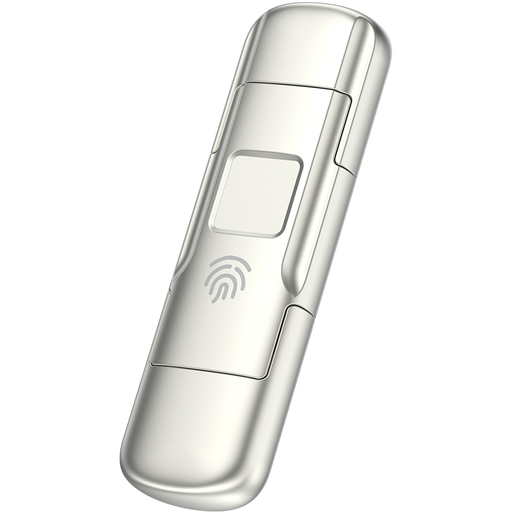
MOVESPEED YSUYC-256GSN 256GB fingerprint USB drive, Silver
The 256GB capacity makes this a removable-copy option for a selected set of files rather than an assumed fit for a large library. Its title specifies USB 3.2 Gen 1, USB-A and Type-C interfaces, and fingerprint encryption; check device compatibility and how access is recovered before relying on it.
View on Joybuy
Backup questions
Is cloud storage enough to back up my files?
Not on its own for every loss scenario. Cloud storage can hold copies outside the home and make files accessible across devices, but check what is included, whether unwanted changes are synchronised and how to restore deleted or earlier files. Keep another independent copy of irreplaceable material.
Can I use one external drive with Windows and Mac?
Yes, if the drive’s file system and your backup software support writing from both computers. Western Digital documents exFAT use with Windows and macOS; confirm the requirements for your particular drive and software before copying files. Move any existing files elsewhere before reformatting a drive, since reformatting can erase them.
Should I leave my backup drive connected?
Keep at least one separate backup disconnected when it is not in use where practical. The NCSC reports ransomware incidents that affected connected USB and network backup drives as well as original data; reconnect the drive when needed to back up or restore files, and check that the copy remains readable.
What should I check before putting sensitive files in the cloud?
Check who can access each file or folder, your account protection and how you would recover access. If you enable iCloud Advanced Data Protection, Apple says recovery of protected data depends on retaining a device passcode or password, recovery contact or recovery key.


