Console-first couch co-op households
If one console drives the TV, start with controllers that support that console and the connection method you intend to use. Check the game’s local-player limit before buying extras.


Choose a controller for the console or PC driving your large screen, then check how many players the game supports and how each controller connects. Xbox Wireless Controller, DualSense and Nintendo Switch Pro Controller suit their respective console routes; for a Windows PC or a third-party Switch controller, check the exact model and connection mode before buying a set. Features such as DualSense haptics can also depend on the game and whether you use USB or Bluetooth.
If one console drives the TV, start with controllers that support that console and the connection method you intend to use. Check the game’s local-player limit before buying extras.
If a Windows PC drives the large screen, check the exact controller model’s Windows support and whether it connects by Bluetooth, a receiver or USB. The available functions can depend on that choice.
If you are assembling a matching set, check the game’s player limit, the host’s controller rules and how you will charge or connect each controller. Sony and Nintendo both specify conditions that can affect those plans.
Match the controller to the host before weighing wireless convenience or extra controls; then check the particular game’s local multiplayer requirements.
| Concern | What to check | Who this matters to |
|---|---|---|
| Platform compatibility | Match the exact model and variant to your console or PC, including its required connection mode. | If the controller will be used with one particular console or PC, I need to know that this version works with it before choosing any extras. Around 36% of consumers put platform matching first. |
| Couch setup and player count | Check the game’s local-player limit, supported controller mix and whether wireless pairing needs a receiver. | For a group playing from the sofa, I need enough controllers that the game and host can use together. Around 29% of consumers make that setup their primary concern. |
| PC connection and features | Check the supported PC connection and whether the game enables the functions you want; Sony says DualSense PC haptics require USB and game support. | With a PC connected to the TV, I want to choose the connection that lets my game use the controller features I care about. For around 21% of consumers, that is the main priority. |
| Controls and feel | After confirming host support, compare the exact model’s grip, stick design and available remapping. | If several compatible controllers remain, I care most about how their controls are arranged and whether I can configure them. Around 14% of consumers place that need first. |
8BitDo lists the Ultimate 2C Wireless for Windows and Android, but the Ultimate 2C Bluetooth for Switch and Switch 2. The shared Ultimate 2C name does not establish the same host compatibility.
Check the full variant name and its compatibility information before ordering multiple controllers.
Sony says DualSense haptic feedback on PC requires USB and a supporting game; adaptive triggers also need game support.
Check your game’s feature support and plan a USB connection if PC haptics are a reason for your choice.
Sony’s standalone UK controller listing says a USB cable is not included, so check whether you already have a suitable one.
Nintendo says up to eight wireless controllers can be paired with a Switch, but the usable maximum varies with controller types and features. The game may support fewer local players.
Confirm both the game’s local-player support and the console’s controller requirements before buying a set.
GOV.UK advises that unwanted batteries and electrical products should not go into household rubbish.
Use an appropriate battery collection or electrical-waste recycling route when a controller reaches the end of its use.
An Xbox-layout controller route for Xbox play and compatible Windows PC setups.
The DualSense route for PS5 co-op, with Sony-supported USB or Bluetooth connections for compatible PCs, Macs and selected mobile systems.
The Switch Pro Controller is a full-size controller option for Nintendo Switch TV play.
A third-party route that requires careful selection between similarly named Ultimate 2C variants.
These controllers cover Xbox or Windows PC play, Nintendo Switch play and PS5 play. Choose for the host named in the product title, then check your game’s player limit before buying enough for a group.
 No image available
Consider this wireless model if your large-screen co-op host is an Xbox Series X|S, Xbox One or Windows 10/11 PC, as named in the product title. Check the game’s local-player limit before ordering a set.
 No image available
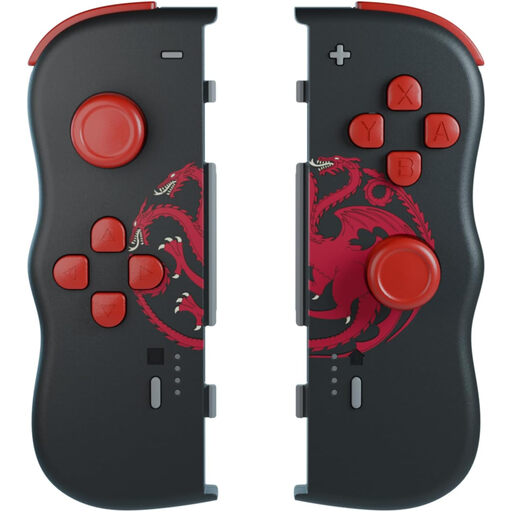
The twin-pad format is worth considering for Nintendo Switch play when you want two pads. Check how your intended game uses them and confirm the expected battery runtime before planning a longer session.
 No image available
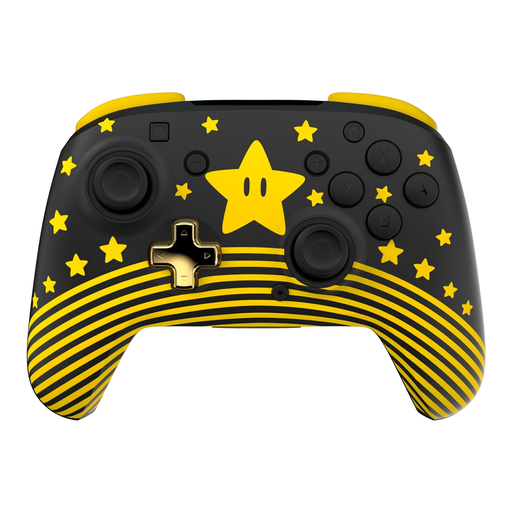
This wireless controller suits a Nintendo Switch setup if your game supports the planned number of local players. If you intend to use it with Switch 2, check its control requirements; do not choose this model if you need wired gameplay.
 No image available
This is an Xbox controller option for an Xbox or compatible Windows PC connected to a large screen. Microsoft lists Bluetooth support for Windows PCs but cautions that some functions vary by device and connection; check those conditions if a particular feature matters.
 No image available
Choose this PS5 controller for co-op games that support your planned local-player count. If you also intend to use DualSense features on PC, Sony says haptic feedback needs USB and a supporting game, while adaptive triggers need game support.
Yes, Sony supports DualSense connection to compatible Windows PCs by Bluetooth or USB Type-C. If you want haptic feedback on PC, you need USB and a supporting game; adaptive triggers also depend on game support.
Nintendo says up to eight wireless controllers can be paired with a Nintendo Switch, but the usable maximum varies with controller types and features. Check the particular game’s local-player limit before buying that many controllers.
Allow for charging between group sessions: Nintendo states that a full Switch Pro Controller charge takes approximately six hours and can last approximately 40 hours. Actual battery life depends on the software and functions used.
No. 8BitDo lists the Ultimate 2C Wireless for Windows and Android, while the Ultimate 2C Bluetooth is listed for Switch and Switch 2 under its stated firmware conditions. Match the complete variant name to your host rather than relying on the shared Ultimate 2C name.