Households adding a co-op player
You already have a PS5, Xbox or Nintendo Switch and need another controller for a particular local co-op game. The console and the game’s supported controller arrangement both matter.


Choose an extra controller that works with your console and the exact game’s local co-op mode before considering its colour or lighting. For a dark-room session, check how players identify their pads and how every controller will stay powered; a Joy-Con pair can be shared by two players only when the Switch game supports that arrangement.
You already have a PS5, Xbox or Nintendo Switch and need another controller for a particular local co-op game. The console and the game’s supported controller arrangement both matter.
You want to tell which pad belongs to which player without interrupting play. Player indicators can help, but they do not establish whether the game supports the intended number of local players.
You need every pad ready when friends or family join. Check whether the controllers you choose need charging time, a suitable cable or replaceable batteries.
Start with the console and the game’s local-play requirements, then work out how many pads need pairing and power. Treat player identification in low light as a further check, not a substitute for compatibility.
| Concern | What to check | Who this matters to |
|---|---|---|
| Console and game compatibility | Match the controller to your console. Check the exact game’s local-player count and supported controller types. | I need another player to join the game on the console we already own, rather than just a pad that looks compatible. Around 45% of consumers put console and game compatibility first. |
| Power for every player | Count the pads needed, then check their battery type, charging method and any required accessories. | If everyone is playing together, I need each controller paired and powered through the session. Keeping the group playing is the primary concern for around 36% of consumers. |
| Player identification in low light | Check for documented player indicators and how the console assigns players; confirm single Joy-Con support before sharing a pair. | In a dark room, I want to recognise my own controller without confusing it with someone else’s. Identifying each player’s pad comes first for around 19% of consumers. |
A controller can work with a console while the game limits local players or requires a different controller arrangement. Nintendo directs Switch players to the game’s packaging, official game page or eShop listing for supported play modes.
Check the exact game’s local-player count, play mode and controller requirements before ordering an extra pad.
PlayStation says a standard DualSense controller does not include a USB cable, while Xbox Wireless Controllers can use AA batteries or a compatible rechargeable pack. Package contents may vary by listing or bundle.
Before a group session, confirm what comes with the specific product and how each additional controller will be charged or supplied with batteries.
PlayStation says PS5 assigns a colour to each player after the PS button is pressed. A controller’s shell colour or decorative lighting does not establish how it identifies a paired player.
Check documented player-status features and the game’s controller support before making appearance the deciding factor.
UK government guidance says electrical products and batteries displaying the crossed-out wheelie-bin symbol should go to an appropriate recycling collection point rather than household rubbish.
Check the relevant electrical-waste or battery collection options when replacing a controller or removing its batteries.
DualSense is the first-party route for adding a standard controller to PS5 local co-op.
The Xbox Wireless Controller is a first-party option for Xbox co-op, with Xbox also stating use across Windows PC, Android and iOS.
Joy-Con offer a way to add or share controls on a Nintendo Switch when the particular game supports the arrangement.
These choices include a PS5 DualSense, Xbox-compatible pads and a Nintendo Switch twin-pad set. Choose within the route that matches your console, then check the exact game’s local co-op requirements; the Switch twin pads are not a substitute for confirming whether a game accepts their controller arrangement.
 No image available
Consider this additional PS5 pad when your game supports another local player; PlayStation says PS5 assigns each player a colour after the PS button is pressed.
Haptic feedback and adaptive triggers depend on the game. Confirm whether this specific package includes a suitable charging cable before the session.
 No image available
This wireless pad is listed for Xbox Series X|S and Xbox One co-op; confirm that your game supports the intended number of local players.
The product name also identifies Windows 10/11 PC use. If recognising players in low light matters, check what its indicators show rather than assuming they identify individual players.
 No image available
This first-party wireless pad suits an Xbox setup needing another controller, provided the game supports another local player.
Xbox specifies AA batteries or a compatible rechargeable pack for the Xbox Wireless Controller. Decide how you will power extra pads, and check player identification separately if it matters in your room.
 No image available
This wireless Elite Series 2 listing names Xbox One and Xbox Series X/S for a setup needing another local co-op pad.
Check the exact game’s player limit and confirm the charging arrangement and player-status cues you need before choosing this variant.
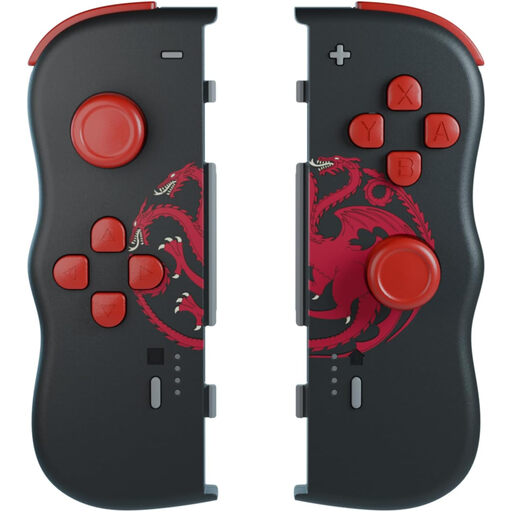 No image available
This Nintendo Switch twin-pad set is worth considering when the game supports the two-controller arrangement your group needs.
Check the exact game’s controller types and local-player count. Confirm the applicable battery runtime and whether either pad has a useful player-status indicator before planning a longer dark-room session.
PlayStation says PS5 can use up to four controllers at the same time. The game may support fewer local players, so check its listed player count before buying another pad.
Yes, in a Nintendo Switch game that supports one Joy-Con per player. Nintendo says the two Joy-Con can be used independently or together as one controller; check the exact game’s supported arrangement before relying on the pair for two players.
Switch Lite does not support TV mode, so it will not serve a TV-based co-op setup. For play on the console, check the game’s supported modes and compatible controllers on its packaging, Nintendo game page or eShop listing.
You may need one, depending on what you already have and what the specific package contains. PlayStation says the standard DualSense does not include a USB cable and can use the cable supplied with the PS5 console; confirm the contents of the controller listing you intend to buy.