For coding beside a bright window, check where reflections fall and whether you can reposition the screen before choosing by resolution or refresh rate. A matte programming monitor may suit a reflection-prone desk; a hub monitor addresses frequent laptop docking, while a larger display gives code, browser previews and developer tools more room. None replaces the need to manage a direct window reflection.
Who this setup suits
Coders dealing with window reflections
If reflected daylight obscures code, start with screen placement and reflection handling rather than assuming more pixels will solve it. RTINGS identifies room lighting and reflection handling as factors in image visibility; the Health and Safety Executive advises arranging the screen to avoid glare.
Laptop-first extension developers
If you connect and disconnect a laptop regularly, a hub monitor may simplify the desk. Check that the laptop can send video through its USB-C or Thunderbolt port and that the monitor's stated power delivery meets its charging needs.
Single-screen multitaskers
If an editor, browser preview, developer tools and documentation compete for space, a larger display may suit your layout. LG lists its 31.5-inch 4K 32UN880K-B with an adjustable C-clamp stand; the desk must have room for both the screen and clamp.
What matters when choosing
Set the screen's position relative to the window first. Then choose the workspace and laptop connection that fit how you build and test the extension.
| Concern |
What to check |
Who this matters to |
| Reflections and readable code |
Check the surface finish and whether the stand lets you angle the screen away from the window. Compare brightness only after considering direct reflections. |
When daylight reflects across my editor, I need to keep text visible without relying on brightness alone. For around 42% of consumers, controlling reflections is the primary concern. |
| Space for development windows |
Compare native resolution, screen size and available desk depth against your usual code, browser and developer-tools layout. |
If I keep a browser preview and documentation beside my code, I want enough usable screen space without crowding the desk. Workspace is the main priority for about 33% of consumers. |
| Laptop docking and positioning |
Confirm USB-C or Thunderbolt video support, charging requirements and the monitor's power delivery; check the stand or arm against the desk. |
Connecting my laptop each day is easier if the display connection and screen position work with my setup. Roughly 25% of consumers put docking and adjustment first. |
Buying pitfalls
-
Expecting brightness alone to overcome window glare
A direct reflection can remain visible when brightness is increased. RTINGS notes that both peak brightness and reflection handling affect visibility.
Check the window direction and try a screen position that avoids the reflection. The Health and Safety Executive also advises repositioning the screen or using blinds where needed.
-
Assuming every USB-C connection carries video and enough power
Monitor power-delivery ratings differ, and a matching connector alone does not establish that your laptop can send video through it or charge as required.
Check the laptop manufacturer's display-output and charging specifications against the monitor's ports and stated power delivery.
-
Choosing a clamp-mounted large screen without checking the desk
An adjustable arm still needs a suitable desk edge and enough room to position the display away from the window. LG's 32UN880K-B, for example, uses a C-clamp stand.
Measure desk depth and rear-edge clearance, then check the clamp and adjustment requirements for the particular monitor.
Brands to consider
BenQ
BenQ's RD programming-monitor range is relevant when coding features and reflection handling drive the choice.
- BenQ UK specifies a Nano Matte coating, coding modes and 350-nit typical brightness for the RD270Q.
- Those specifications do not establish how the RD270Q will handle every direct reflection; check where the window appears on the screen.
Dell
Dell's UltraSharp hub range is relevant when laptop docking and an adjustable work display matter alongside screen placement.
- Dell UK lists anti-glare treatment, ambient-light sensing and 150 mm of height adjustment for the U2724DE; the Joybuy UK listing states 90 W USB-C power delivery.
- Confirm that your laptop supports the required video connection and charging level. Anti-glare treatment does not remove the need to address a direct window reflection.
LG
LG's Ergo range is relevant when a larger single-screen layout and flexible physical positioning take priority.
- LG UK lists the 32UN880K-B as a 31.5-inch 4K IPS monitor with a C-clamp stand and up to 60 W USB-C power delivery.
- Check desk and clamp fit before choosing this model; its workspace and stand specifications do not establish how it handles direct window reflections.
Joybuy monitors for this setup
These monitors offer different screen layouts for a window-side coding desk. Compare the space each needs and its stated connections, then check how you can position the screen to avoid direct reflections.
 No image available
BenQ EW3290U 4K Ultra HD monitor
Consider this model if you want room for several development windows on one display. Its title specifies 3840 × 2160 resolution; confirm the advertised screen size, as the product information gives both 31.2 and 31.5 inches.
Check your laptop's video output and charging requirements before relying on a single-cable setup. Position the screen to avoid direct window reflections.
View on Joybuy
 No image available
Acer Predator X49X 49-inch curved ultrawide QD-OLED monitor
The 32:9 Dual QHD format is worth considering if you want a wide layout for code and browser windows. Check that the desk and your viewing position can accommodate a 49-inch screen with an 1800R curve.
The title lists USB-C, but confirm your laptop's video and charging compatibility. Check the brightness specification for your room and avoid placing the panel where it catches a direct window reflection.
View on Joybuy
 No image available
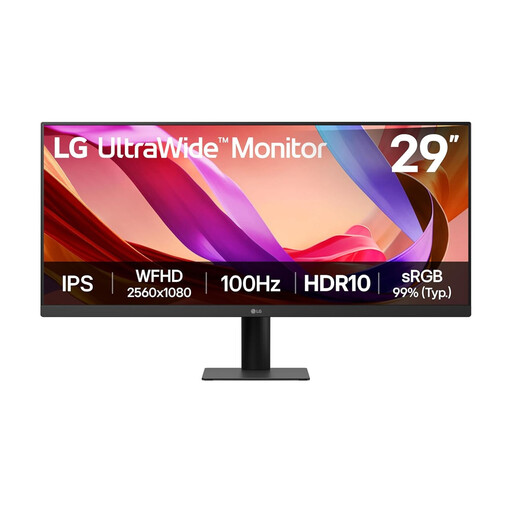
LG UltraWide 29U511A 29-inch IPS monitor
A 21:9 layout may suit a developer who wants code and a browser window side by side. The title specifies UWFHD 1080p resolution and lists DisplayPort and HDMI.
Check how the display will sit relative to the window, and plan your laptop connection and charging separately if you need more than the listed display connections.
View on Joybuy
 No image available
BenQ GW2791 27-inch Full HD IPS monitor
This is a conventional 27-inch layout to assess if you do not need an ultrawide or 4K workspace. Its stated Full HD resolution is 1920 × 1080; decide whether that gives enough room for your editor and browser tools.
Check screen placement against the window and confirm how your laptop will connect and charge.
View on Joybuy
 No image available
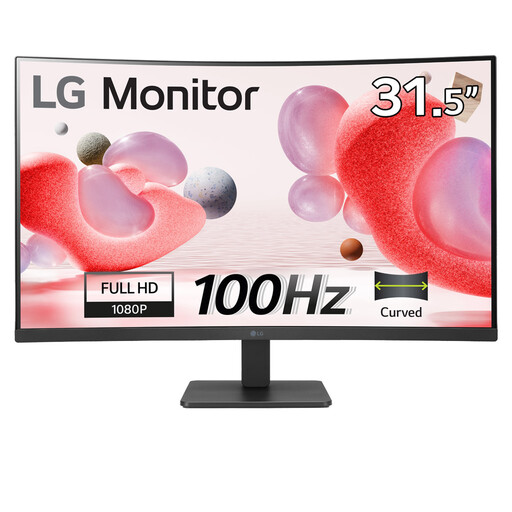
LG 32MR50C-B 32-inch curved Full HD monitor
Consider its larger physical screen if that suits your viewing position, but check whether Full HD resolution provides the text detail and workspace you want at 32 inches. The title specifies a VA panel, an anti-glare finish and HDMI.
Check the stand's adjustment against your window position and confirm your laptop's display and charging arrangements.
View on Joybuy
Frequently asked questions
Should I choose the brightest monitor for a desk beside a window?
Not on brightness alone: a direct reflection can still obscure the image. RTINGS identifies reflection handling and room lighting alongside brightness as visibility factors, so check screen position and surface finish before comparing brightness figures.
Where should the monitor go relative to the window?
Position it to avoid a bright reflection on the panel. The Health and Safety Executive advises arranging the desk and screen to avoid glare, with repositioning or blinds among the ways to address it.
Will USB-C run the display and charge my laptop through one cable?
Only if the laptop's port supports the required video output and the monitor's power delivery suits the laptop. Check both devices' specifications rather than relying on the connector shape; the Joybuy UK listing for the Dell U2724DE, for instance, states 90 W USB-C power delivery.
Does UK workstation guidance apply if I work from home?
For employees who use display screen equipment daily for continuous periods of an hour or more, the Health and Safety Executive says employers must carry out a workstation assessment, including for home workers. The assessment concerns the whole workstation and working conditions, not just the monitor.


