What should you check before choosing?
Check course software first, then compare the configuration and day-to-day practicality of laptops that can run it.
| Priority | What to check | Your needs |
|---|
| Course compatibility |
Check required application versions, operating system and any departmental device guidance. Confirm processor, graphics and peripheral requirements where specified. |
I need my assessed work to run on my own laptop. Loughborough University identifies Windows-specific engineering software, so a different operating system needs checking against the actual course applications. |
| Memory and storage |
Compare the listed RAM and SSD with your course’s minimum and recommended specifications. Allow for any applications and files you must keep locally. |
My document-based work may need a different configuration from a course using specialist applications. University College London gives 8GB RAM and a 256GB SSD as an example Windows minimum but says some courses need more. |
| Dependable study access |
Check whether you can use the device wherever coursework is due, and assess its carrying weight, charging needs and video-call equipment for your routine. |
I need dependable access to a suitable computer, rather than relying entirely on a shared device. In Jisc’s 2024/25 survey of 15,398 higher-education students across 30 UK providers, 37% reported lacking access to a suitable device at some point during their studies; that measures access, not laptop-buying preferences. |
| Refurbished condition |
Confirm the exact processor, RAM, SSD and supported operating system. Ask for battery-condition details and read the seller’s warranty and returns terms. |
If I choose refurbished, I want to know what the individual device can run and what the seller has promised about its condition and support. |
Relevant brand references
No brand references to display.
Joybuy laptop options
These are new laptop options to compare with your course’s software and device requirements. Their listed specifications do not, by themselves, confirm that a particular course application will run.
 No image available
ASUS Vivobook 15 X1504VA, 15.6-inch, Core 5 120U, 24GB RAM, 1TB SSD
Compare its listed memory and storage with the applications and files your course requires. Confirm software compatibility and practical battery runtime if you study away from a socket.
View on Joybuy
 No image available
Lenovo LOQ Essential 15ARP11, Ryzen 7 170, 16GB RAM, 1TB SSD, RTX 5050
If your course specifies graphics hardware, compare its requirements with the listed GeForce RTX 5050 rather than assuming the GPU guarantees application support. Check battery runtime and carrying needs for daily study.
View on Joybuy
 No image available
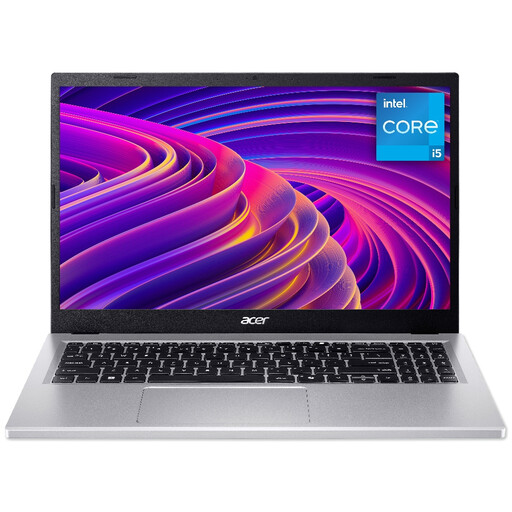
Acer Aspire Go AG15-71P, 15.6-inch Full HD, Core i5-13420H, 8GB RAM, 512GB SSD
Its listed 8GB RAM is worth checking against your department’s recommendations, particularly for demanding applications. Confirm the exact memory-upgrade options before relying on an upgrade later.
View on Joybuy
 No image available
HP OmniBook X Flip 16-as0004na, 16-inch touchscreen, Core Ultra 5 226V, 16GB RAM, 512GB SSD
The listed touchscreen and 2-in-1 design are features to weigh against how you work. Check course-software compatibility, carrying weight and practical battery runtime before choosing it for daily travel.
View on Joybuy
 No image available
Lenovo IdeaPad Slim 3 83K7009MUK, 15.3-inch WUXGA, Ryzen 5 7535HS, 24GB RAM, 512GB SSD
Compare the listed memory and storage with your course workload. If you need an external display, particular peripherals or online classes, confirm the ports, microphone and practical battery runtime for this configuration.
View on Joybuy
Frequently asked questions
Should I choose Windows, a MacBook, a Chromebook or a tablet?
Choose only after checking your course applications. UWE Bristol says Windows runs most university and specialist software, while some specialist applications are unavailable on macOS. Loughborough University identifies Windows-specific engineering software, and the University of Nottingham advises against Chromebooks and tablets as primary study devices under its guidance.
Are 8GB RAM and a 256GB SSD enough for coursework?
They may meet some courses’ requirements: University College London gives 8GB RAM and a 256GB SSD as an example Windows minimum, while warning that specialist courses may need more. Check your own department’s guidance before treating those figures as a buying target.
When should I look beyond a general-purpose laptop?
Look more closely at course-specific specifications when assessed work requires specialist applications. Loughborough University identifies engineering software with operating-system restrictions, and the University of Nottingham provides separate buying guidance for subjects including architecture, computer science and engineering.
Can a refurbished laptop work for college?
Yes, if the individual configuration runs your required course software and the seller’s battery, condition and warranty information meets your needs. Which? notes that refurbished stock changes, so assess the exact listing rather than relying on a model family or condition grade.
Do I have rights if a refurbished laptop bought from a UK trader is faulty?
Yes. Citizens Advice says rights for faulty goods also apply when an item was bought second-hand. Where repair or replacement is required under section 23 of the Consumer Rights Act 2015, the trader must provide it within a reasonable time, without significant inconvenience and at no necessary cost to the consumer.


