What should you check before buying?
Start with course requirements, then consider daily use and whether your institution provides access to the software you need.
New Windows laptop
Consider it when: Your course calls for Windows software and you need a personal laptop that meets its stated requirements.
Trade-off: A larger or more demanding configuration may be less convenient to carry; check what the named applications actually require.
Refurbished business laptop
Consider it when: An individual listing meets your course requirements and its condition and warranty suit the time you expect to use it.
Trade-off: Specifications, cosmetic grades and warranty terms vary between listings and refurbishment programmes.
Course-approved access
Investigate it when: Your course offers an approved device route or access to specialist applications through its own facilities.
Trade-off: Check access arrangements before relying on a shared or remote option for work outside scheduled sessions.
| Concern |
Buying checks |
Who this matters to |
| Course software compatibility |
Ask the course team for named applications, supported operating systems and any required graphics, memory or storage specifications. |
If my coursework uses specialist software, I need to know it will run on my chosen device before I compare other features. About 37% of consumers would put course-software compatibility first. |
| Everyday study and carrying |
Compare the course’s memory and storage guidance with the laptop’s listed weight and the connections you need for study. |
I expect to move between study spaces while keeping documents and everyday applications to hand. For about 27% of consumers, that balance of study capacity and portability would be the primary concern. |
| Refurbished condition and cover |
Check the exact configuration, battery terms, cosmetic grade and who provides the warranty. |
When considering a refurbished machine, I need its condition and cover to work for the length of my course. Refurbished value would come first for about 18% of consumers. |
| Institutional access |
Ask whether approved devices, computer rooms, loans or remote software access are available, and when you can use them. |
Before buying a machine for specialist work, I want to know what my course already lets me use. About 18% of consumers would make those access arrangements their first consideration. |
New Windows laptops on Joybuy
These new Windows laptops offer different configurations for everyday study or coursework with stated hardware requirements. Check each one against your course guidance; the refurbished and institution-provided routes discussed above call for separate checks.
 Image unavailable
ASUS Vivobook 15 X1504VA, Core 5 120U, 24GB RAM, 1TB SSD
Consider this for everyday study that involves several applications and locally stored coursework. The listing specifies Windows 11 Home, a 15.6-inch Full HD IPS display and a weight of 1.70kg. It lists integrated Intel graphics, so check any graphics requirements set by your course.
View on Joybuy
 Image unavailable
ASUS Vivobook 14 X1407QA-LY003W, Snapdragon X, 16GB RAM, 512GB SSD
Consider the listed 1.49kg weight if you expect to carry a laptop regularly. This Windows 11 Home model has a 14-inch 1920 × 1200 display and an ARM-based Snapdragon X processor; confirm that every required course application supports this configuration before buying. Its listed 16GB memory is onboard, with a 16GB maximum.
View on Joybuy
 Image unavailable
Lenovo LOQ Essential 15ARP11, Ryzen 7 170, RTX 5050, 16GB RAM, 1TB SSD
Consider its graphics configuration only if your named course software calls for it. The listing specifies Windows 11 Home, an NVIDIA GeForce RTX 5050 laptop GPU with 8GB graphics memory and a 15.6-inch Full HD IPS display. At a listed 2.30kg, carrying weight deserves attention; check battery and warranty terms for the offered item.
View on Joybuy
 Image unavailable
HP OmniBook X Flip 16-as0004na, Core Ultra 5 226V, 16GB RAM, 512GB SSD
Consider this model if a touchscreen 2-in-1 format suits the way you work with study materials. The listing specifies Windows 11 Home, a 16-inch 2K IPS touchscreen and a 5MP IR camera. Check its weight, battery and warranty terms alongside your course’s application requirements.
View on Joybuy
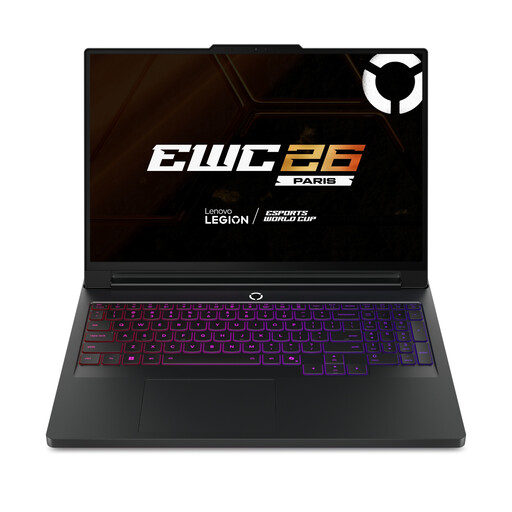 Image unavailable
Lenovo Legion Pro 7 16IAX10H 83F5000UUK, RTX 5090, 64GB RAM, 2TB SSD
Consider this configuration only after confirming that your course needs its stated memory, storage or graphics hardware; the specification alone does not establish course suitability. The listing specifies Windows 11 Home, a 16-inch 2560 × 1600 OLED display and an NVIDIA GeForce RTX 5090 GPU with 24GB graphics memory. Check weight, battery and warranty terms if you plan to take it to campus.
View on Joybuy
College laptop questions
Do I need a Windows laptop for college?
Not for every course: the deciding factor is the software your course requires. The University of Bath recommends Windows for its mechanical-engineering students because several key applications are Windows-only, so ask your own course team which operating systems it supports.
Are 8GB RAM and a 256GB SSD enough for coursework?
They can meet some published minimums, but they are not approval for every course. University College London lists 8GB RAM and a 256GB SSD in its minimum Windows-laptop requirements; compare your course’s named software and recommended specification before choosing that configuration.
Can I use a Chromebook or tablet instead?
Do not assume it can replace a laptop required for your course. The University of Nottingham does not recommend Chromebooks, iPads or tablets in its student laptop guidance; ask your course team whether your particular applications work on the device you intend to use.
What should I check when ordering a refurbished laptop online?
Check the exact model and specification, condition, battery and accessories, warranty provider and return terms. For a UK distance purchase, GOV.UK says customers can tell the seller they wish to cancel up to 14 days after delivery; that change-of-mind process is separate from remedies for faulty goods or goods not as described.
Could course facilities change the laptop I need to buy?
Yes, if your course provides usable access to the specialist applications you need. Ask where that access is available, whether you can use it outside scheduled sessions and what work still requires your own device before deciding on a laptop specification.


