
24/7 全天候客户支持

免费退货

当日/次日达

品质保障

开启新人专享福利: 全场免邮 | 低至 2 折 | 免费试用 30 天 JoyPlus 会员
下载 Joybuy
For any creative professional, from photographers and graphic designers to video editors, colour consistency is non-negotiable. The frustration of seeing your carefully crafted work appear differently on another screen or in print is a common and costly problem. A standard office monitor simply won't do; you need a display that renders colours faithfully.
This guide is designed to help you navigate the technical specifications and find a colour accurate monitor that fits your workflow and budget. We will break down the essential features to look for and present a few recommendations to get you started.
Choosing a display for creative work involves more than just screen size. Here are the critical factors to consider to ensure your investment enhances your productivity and the quality of your output.
A monitor's ability to reproduce a specific range of colours is defined by its colour space coverage. Understanding these standards is key to matching a display to your needs.
The resolution of your monitor determines the level of detail you can see. While higher is often better, the right choice depends on your specific tasks.
Modern creative workflows often involve connecting laptops, tablets and other peripherals. A USB-C monitor for creatives can simplify this process immensely. A single USB-C cable can transmit video, transfer data and deliver power to charge your laptop, creating a cleaner and more efficient workspace.
Here are our recommendations, selected to meet the needs of different creative professionals and budgets.
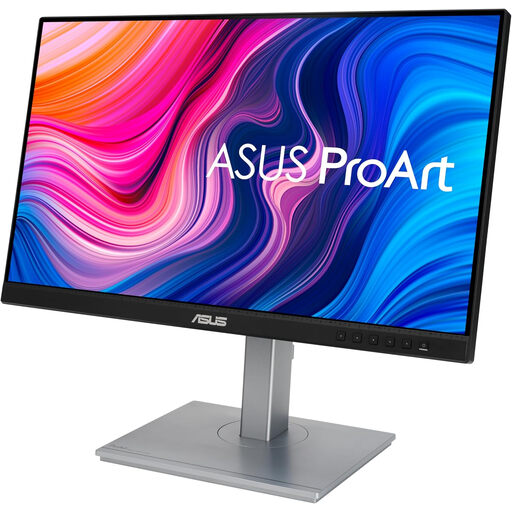
Why It Stands Out: The PA247CV brings professional-grade colour accuracy within reach for those on a tighter budget. It is factory-calibrated and Calman Verified, ensuring dependable colour reproduction straight out of the box. Its versatile connectivity, including a powerful USB-C port, makes it a highly practical hub for any creative setup.
Pros:
Who is it for? This monitor is an excellent starting point for photography students, freelance graphic designers and content creators who need reliable colour performance without the premium price tag.

Why It Stands Out: This model hits a perfect balance between size, resolution and colour performance. The 27-inch QHD screen provides ample space for multitasking and detailed editing, while its verified colour accuracy ensures your work remains consistent. It's a true workhorse for the modern creative professional.
Pros:
Who is it for? A great all-rounder for photographers, designers and video editors who need more screen real estate and detail than an FHD monitor can provide, making it a superb professional monitor for photo editing and design.

Why It Stands Out: For those who require the highest level of fidelity, the PA27DCE-K delivers. Its 4K OLED panel provides pixel-perfect blacks, an incredible contrast ratio and vibrant colours. With extensive colour space coverage including Adobe RGB and DCI-P3, it is built for high-end, colour-critical workflows.
Pros:
Who is it for? This is a premium tool for professional colourists, high-end video editors and commercial photographers whose work demands the utmost precision and dynamic range.
Many professional monitors, including some of our recommendations, offer a smooth 75Hz refresh rate that provides a more fluid experience than the standard 60Hz. If you're interested in exploring more displays with this feature, browse our wider collection of 75hz monitors.
Delta E (ΔE) is a metric that measures the difference between two colours. For professional creative work, a ΔE of less than 2 is considered the target. At this level, the difference between the intended colour and the one displayed on the screen is virtually imperceptible to the human eye.
A factory calibration report is a great assurance of out-of-the-box accuracy. However, all monitors can experience slight colour shifts over time. For mission-critical work, it is good practice to perform a recalibration with a hardware colourimeter every few months to maintain peak performance. A Calman Verified display ensures a high standard from the start.
While other panel types exist, IPS (In-Plane Switching) panels are widely regarded as the standard for creative work. They offer superior colour accuracy and significantly wider viewing angles compared to TN or VA panels. This means colours remain consistent even when viewed from an off-angle, which is crucial for a professional monitor for photo editing.