Who might need a separate camera?
The reason to carry another device depends on whether you need different controls, a different lens arrangement or a camera built for the activity.
Phone photographers seeking direct control
A fixed-lens compact is worth considering if you want dedicated camera handling and shooting controls without choosing and carrying separate lenses. Which? describes greater control as one reason to consider a compact camera, but the controls vary by model.
Travel and everyday photographers
A self-contained camera with a built-in zoom may suit trips and day-to-day photos when changing your framing without changing lenses matters. Check the actual zoom range and whether the camera is comfortable to carry.
People recording active pursuits
For cycling, skiing or water activities, mounting, stabilisation and the conditions for water use may matter more than conventional still-photo controls. Which? evaluates action cameras for demanding activities, including underwater and high-speed use.
What should you check before choosing?
Start with the photos you want to take and the kit you are willing to carry. Then check the exact model’s controls, storage and image-transfer options.
| Priority | What to check | Your needs |
|---|
| Camera handling |
Try the controls and grip where possible. Check how the model changes focus, exposure and shooting mode. |
I want to make deliberate changes while taking a photo, rather than rely entirely on my phone’s screen. |
| Lens arrangement |
Compare the built-in zoom of a fixed-lens compact with the lenses you would actually carry for a compact system camera. Account for the whole kit, not just the body. |
A single camera I can pick up and use appeals to me; alternatively, my subjects call for different lenses. |
| Activity fit |
For mounted or wet use, check the action camera’s mounting options, stabilisation and exact water-use conditions. For everyday stills, check framing and shooting controls instead. |
I need to record while moving or near water, rather than mainly take general photos on a walk or trip. |
| Carrying it |
Consider the camera, any lenses, protection and accessories together. Check whether the resulting arrangement fits how you travel. |
If another device is awkward to bring along, I may be happier addressing a grip or handling problem with a phone accessory. |
| Memory cards |
Confirm the exact model’s supported card format and capacity. Match its stated speed requirements to the recording modes you intend to use. |
I want a card that works with this camera, particularly if I plan to record high-resolution or high-frame-rate video. |
| Sharing and charging |
Check the camera and phone against the manufacturer’s current app requirements. Confirm USB or card-reader transfer, file support and how the camera charges. |
Getting photos onto my phone or computer needs to fit my routine, not just work in one shooting mode. |
Relevant camera brands and ranges
These examples illustrate different camera routes; a brand’s presence here does not mean every model has the same features.
Canon
Canon offers compact cameras and EOS R interchangeable-lens mirrorless cameras.
- Canon Europe describes APS-C and full-frame mirrorless options using interchangeable RF lenses.
- The lenses you select determine the kit you carry. Canon Camera Connect supports image transfer and remote functions only with compatible cameras and devices.
Sony
Sony’s fixed-lens compact range includes the RX100 VII.
- Sony UK specifies a built-in 24–200 mm zoom and a 1.0-type sensor for the RX100 VII, offering a defined lens range without lens changes.
- The RX100 VII’s lens cannot be changed. Sony’s mobile transfer and remote functions depend on the compatible camera and app.
Fujifilm
Fujifilm’s X-M5 is an APS-C compact system-camera example with an interchangeable X-mount lens arrangement.
- Fujifilm UK specifies a 23.5 mm × 15.6 mm APS-C sensor and SD/SDHC/SDXC UHS-I card support for the X-M5.
- Choose a lens for your subjects and assess the resulting kit size; a small body is not the entire carrying arrangement.
GoPro
GoPro’s HERO12 Black is an action-camera option for activity-focused recording.
- GoPro states that HERO12 Black is waterproof to 33 ft and has stabilisation and an ultra-wide view.
- GoPro says a microSD card is required but sold separately; its guidance specifies V30 and A2-rated cards for HERO12 Black. Its wide viewpoint may not suit general stills.
DJI
DJI’s Osmo Action range provides another activity-focused camera route.
- DJI specifies a 149 g body, microSD support and waterproofing to 20 m without a case for the Osmo Action 6.
- For the Osmo Action 6, DJI says the battery-compartment and USB-C covers must be closed before water use. Check the instructions for the exact model and conditions.
Joybuy camera options
These options span interchangeable-lens and fixed-lens cameras for everyday photography, plus an action camera for activity-led use. Compare each with the photos you intend to take rather than treating them as interchangeable small cameras.
 No image available
Sony Alpha ZV-E10 II K with 16–50 mm f/3.5–5.6 kit lens
Consider this APS-C interchangeable-lens camera if choosing different lenses is part of your photography plans; the supplied 16–50 mm lens provides a starting kit.
The listing states 26 MP stills and 4K60p video. Check the card requirements and your intended phone-transfer method for this exact model.
View on Joybuy
 No image available
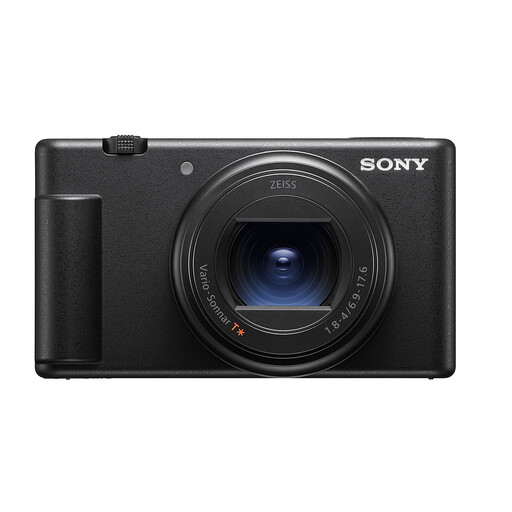
Sony ZV-1 II compact camera
This fixed-lens option suits someone who wants a self-contained camera rather than a collection of lenses; it is less suitable if changing lenses is the point of the purchase.
The listing identifies a 1-inch sensor, wide-angle zoom lens, 20 MP stills and 4K video. Check its card requirements and app compatibility with your phone.
View on Joybuy
 No image available
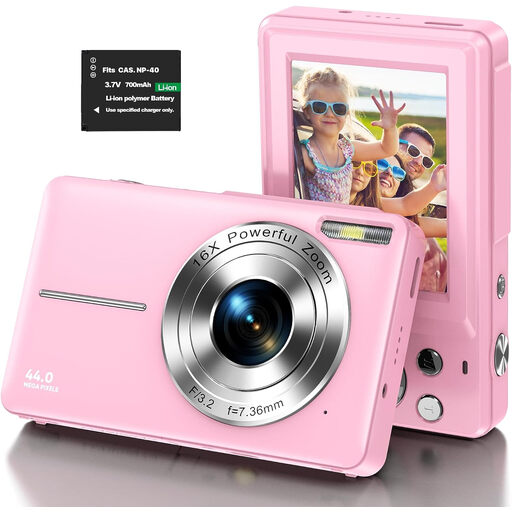
Songdian pocket camera, pink
This pocket digital camera is an option to examine if you want a separate device for photos and video without choosing lenses.
Its listing states 4K video, 64 MP and 16X zoom, but those labels alone do not establish image quality or whether the zoom is optical or digital. Confirm the zoom type and compatible card requirements before choosing it for a particular subject.
View on Joybuy
 No image available
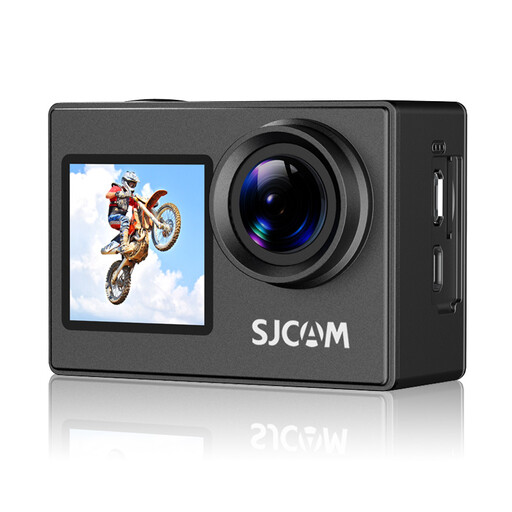
SJCAM SJ4000 dual-screen action camera
Consider this activity-focused camera when a wide view and case-based water use matter more than the framing choices of a general-purpose compact.
The listing specifies a 170° lens, 16 MP photos and waterproof use to 30 m with the case. It describes 4K video as interpolated; check the case seal and the camera’s card requirements before use.
View on Joybuy
Camera buying questions
Is a compact camera automatically better than my phone for photos?
No. A compact camera is worth considering when its controls, handling or lens range address something you cannot comfortably do with your phone. Which? describes greater control and more detailed photos as potential benefits of compact models, not a guarantee for every camera or shot.
When should I choose a compact system camera instead?
Choose a compact system camera when changing lenses is important to the photos you intend to take and you are willing to carry the resulting kit. A fixed-lens compact keeps the lens arrangement self-contained; check the complete body-and-lens setup before deciding which is easier for you to bring along.
Will any SD or microSD card work?
Check the exact camera’s supported format, capacity and speed requirements. Fujifilm UK lists SD/SDHC/SDXC UHS-I support for the X-M5, while GoPro specifies V30 and A2-rated microSD cards for HERO12 Black; a card’s shape alone does not settle recording compatibility.
Can I transfer camera photos straight to my phone?
You can when the particular camera, app and phone support the transfer you need. Canon Camera Connect works with compatible Canon cameras, and Sony describes Imaging Edge Mobile transfer for compatible Wi-Fi-enabled cameras. Check your exact model, phone and file types; consider USB or a card reader for your computer workflow too.
What matters before taking an action camera into water?
Follow the water-use instructions for the exact camera and any required case. DJI says the Osmo Action 6’s battery-compartment and USB-C covers must be closed before water use; conditions for prolonged underwater use or higher water pressure should be checked against the specific model and case instructions.


